# A B C D E F G H I J K L M N O P Q R S T U V W X Y Z

Panasonic DVD-SD47 User Guide

Summary

Explore all capabilities of your DVD/CD Player with this comprehensive operating manual. It guides new users through every step, from initial setup and safe connections to advanced feature utilization like stereo enhancements and customized play sequences. Everything you need to know—including troubleshooting advice, maintenance tips, and essential safety standards—is covered for optimum performance in your home entertainment system.
📄 Preview 📖 Table of Contents Contents PAGE OF 20

Page 1 Text Content

7553En.fm 1 ページ 2003年12月26日 金曜日 午前10時32分

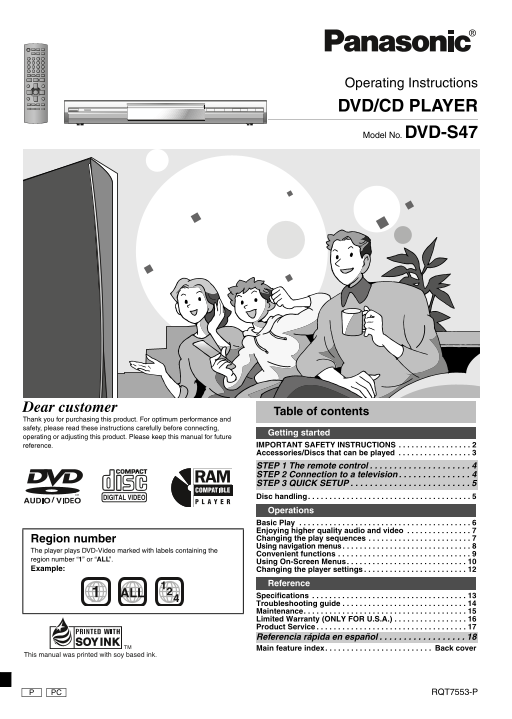
Operating Instructions DVD/CD PLAYER Model No. DVD-S47

Dear customer

Table of contents

Thank you for purchasing this product. For optimum performance and safety, please read these instructions carefully before connecting,

Getting started

operating or adjusting this product. Please keep this manual for future

reference. IMPORTANT SAFETY INSTRUCTIONS . . . . . . . . . . . . . . . . . Accessories/Discs that can be played . . . . . . . . . . . . . . . . .

STEP 1 The remote control . . . . . . . . . . . . . . . . . . . . . STEP 2 Connection to a television . . . . . . . . . . . . . . . STEP 3 QUICK SETUP . . . . . . . . . . . . . . . . . . . . . . . . . Disc handling. . . . . . . . . . . . . . . . . . . . . . . . . . . . . . . . . . . . . . Operations Basic Play . . . . . . . . . . . . . . . . . . . . . . . . . . . . . . . . . . . . . . . . Enjoying higher quality audio and video . . . . . . . . . . . . . . . Region number Changing the play sequences . . . . . . . . . . . . . . . . . . . . . . . . Using navigation menus . . . . . . . . . . . . . . . . . . . . . . . . . . . . . .

The player plays DVD-Video marked with labels containing the

Convenient functions . . . . . . . . . . . . . . . . . . . . . . . . . . . . . . .

region number “1” or “ALL”.

Using On-Screen Menus. . . . . . . . . . . . . . . . . . . . . . . . . . . .

Example: Changing the player settings . . . . . . . . . . . . . . . . . . . . . . . .

Reference

ALL1 Specifications . . . . . . . . . . . . . . . . . . . . . . . . . . . . . . . . . . . .

Troubleshooting guide . . . . . . . . . . . . . . . . . . . . . . . . . . . . . Maintenance. . . . . . . . . . . . . . . . . . . . . . . . . . . . . . . . . . . . . . Limited Warranty (ONLY FOR U.S.A.) . . . . . . . . . . . . . . . . . Product Service . . . . . . . . . . . . . . . . . . . . . . . . . . . . . . . . . . . Referencia rápida en español . . . . . . . . . . . . . . . . . . Main feature index. . . . . . . . . . . . . . . . . . . . . . . . . Back cover

This manual was printed with soy based ink.

PC RQT7553-P

Page Summary Contents For Panasonic DVD-SD47 User Guide

Page 1 7553En.fm 1 ページ 2003年12月26日 金曜日 午前10時32分 Operating Instructions DVD/CD PLAYER Model No. DVD-S47 Dear customer Table of contents Thank you for purchasing this product. For optimum performance and safet...
Page 2 7553En.fm 2 ページ 2003年12月26日 金曜日 午前10時32分 CAUTION! IM TA IN IO THIS PRODUCT UTILIZES A LASER. CAUTION USE OF CONTROLS OR ADJUSTMENTS OR RISK OF ELECTRIC SHOCK PERFORMANCE OF PROCEDURES OTHER THAN THOSE...
Page 3 7553En.fm 3 ページ 2003年12月26日 金曜日 午前10時32分 Accessories (Only for U.S.A.) To order accessories, refer to User memo: “Accessory Purchases” on page 16. DATE OF PURCHASE ___________________________________ ...
Page 4 7553En.fm 4 ページ 2003年12月26日 金曜日 午前10時32分 STEP 1 The remote control re te tr l/C ec ti el ev is io Batteries Insert so the poles (i and j) match those in the Mishandling of batteries can cause electrol...
Page 5 7553En.fm 5 ページ 2003年12月26日 金曜日 午前10時32分 STEP 3 QUICK SETUP Turn on the television and select the appropriate video input on the television. AV ENHANCER FL SELECT OPEN/CLOSE MULTI DEPTH RE-MASTER ENHA...
Page 6 7553En.fm 6 ページ 2003年12月26日 金曜日 午前10時32分 Basic play as ic la AV ENHANCER FL SELECT OPEN/CLOSE MULTI DEPTH Power ON. Open the disc tray. Pause Stop RE-MASTER ENHANCER REPEAT PLAY SPEED POSITION MEMORY ...
Page 7 7553En.fm 7 ページ 2003年12月26日 金曜日 午前10時32分 Enjoying higher quality audio and video Changing the play sequences AV ENHANCER PLAY MODE AV Enhancer All group/Program/Random play [DVD-A] [DVD-V] [VCD] [CD] ...
Page 8 7553En.fm 8 ページ 2003年12月26日 金曜日 午前10時32分 Using navigation menus si av ig at io en Playing data discs [WMA] [MP3] [JPEG] [CD] (CD-text only) [WMA] [MP3] [JPEG] Using the submenu [WMA] [MP3] [JPEG] You ...
Page 9 7553En.fm 9 ページ 2003年12月26日 金曜日 午前10時32分 Convenient functions Playing High MAT discs [WMA] [MP3] [JPEG] TOP MENU PLAY SPEED Changing play speed While the menu is displayed [RAM] [DVD-V] Select the ite...
Page 10 7553En.fm 10 ページ 2003年12月26日 金曜日 午前10時32分 Convenient functions nv en ie fu ct io s/ si -S cr ee en AUDIO GROUP Audio Starting play from a selected group [DVD-A] [DVD-V] (with multiple soundtracks) [RA...
Page 11 7553En.fm 11 ページ 2003年12月26日 金曜日 午前10時32分 Using On-Screen Menus Other settings Audio Menu Play Speed (➜ page 9) [RAM] [DVD-V] [VCD] (2 or more channels) AV (➜ page 7) SP (Speaker) 1 Natural SP 2 Enhan...
Page 12 7553En.fm 12 ページ 2003年12月26日 金曜日 午前10時32分 Changing the player settings an in la ye se tt in The settings remain intact even if you switch the unit to standby. The QUICK SETUP enables successive settin...
Page 13 7553En.fm 13 ページ 2003年12月26日 金曜日 午前10時32分 Select Select Select SETUP SETUP ENTER ENTER ENTER Go right Register 10Register Shows Setup menu. Select the tab. Select the item. Make the settings. Press to...
Page 14 7553En.fm 14 ページ 2003年12月26日 金曜日 午前10時32分 Troubleshooting guide Tr le sh ti id Before requesting service, make the following checks. If you are in doubt about some of the check points, or if the remed...
Page 15 7553En.fm 15 ページ 2003年12月26日 金曜日 午前10時32分 Progressive video Page There is ghosting when Change “Video Output Mode” in Picture Menu to “480I”. This problem is caused by the editing progressive output i...
Page 16 7553En.fm 16 ページ 2003年12月26日 金曜日 午前10時32分 Limited Warranty (ONLY FOR U.S.A.) im it ed ar ra ty LY .S .A Panasonic Consumer Electronics Company, Panasonic Sales Company, Division of Matsushita Electric...
Page 17 7553En.fm 17 ページ 2003年12月26日 金曜日 午前10時32分 Product Service 1. Damage requiring service—The unit should be serviced by qualified Product information service personnel if: (a) The AC power supply cord or...
Page 18 7553En.fm 18 ページ 2003年12月26日 金曜日 午前10時32分 Referencia rápida en español ef er en ci rá id en sp añ Conexiones Conexión a un televisor AV ENHANCER FL SELECT OPEN/CLOSE MULTI DEPTH RE-MASTER ENHANCER REP...
Page 19 7553En.fm 19 ページ 2003年12月26日 金曜日 午前10時32分
Page 20 7553En.fm 20 ページ 2003年12月26日 金曜日 午前10時32分 Main feature index Recalls recommended audio/ Changes the unit’s display (➜page 6) video setting (➜page 7) AV ENHANCER FL SELECT OPEN/CLOSE MULTI DEPTH RE-MAS...

Manual Details

Brand Panasonic
Pages 20
File Size 1.15 MB
Published June 21, 2026
6 views

Enter the captcha to get the download link:

captcha

Frequently Asked Questions

What should I watch out for regarding safety?

Be aware of the laser use and avoid attempting to open the covers or service it yourself due to risks like hazardous radiation exposure or electric shock.

How do I connect this DVD player to a TV?

Use appropriate cables, connecting the unit to the television and ensuring you select the correct video input on the display.

Is this DVD player compatible with all regions?

The player supports DVDs marked with region number “1” or “ALL”.

Who should handle servicing or repairs of this device?

Only qualified service personnel should perform servicing; unauthorized attempts may cause hazards. Complete safety checks are recommended after any repair.