Page 1
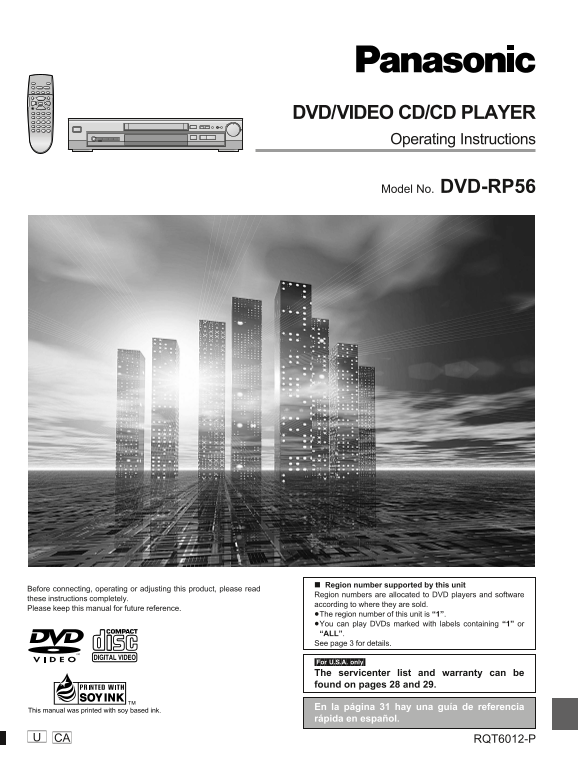
DVD/VIDEO CD/CD PLAYER Operating Instructions Model No. DVD-RP56 Region number supported by this unit Before connecting, operating or adjusting this product, please read Region numbers are allocated t...
Page 2
et ti ta rt ed Thank you for purchasing this product. For optimum performance and safety, please read these instructions carefully. DANGER VISIBLE AND INVISIBLE LASER RADIATION WHEN OPEN. AVOID DIRECT...
Page 3
Table of contents Changing soundtracks, subtitle languages and Getting started angles . . . . . . . . . . . . . . . . . . . . . . . . . . . . . . . . 16 Accessories . . . . . . . . . . . . . . . . . ....
Page 4
IMPORTANT SAFETY INSTRUCTIONS et ti ta rt ed Read these operating instructions carefully before using the unit. Follow the safety instructions on the unit and the safety precautions listed below. Keep...
Page 5
Disc handling The remote control Do not use irregularly shaped discs, such as heart-shaped. Batteries (These can damage the unit.) R6, AA How to hold a disc Do not touch the recorded surface. Insert s...
Page 6
Connection to a television et ti ta rt ed This page explains how to connect the unit to a television and set it up so you hear the audio through the television’s speakers. Connections and procedures t...
Page 7
Selecting TV screen type POWER OPEN/CLOSE Remote control only STOP PAUSE PLAY Change the setting to suit your television. SKIP SLOW / SEARCH TOP MENU MENU The menu language is set to English, but you ...
Page 8
Control reference guide et ti ta rt ed POWER OPEN/CLOSE STOP PAUSE PLAY SKIP SLOW / SEARCH TOP MENU MENU PROGRESSIVE OPEN/CLOSE RANDOM OUT POWER ENTER DISPLAY RETURN ONE TOUCH CINEMA MEMORY ADVANCED B...
Page 9
Basic play OPEN/CLOSE RANDOM PROGRESSIVE OUT Preparation POWER Turn on the television and select the appropriate video input on the CINEMA MEMORY ONE TOUCH ADVANCED BASS DIALOGUE SURROUND PLUS ENHANCE...
Page 10
Basic play as ic er at io OPEN/CLOSE RANDOM PROGRESSIVE OUT Playing CD-R/RW and MP3 POWER CINEMA MEMORY ONE TOUCH ADVANCED BASS DIALOGUE SURROUND PLUS ENHANCER CINEMA This unit can play CD-R and CD-RW...
Page 11
Basic play Shuttle dial :, 9 6, 5 Skipping chapters or tracks OPEN/CLOSE RANDOM PROGRESSIVE OUT POWER CINEMA MEMORY ONE TOUCH ADVANCED BASS DIALOGUE During play or while paused SURROUND PLUS ENHANCER ...
Page 12
Repeat play va ce er at io Remote control only POWER OPEN/CLOSE STOP PAUSE PLAY Repeat play SKIP SLOW / SEARCH During play TOP MENU MENU Press [REPEAT MODE]. ENTER Each time you press the button: DISP...
Page 13
Changing the play sequence OPEN/CLOSE RANDOM PROGRESSIVE OUT POWER CINEMA MEMORY ONE TOUCH ADVANCED BASS DIALOGUE SURROUND PLUS ENHANCER CINEMA Program play Remote control only POWER OPEN/CLOSE You ca...
Page 14
Increasing your enjoyment of va ce er at io movies ADVANCED SURROUND (V.S.S.) You can easily control the following features, used for increasing your enjoyment of movies, with the buttons on the main ...
Page 15
Increasing your enjoyment of movies Main unit only DIALOGUE ENHANCER CINEMA DIALOGUE ENHANCER OPEN/CLOSE RANDOM PROGRESSIVE OUT (Dolby Digital, 3-channel or over, where the dialogue is POWER recorded ...
Page 16
Changing soundtracks, va ce er at io subtitle languages and POWER OPEN/CLOSE angles STOP PAUSE PLAY SKIP SLOW / SEARCH TOP MENU MENU Remote control only 3, 4, 2, 1 ENTER Some DVDs have multiple soundt...
Page 17
Using On-Screen Menu Icons POWER OPEN/CLOSE On-Screen Menu Icons are menus that contain information about the STOP PAUSE PLAY disc or unit. These menus allow you to perform operations by chang- SKIP S...
Page 18
Using On-Screen Menu Icons va ce er at io Icons for disc information e.g. DVD DigitalÎ ON 1 : 46 : 50 1 ENG 3/2.1 ch ENG Audio/Subtitle language Icon Content ENG: English SVE: Swedish CHI: Chinese FRA...
Page 19
Icons for unit information Play menu Video menu AB 1 2 3 ✱✱OFF Icon Content When the progressive out indicator is on (� page 9): A-B repeat (� page 12) Icon Content [ENTER] (start point) ��[ENTER] (fi...
Page 20
TOP MENU MENU Changing initial settings va ce er at io ENTER DISPLAY RETURN RETURN PLAY MODE SUBTITLE AUDIO ANGLE Remote control only REPEAT MODE Change the settings to suit your preferences and to su...
Page 21
Summary of initial settings This chart shows the initial settings for this unit. See page 20 for details on menu operation. Underlined items are the factory presets. The menu and on-screen message lan...
Page 22
Changing initial settings va ce er at io Entering a password Digital output Refer also to “Common procedures” (��page 20) and the Disc menu Refer also to “Common procedures” (��page 20) and the Audio ...
Page 23
Home Theater–Enjoying more powerful sound This unit can play Dolby Digital, but only in two channels. This unit does not have a DTS decoder. You must connect a unit with a Dolby Digital or DTS decoder...
Page 24
Home Theater–Enjoying more powerful sound ea te Connecting an analog amplifier or Connecting a digital amplifier or system component system component Audio cable White (L) Red (R) Back of the unit Bac...
Page 25
Glossary Bitstream I/P/B This is the digital form of multiple channel audio data (e.g., 5.1 chan- MPEG 2, the video compression standard adopted for use with DVD- nel) before it is decoded into its va...
Page 26
Troubleshooting guide ef er en ce Before requesting service, make the below checks. If you are in doubt about some of the check points, or if the remedies indicated in the chart do not solve the probl...
Page 27
Picture Picture distorted during search. The picture will be somewhat distorted at times: This is normal. No picture. Ensure that the equipment is connected properly. Make sure the television is on. E...
Page 28
Servicenter List (U.S.A.) ef er en ce F12030 As of DEC ’00 RQT6012
Page 29
Limited Warranty (U.S.A.) Panasonic Consumer Electronics Company, Panasonic Sales Company, Division of Matsushita Electric Division of Matsushita Electric Corporation of America of Puerto Rico, Inc. O...
Page 30
ef er en ce RQT6012
Page 31
Guía de referencia rápida en español Conexión a un televisor Selección del tipo de pantalla del Televisor televisor A la toma de CA del AUDIO VIDEO IN hogar (CA 120V, 60Hz) (Rojo)(Blanco)(Amarillo) Pu...
Page 32
Specifications Signal system: NTSC Audio signal output characteristics: Operating temperature range: 5 to �35 �C (�41 to �95 �F) (1) Frequency response: Operating humidity range: 5 to 90 % RH DVD (lin...