Page 1
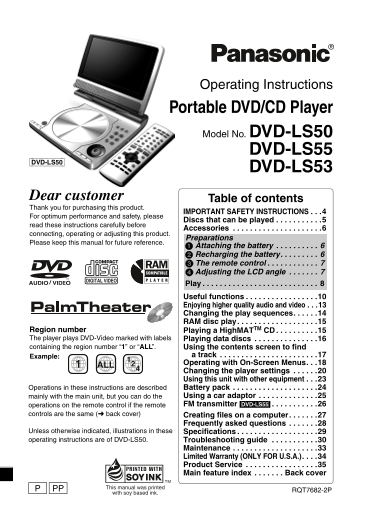
p1 e.fm 1 ページ 2004年5月13日 木曜日 午後2時58分 Operating Instructions Portable DVD/CD Player Model No. DVD-LS50 DVD-LS55 [DVD-LS50] DVD-LS53 Dear customer Table of contents Thank you for purchasing this product...
Page 2
P2-35 e.fm 2 ページ 2004年4月1日 木曜日 午前9時6分 The following mark and symbols are located on WARNING: bottom of the unit. TO REDUCE THE RISK OF FIRE, ELECTRIC SHOCK OR PRODUCT CAUTION DAMAGE, DO NOT EXPOSE THI...
Page 3
P2-35 e.fm 3 ページ 2004年4月1日 木曜日 午前9時6分 Batteries AC adaptor 1. Battery pack (Lithium ion battery pack) This AC adaptor operates on AC between ≥Use this unit to recharge the battery pack. 100 V and 240 ...
Page 4
P2-35 e.fm 4 ページ 2004年4月1日 木曜日 午前9時6分 IM TA IN IO IMPORTANT SAFETY INSTRUCTIONS Read these operating instructions carefully before using the unit. Follow the safety instructions on the unit and the ap...
Page 5
P2-35 e.fm 5 ページ 2004年4月1日 木曜日 午前9時6分 Discs that can be played This operating instruction manual uses the following icons such as [RAM]. Recorded using Version ≥Recorded with DVD video 1.1 of the Vide...
Page 6
P2-35 e.fm 6 ページ 2004年4月1日 木曜日 午前9時6分 cc es so ri es /P re ar at io Accessories Use numbers indicated in parentheses when asking for replacement parts. The included AC power supply cord and AC adaptor...
Page 7
P2-35 e.fm 7 ページ 2004年4月1日 木曜日 午前9時6分 3 The remote control Batteries Insert so the poles (i and j) match those in the remote control. R6/LR6, AA, UM-3 ≥Do not use rechargeable type batteries. Do not: ...
Page 8
P2-35 e.fm 8 ページ 2004年4月1日 木曜日 午前9時6分 Play Open the lid. OPEN Headphone terminals [Ë] 3.5 mm (1/8q) Stereo Insert a disc and close the lid. Click into place Press and hold. Adjust the volume. For two ...
Page 9
P2-35 e.fm 9 ページ 2004年4月1日 木曜日 午前9時6分 Skip Skips items. TOP MENU Top menu [DVD-A] [DVD-V] Direct navigator [RAM] (➜ page 15) Menu [DVD-V] Playlist play [RAM] (➜ page 15) Navigation menu [WMA] [MP3] [J...
Page 10
P2-35 e.fm 10 ページ 2004年4月1日 木曜日 午前9時6分 se fu l f ct io Useful functions Repeat play §Can only be used with discs that show the elapsed time display. For JPEG, you can use even if there is no elapsed t...
Page 11
P2-35 e.fm 11 ページ 2004年4月1日 木曜日 午前9時6分 Audio [RAM] [DVD-A] [DVD-V] [VCD] (For discs recorded with multiple audio) AUDIO Press to change. Menu (Remote control) Audio 1 [RAM] [VCD] You can use this butt...
Page 12
P2-35 e.fm 12 ページ 2004年4月1日 木曜日 午前9時6分 Useful functions se fu l f ct io Selecting how to show 4:3 aspect pictures on the LCD MONITOR NORMAL: Normal MODE FULL: Stretched horizontally ZOOM: Stretched ve...
Page 13
P2-35 e.fm 13 ページ 2004年4月1日 木曜日 午前9時6分 Enjoying higher quality audio and video [Remote\control\only] AV Enhancer By just pressing one button the disc type is automatically determined and the best audi...
Page 14
P2-35 e.fm 14 ページ 2004年4月1日 木曜日 午前9時6分 an in la se en ce Changing the play sequences [Remote\control\only] [DVD-A] [DVD-V] [VCD] [CD] [WMA] [MP3] [JPEG] While stopped PLAY MODE Press to change. All gr...
Page 15
P2-35 e.fm 15 ページ 2004年4月1日 木曜日 午前9時6分 RAM disc play [RAM] §You cannot edit titles or playlists on this unit. Selecting programs to play (DIRECT NAVIGATOR) Direct Navigator Use [34] to select TOP MENU...
Page 16
P2-35 e.fm 16 ページ 2004年4月1日 木曜日 午前9時6分 la yi at is cs Playing data discs [WMA] [MP3] [JPEG] You can play JPEG files on DVD-RAM or play High MAT discs without using the High MAT function (➜ page 19, “P...
Page 17
P2-35 e.fm 17 ページ 2004年4月1日 木曜日 午前9時6分 Using the submenu While the navigation menu (➜ see left) is displayed. Use [34] to select the submenu (➜ see DISPLAY below) and press [ENTER]. ENTER Submenu Mult...
Page 18
P2-35 e.fm 18 ページ 2004年4月1日 木曜日 午前9時6分 er at in it -S cr ee en Operating with On-Screen Menus Press 1Use [34] to select the menu. DISPLAY once. 2Use [1] to go to the next ENTER menu and [34] to set. ≥...
Page 19
P2-35 e.fm 19 ページ 2004年4月1日 木曜日 午前9時6分 Picture Menu Picture Mode (➜ page 13) Audio Menu Advanced Surround (➜ page 12) To make the dialogue in movies easier to hear [DVD-V] (Dolby Digital, DTS, 3-chann...
Page 20
P2-35 e.fm 20 ページ 2004年4月1日 木曜日 午前9時6分 an in la ye se tt in Changing the player settings ≥Referring to pages 20 to 22, change as required. ≥Underlined items are the factory presets. The settings remai...
Page 21
P2-35 e.fm 21 ページ 2004年4月1日 木曜日 午前9時6分 Video TV Aspect ≥4:3 Pan&Scan: Regular aspect television (4:3) Choose the The sides of the widescreen picture are cut off so it fills the screen (unless proh...
Page 22
P2-35 e.fm 22 ページ 2004年4月1日 木曜日 午前9時6分 Changing the player settings an in la ye se tt in Display Menu Language ≥English ≥Français ≥Español On-Screen Messages ≥On ≥Off Others High MAT ≥Enable: Plays as...
Page 23
P2-35 e.fm 23 ページ 2004年4月1日 木曜日 午前9時6分 Using this unit with other equipment Turn off all equipment before connecting and read the appropriate operating instructions. Enjoying with 5.1ch audio Digital ...
Page 24
P2-35 e.fm 24 ページ 2004年4月1日 木曜日 午前9時6分 at te ry ac Battery pack Checking the remaining battery charge When the unit is on (➜ page 8) and powered by the battery pack. Press [DISPLAY] 3 times to check o...
Page 25
P2-35 e.fm 25 ページ 2004年4月1日 木曜日 午前9時6分 Using a car adaptor In the interest of traffic safety, do not perform operations on this unit or view video software while driving a vehicle. ≥Read the car adapt...
Page 26
P2-35 e.fm 26 ページ 2004年5月13日 木曜日 午後4時16分 ra sm it te FM transmitter [DVD-LS55] You can enjoy listening to discs through your FM radio channel (e.g. car stereo) by transmitting audio signals from this ...
Page 27
P2-35 e.fm 27 ページ 2004年4月1日 木曜日 午前9時6分 Creating files on a computer [WMA] [MP3] [JPEG] Folders and files created on a computer are displayed as group names and track/picture names on this unit. Root 0...
Page 28
P2-35 e.fm 28 ページ 2004年4月1日 木曜日 午前9時6分 re en tl as ke es ti Frequently asked questions Reference pages are shown in parentheses. What kind of equipment is Connect to an AV amplifier (that has 5.1ch au...
Page 29
P2-35 e.fm 29 ページ 2004年5月13日 木曜日 午後4時18分 Specifications Main unit Pickup: Discs played: Wave length: 662 nm/785 nm (1) DVD-RAM (DVD-VR compatible, JPEG Laser power: CLASS II/CLASS I formatted discs) P...
Page 30
P2-35 e.fm 30 ページ 2004年4月1日 木曜日 午前9時6分 Tr le sh ti id Troubleshooting guide Before requesting service, make the following checks. If you are in doubt about some of the check points, or if the remedies...
Page 31
P2-35 e.fm 31 ページ 2004年4月1日 木曜日 午前9時6分 Operation No response when any ≥Some discs prohibit certain operations. buttons pressed. If there is no response at all, the unit may have been affected by light...
Page 32
P2-35 e.fm 32 ページ 2004年4月1日 木曜日 午前9時6分 Troubleshooting guide Tr le sh ti id Picture The LCD is dark. ≥Adjust the brightness. (12) Picture distorted. ≥Some disruption is normal during SEARCH. Menu not ...
Page 33
P2-35 e.fm 33 ページ 2004年4月1日 木曜日 午前9時6分 [Í] and [CHG] indicators The [Í] indicator ≥The unit has malfunctioned. Consult your dealer. flashes rapidly. The [Í] indicator ≥The unit is on and the LCD is cl...
Page 34
P2-35 e.fm 34 ページ 2004年4月1日 木曜日 午前9時6分 im it ed ar ra ty Limited Warranty (ONLY FOR U.S.A.) Panasonic Consumer Electronics Company, Panasonic Sales Company, Division of Division of Matsushita Electric...
Page 35
P2-35 e.fm 35 ページ 2004年4月1日 木曜日 午前9時6分 Customer Services Directory Obtain Product Information and Operating Assistance; locate your nearest Dealer or Servicenter; purchase Parts and Accessories; or ma...
Page 36
P2-35 e.fm 36 ページ 2004年5月13日 木曜日 午後4時21分 Main feature index Picture Mode (➜ page 13) Recalls recommended Skip back a few seconds audio/video setting QUICK (➜ page 10) (➜ page 13) AV ENHANCER CINEMA RE...