# A B C D E F G H I J K L M N O P Q R S T U V W X Y Z

Panasonic DVD-LS5 User's Manual

Summary

The Model DVD-LS5 is a portable multimedia player designed for U.S.A. users, facilitating the playback of DVDs and CDs across various formats. This comprehensive manual provides essential operating instructions, detailed setup procedures, and safety guidelines for optimum use. It guides customers through advanced features, including sound settings, video aspect ratio adjustments, language selection, and battery care, ensuring safe performance and full utilization of your portable entertainment unit.
📄 Preview 📖 Table of Contents Contents PAGE OF 21

Page 1 Text Content

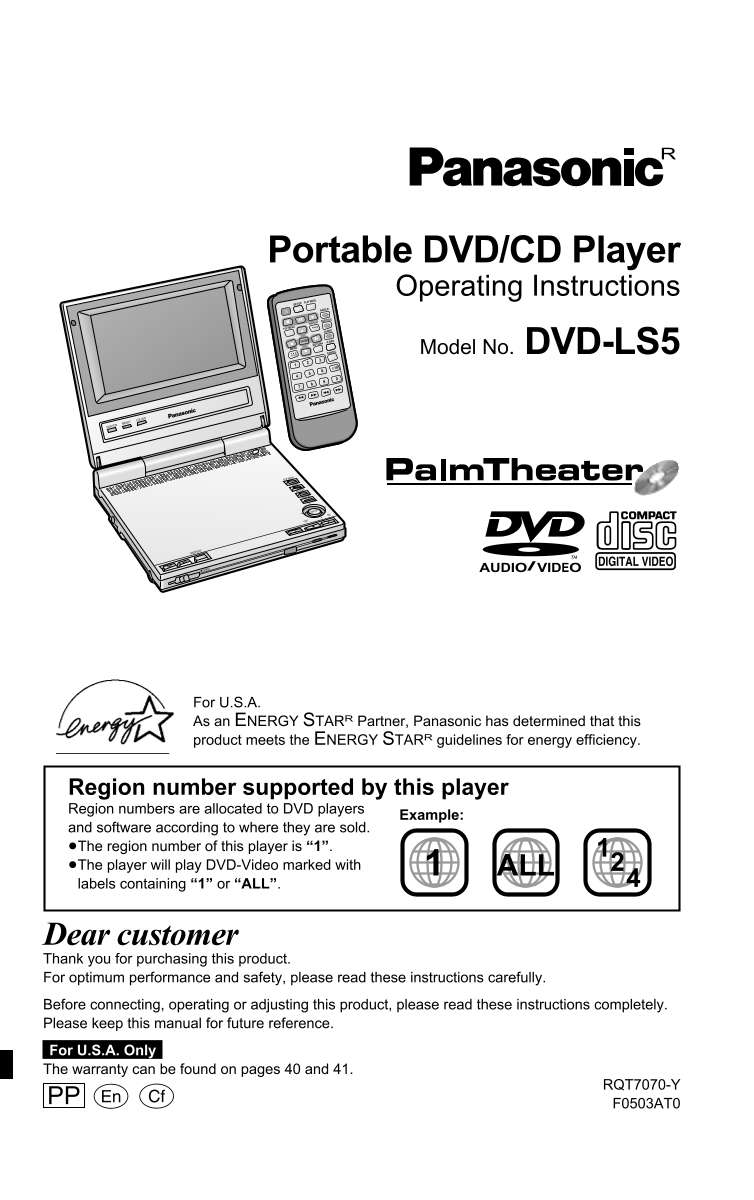
Portable DVD/CD Player DVD/テレ ビ/ Operating Instructions PLAY MODE 再生モード SD/外部 電 源 初期設定 SETUP

アングル ANGLE

DISPLAY 画面表示 SUBTITLE 字幕

トップメ TOP MENU ニュー AUDIO 音声

ENTER 決 定 RETURN リターン アドバンス A.SRD ドサラウン

メニュー MENU Model No. DVD-LS5 CANCEL 取消し S10

DVD PL AYER

BRIGHT COLOUR

MONITOR

TOP MENU

RETURN

DISPLAY

ENTER ON

REPEAT

OPEN AUDIO/VIDEO

DC IN 9V

For U.S.A. As an ENERGY STARR Partner, Panasonic has determined that this product meets the ENERGY STARR guidelines for energy efficiency.

Region number supported by this player Region numbers are allocated to DVD players

Example:

and software according to where they are sold. ≥The region number of this player is “1”. ≥The player will play DVD-Video marked with ALL labels containing “1” or “ALL”.

Dear customer Thank you for purchasing this product. For optimum performance and safety, please read these instructions carefully. Before connecting, operating or adjusting this product, please read these instructions completely. Please keep this manual for future reference. For U.S.A. Only The warranty can be found on pages 40 and 41.

RQT7070-Y

PP F0503AT0

Page Summary Contents For Panasonic DVD-LS5 User's Manual

Page 1 Portable DVD/CD Player DVD/テレ ビ/ Operating Instructions PLAY MODE 再生モード SD/外部 電 源 初期設定 SETUP アングル ANGLE DISPLAY 画面表示 SUBTITLE 字幕 トップメ TOP MENU ニュー AUDIO 音声 ENTER 決 定 RETURN リターン アドバンス A.SRD ドサラウン メニュー...
Page 2 The following mark and symbols are located on WARNING: bottom of the unit. Batteries AC adaptor 1. Battery pack (Lithium ion battery pack) This AC adaptor operates on AC between TO REDUCE THE RISK OF ...
Page 3 Accessories Table of contents et ti ta rt ed Accessories . . . . . . . . . . . . . . . . . . . . . . . . . . . . . . . . . . . . . . . . . . 04 Please check and identify the supplied accessories. IMPO...
Page 4 IMPORTANT SAFETY INSTRUCTIONS et ti ta rt ed Listening caution IC INDUST Read these operating instructions carefully before using the unit. Follow the safety instructions on the unit and the applicabl...
Page 5 Disc information et ti ta rt ed Discs that can be played CD-R and CD-RW discs To clean discs This unit can play CD-R/RW (audio recording DVD-Audio, DVD-Video, Video CD, CD DVD-RAM DVD-Audio DVD-Video ...
Page 6 Control reference guide The remote control Adjusting the angle et ti ta rt ed of the LCD 5-inch wide screen LCD Battery (Lithium battery) Color button (COLOUR). . . . . . . . . . . . . 27 Change the a...
Page 7 Power supply et ti ta rt ed AC adaptor Battery pack Car adaptor (optional) (included and optional) This unit (Left side) (Lithium ion battery pack) ≥The illustrations show connection for the Rechargin...
Page 8 Using this unit with a television et ti ta rt ed Before connecting, turn off all equipment and read the appropriate operating instructions. Do not connect the player through your video cassette record...
Page 9 Playing discs as ic er at io [RAM] [DVD-A] [DVD-V] [VCD] [CD] [WMA] [MP3] [JPEG] Stop Press [∫]. Preparations “!” flashes on the display. Press [1] (Play) to restart from this position or [∫] to ≥Open...
Page 10 Playing the programs or play lists on DVD-RAM [RAM] WMA/MP3, CD text and JPEG navigation menus as ic er at io Playing a play list Track title search TOP MENU [WMA] [MP3] [CD] (CD text only) You can pl...
Page 11 WMA/MP3, CD text and JPEG navigation menus as ic er at io Naming folders and files A menu appears after you insert the disc. Use [3, 4] to select a group At the time of Use [3, 4, 2, 1] to select then...
Page 12 Convenient features as ic er at io Press [1] (Play). Rotating pictures Changing the play ≥[DVD-V] Some items cannot be played sequence even if you programmed them. SETUP PLAY MODE [JPEG] PLAY MODE ANG...
Page 13 Convenient features Increasing your as ic er at io enjoyment of movies Repeat play Marker Main unit only [RAM] [DVD-A] [DVD-V] [VCD] [CD] [WMA] [MP3] [JPEG] SETUP PLAY MODE [RAM] [DVD-A] [DVD-V] [VCD]...
Page 14 Increasing your enjoyment of movies Changing the monitor settings as ic er at io MONITOR Main unit only BRIGHT Subtitles COLOUR SETUP PLAY MODE Adjusting color intensity ANGLE [DVD-A] (Moving picture ...
Page 15 Using On-Screen Menu Icons va ce er at io For your reference Disc information ≥Depending on the condition of the unit RETURN (playing, stopped, etc.) and the type of software, there are some items you...
Page 16 Using On-Screen Menu Icons Changing settings va ce er at io Unit information Press [2, 1] to select the SETUP PLAY MODE SETUP menu’s tab. Play menu Audio menu ANGLE The screen changes to display the m...
Page 17 Changing settings va ce er at io This chart shows the settings for this unit. Change the settings to suit your preference and to Menus Items suit the unit to the environment in which it is being used....
Page 18 Using this unit with other equipment va ce er at io Enjoying more powerful sound Recording to digital recording equipment or cassette tapes Enjoy the powerful movie theater and hall-like sound availab...
Page 19 Troubleshooting Guide ef er en ce Before requesting service, make the following checks. If you are in doubt about some of the check Sound points, or if the remedies indicated in the chart do not solve...
Page 20 Troubleshooting Guide Specifications ef er en ce [Í] and [CHG] indicators Operating temperature range: Digital audio output: The [Í] indicator ≥The unit has malfunctioned. Consult your dealer. i5 to i...
Page 21 Limited Warranty (ONLY FOR U.S.A.) ef er en ce Panasonic Consumer Electronics Company, Panasonic Sales Company, Division of Division of Matsushita Electric Corporation Matsushita Electric of Puerto Ri...

Manual Details

Brand Panasonic
Pages 21
File Size 970.31 KB
Published June 22, 2026
4 views

Enter the captcha to get the download link:

captcha

Frequently Asked Questions

What precautions should I take when setting up the power connection?

Do not expose the unit or adaptor to moisture, liquids, dust, or foreign matter; ensure the AC cord is suitable for your outlet configuration.

Is there a way to restrict the playing of rated DVD-Video content?

Yes, you can set rating levels from 0 to 7 and require a 4-digit password to limit access to unsuitable material.

What is the recommended procedure for battery disposal?

Before disposing of the lithium batteries, you must check and follow your local recycling regulations guidelines.

Which regional DVD formats are supported by this player?

The unit supports Region 1; it will play DVDs marked with "1" or "ALL".