Page 1
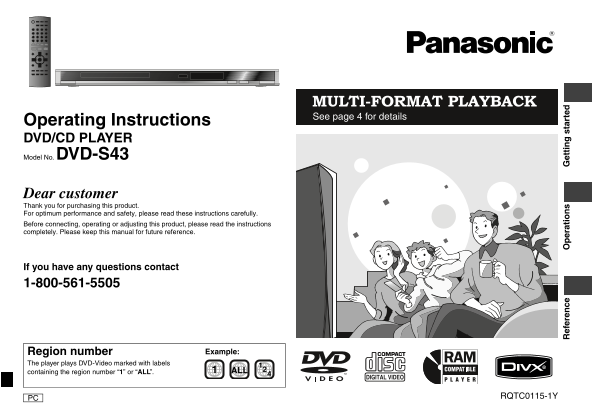
RQTC_0115_Y.fm Page 1 Friday, January 19, 2007 7:38 PM MULTI-FORMAT PLAYBACK See page 4 for details Operating Instructions DVD/CD PLAYER Model No. DVD-S43 Dear customer Thank you for purchasing this p...
Page 2
RQTC_0115_Y.fm Page 2 Wednesday, December 27, 2006 11:46 AM Table of contents Ta le co te ts /IM TA IN IO IMPORTANT SAFETY Getting started INSTRUCTIONS IMPORTANT SAFETY INSTRUCTIONS . . . . . . . . . ...
Page 3
RQTC_0115_1Y.fm Page 3 Monday, January 22, 2007 5:25 PM CAUTION! The socket outlet shall be installed near the equipment Accessories and easily accessible. The mains plug of the power THIS PRODUCT UTI...
Page 4
RQTC_0115_Y.fm Page 4 Wednesday, December 27, 2006 11:46 AM Discs that can be played is cs at an la ye Commercial discs Recorded discs (Yes: Available, No: Not available) Disc Indicated in Recorded on...
Page 5
RQTC_0115_Y.fm Page 5 Wednesday, December 27, 2006 11:46 AM Tips for making WMA, MP3, JPEG, MPEG4 and Div X discs Format Disc Extension Reference Format Disc Extension Reference [WMA] CD-R/RW§1 “.WMA”...
Page 6
RQTC_0115_Y.fm Page 6 Wednesday, December 27, 2006 11:46 AM STEP 1 Connection ec ti Do not place the unit on amplifiers or equipment that may become hot. The heat can damage the unit. Do not connect t...
Page 7
RQTC_0115_Y.fm Page 7 Wednesday, December 27, 2006 11:46 AM STEP 2 The remote control Enjoying multi-channel surround sound Batteries Insert so the poles (i and j) match those in the remote control. A...
Page 8
RQTC_0115_Y.fm Page 8 Wednesday, December 27, 2006 11:46 AM Basic play as ic la 1Power ON. 2Open the disc tray. Remote control sensor 3Load the disc. 4Start play. Load double-sided discs so the label ...
Page 9
RQTC_0115_Y.fm Page 9 Wednesday, December 27, 2006 11:46 AM Convenient functions [DVD-VR] [VCD] forward direction only Displaying current playback condition Frame-by-frame (during pause) ENTER Quick O...
Page 10
RQTC_0115_Y.fm Page 10 Wednesday, December 27, 2006 11:46 AM Convenient functions nv en ie fu ct io QUICK REPLAY Quick replay SUBTITLE Changing subtitles (Only when the elapsed play time can be displa...
Page 11
RQTC_0115_Y.fm Page 11 Wednesday, December 27, 2006 11:46 AM Playing programs/playlists [DVD-VR] Titles appear only if they have been entered. TRANSFER Transfer mode MODE You cannot edit playlists and...
Page 12
RQTC_0115_Y.fm Page 12 Wednesday, December 27, 2006 11:46 AM Playing audio (WMA/MP3), picture (JPEG) and video (Div X/MPEG4) discs Pla yin g a ud io ( WM A/M P3 ), p ictu re (JP EG ) an d v ide o ( Di...
Page 13
RQTC_0115_Y.fm Page 13 Wednesday, December 27, 2006 11:46 AM About Div X VOD content Manufactured under license from Dolby Laboratories. Dolby and the double-D symbol Div X Video-on-Demand (VOD) conte...
Page 14
RQTC_0115_Y.fm Page 14 Wednesday, December 27, 2006 11:46 AM Changing the play sequences an in la se en ce PLAY MODE Program play PLAY MODE Random play Except [DVD-VR] (up to 30 items) [DVD-V] [VCD] [...
Page 15
RQTC_0115_Y.fm Page 15 Wednesday, December 27, 2006 11:46 AM Using on-screen menus Each time you press the button: Select Select FUNCTIONS RETURN On-screen menu 1 (Disc/Play) ENTER ENTER On-screen men...
Page 16
RQTC_0115_Y.fm Page 16 Wednesday, December 27, 2006 11:46 AM Changing the player settings an in la ye se tt in Select Select Select SETUP SETUP ENTER ENTER ENTER Register Register Register Shows setup...
Page 17
RQTC_0115_Y.fm Page 17 Wednesday, December 27, 2006 11:46 AM “AUDIO” menu “OTHERS” menu SETTING STATE Display the current setting of the items below SETTING STATE Display the current setting of the it...
Page 18
RQTC_0115_Y.fm Page 18 Wednesday, December 27, 2006 11:46 AM lo ss ar Glossary Language code list Div X Abkhazian: Gujarati: Quechua: Div X is a popular media technology created by Div X, Inc. Div X m...
Page 19
RQTC_0115_Y.fm Page 19 Wednesday, December 27, 2006 11:46 AM Troubleshooting guide Before requesting service, make the following checks. If you are in doubt about some of the check points, or if the s...
Page 20
RQTC_0115_Y.fm Page 20 Wednesday, December 27, 2006 11:46 AM Troubleshooting guide Tr le sh ti id Progressive video There is ghosting This problem is caused by the editing method or material Trouble m...
Page 21
RQTC_0115_1Y.fm Page 21 Tuesday, January 23, 2007 5:27 PM Maintenance Specifications Clean this unit with a soft, dry cloth Signal system: NTSC Digital audio output: Operating temperature range: Coaxi...
Page 22
RQTC_0115_Y.fm Page 22 Wednesday, December 27, 2006 11:46 AM Limited Warranty im it ed ar ra ty /P ro ct er vi ce Panasonic Canada Inc. PANASONIC PRODUCT – LIMITED WARRANTY Panasonic Canada Inc. warra...
Page 23
RQTC_0115_Y.fm Page 23 Wednesday, December 27, 2006 11:46 AM –If you see this symbol– Information on Disposal in other Countries outside the European Union This symbol is only valid in the European Un...
Page 24
RQTC_0115_1Y.fm Page 24 Wednesday, January 24, 2007 10:35 AM Index A-B repeat . . . . . . . . . . . . . . . . . . . . . . . . . . . . . . . . . . . . . . . . . . . . . . . . . . . . . . . ADVANCED SUR...