# A B C D E F G H I J K L M N O P Q R S T U V W X Y Z

Panasonic DVD-S35 S31A S31 User's Manual

Summary

This operating manual covers the Panasonic DVD-S35, DVD-S31A, and DVD-S31 DVD/CD players, supporting playback of DVD-Video, DVD-RAM, CD, WMA/MP3, and JPEG discs. Key playback features include Cinema mode for optimized movie viewing, Dialogue Enhancer for clearer speech, Advanced Surround (A.SRD) virtual surround sound, and on-screen menu icons for quick adjustment of audio, subtitle, and angle settings. The manual details connection options for television and amplifier hookup, remote control ope
📄 Preview 📖 Table of Contents Contents PAGE OF 24

Page 1 Text Content

SLEEP SETUP OPEN/CLOSE

A.SRD

CINEMA

D.ENH

GROUP CANCEL S100

SKIP SLOW/SEARCH

STOP PAUSE PLAY

DIRECT NAVIGATOR PLAY LIST

MENU MENU

ENTER DVD/CD PLAYER DISPLAY RETURN

7 Í/ EQUICK REPLAY ZOOM MODE

SUBTITLE AUDIO ANGLE/PAGE QUICK REPLAY DOWN UP

POSITION OPEN/CLOSE

PLAY MODE ZOOM REPEAT MEMORY

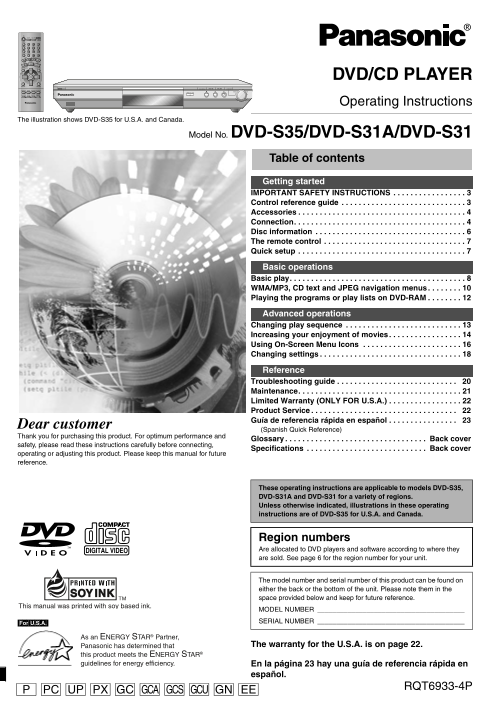
Operating Instructions

The illustration shows DVD-S35 for U.S.A. and Canada.

Model No. DVD-S35/DVD-S31A/DVD-S31

Table of contents Getting started IMPORTANT SAFETY INSTRUCTIONS . . . . . . . . . . . . . . . . . Control reference guide . . . . . . . . . . . . . . . . . . . . . . . . . . . . . Accessories . . . . . . . . . . . . . . . . . . . . . . . . . . . . . . . . . . . . . . . Connection. . . . . . . . . . . . . . . . . . . . . . . . . . . . . . . . . . . . . . . . Disc information . . . . . . . . . . . . . . . . . . . . . . . . . . . . . . . . . . . The remote control . . . . . . . . . . . . . . . . . . . . . . . . . . . . . . . . . Quick setup . . . . . . . . . . . . . . . . . . . . . . . . . . . . . . . . . . . . . . .

Basic operations Basic play. . . . . . . . . . . . . . . . . . . . . . . . . . . . . . . . . . . . . . . . . WMA/MP3, CD text and JPEG navigation menus. . . . . . . . Playing the programs or play lists on DVD-RAM . . . . . . . .

Advanced operations Changing play sequence . . . . . . . . . . . . . . . . . . . . . . . . . . . Increasing your enjoyment of movies . . . . . . . . . . . . . . . . . Using On-Screen Menu Icons . . . . . . . . . . . . . . . . . . . . . . . Changing settings . . . . . . . . . . . . . . . . . . . . . . . . . . . . . . . . .

Reference Troubleshooting guide . . . . . . . . . . . . . . . . . . . . . . . . . . . . 20 Maintenance. . . . . . . . . . . . . . . . . . . . . . . . . . . . . . . . . . . . . . Limited Warranty (ONLY FOR U.S.A.) . . . . . . . . . . . . . . . . . Product Service . . . . . . . . . . . . . . . . . . . . . . . . . . . . . . . . . . 22 Guía de referencia rápida en español . . . . . . . . . . . . . . . . 23

Dear customer

(Spanish Quick Reference)

Thank you for purchasing this product. For optimum performance and

Glossary . . . . . . . . . . . . . . . . . . . . . . . . . . . . . . . . . Back cover

safety, please read these instructions carefully before connecting,

Specifications . . . . . . . . . . . . . . . . . . . . . . . . . . . . Back cover

operating or adjusting this product. Please keep this manual for future reference.

These operating instructions are applicable to models DVD-S35, DVD-S31A and DVD-S31 for a variety of regions. Unless otherwise indicated, illustrations in these operating instructions are of DVD-S35 for U.S.A. and Canada.

Region numbers Are allocated to DVD players and software according to where they are sold. See page 6 for the region number for your unit.

The model number and serial number of this product can be found on either the back or the bottom of the unit. Please note them in the space provided below and keep for future reference.

This manual was printed with soy based ink.

MODEL NUMBER [For\U.S.A.] SERIAL NUMBER

As an ENERGY STAR Partner,

Panasonic has determined that The warranty for the U.S.A. is on page 22.

this product meets the ENERGY STAR guidelines for energy efficiency. En la página 23 hay una guía de referencia rápida en

español.

RQT6933-4P

PC UP GC GCA GCU GN EEGCSPX

Page Summary Contents For Panasonic DVD-S35 S31A S31 User's Manual

Page 1 SLEEP SETUP OPEN/CLOSE A.SRD CINEMA D.ENH GROUP CANCEL S100 SKIP SLOW/SEARCH STOP PAUSE PLAY DIRECT NAVIGATOR PLAY LIST MENU MENU ENTER DVD/CD PLAYER DISPLAY RETURN 7 Í/ EQUICK REPLAY ZOOM MODE SUBTIT...
Page 2 IMPORTANT SAFETY INSTRUCTIONS et ti ta rt ed CAUTION! This product may receive radio interference caused by mobile telephones during use. If such interference is apparent, please THIS PRODUCT UTILIZES...
Page 3 et ti ta rt ed IMPORTANT SAFETY INSTRUCTIONS CAUTION! This product may receive radio interference caused by mobile telephones during use. If such interference is apparent, please THIS PRODUCT UTILIZES...
Page 4 Accessories Connection et ti ta rt ed Please check and identify the supplied accessories. Use numbers indicated in parentheses when asking for replacement parts. Home Theater – Enjoying more powerful ...
Page 5 et ti ta rt ed Accessories Connection Please check and identify the supplied accessories. Use numbers indicated in parentheses when asking for replacement parts. Home Theater – Enjoying more powerful ...
Page 6 Disc information The remote control et ti ta rt ed Discs that can be played Batteries Do not: DVD-RAM DVD-Video DVD-R SVCD Video CD CD CD-R/RW ≥mix old and new batteries. ≥use different types at the s...
Page 7 et ti ta rt ed Disc information The remote control Discs that can be played Batteries Do not: DVD-RAM DVD-Video DVD-R SVCD Video CD CD CD-R/RW ≥mix old and new batteries. ≥use different types at the s...
Page 8 Basic play as ic er at io Stop Press [∫]. Selecting groups to play Repeat play SLEEP “!” flashes on the display. Press [1] (PLAY) to restart [WMA] [MP3] [JPEG] [RAM] [DVD-V] [VCD] [CD] [WMA] [MP3] SLE...
Page 9 as ic er at io Basic play Stop Press [∫]. Selecting groups to play Repeat play SLEEP “!” flashes on the display. Press [1] (PLAY) to restart [WMA] [MP3] [JPEG] [RAM] [DVD-V] [VCD] [CD] [WMA] [MP3] SLE...
Page 10 WMA/MP3, CD text and JPEG navigation menus as ic er at io Track title search [WMA] [MP3] [CD] (CD text only) To use the tree screen to find a group [WMA] [MP3] [JPEG] Example: finding a track includin...
Page 11 as ic er at io WMA/MP3, CD text and JPEG navigation menus Track title search [WMA] [MP3] [CD] (CD text only) To use the tree screen to find a group [WMA] [MP3] [JPEG] Example: finding a track includin...
Page 12 Playing the programs or play lists on DVD-RAM as ic er at io Changing play sequence Playing a play list Program play You can play a play list created on other equipment such as a DVD video SLEEP SETUP...
Page 13 as ic er at io Playing the programs or play lists on DVD-RAM Changing play sequence Playing a play list Program play You can play a play list created on other equipment such as a DVD video SLEEP SETUP...
Page 14 Increasing your enjoyment of movies va ce er at io Subtitles Advanced Surround Dialogue Enhancer A.SRD A.SRD [DVD-V] [VCD] (SVCD only): [RAM] [DVD-V] [VCD] (2-channel or over only) [DVD-V] CINEMA You ...
Page 15 va ce er at io Increasing your enjoyment of movies Subtitles Advanced Surround Dialogue Enhancer A.SRD A.SRD [DVD-V] [VCD] (SVCD only): [RAM] [DVD-V] [VCD] (2-channel or over only) [DVD-V] CINEMA You ...
Page 16 Using On-Screen Menu Icons va ce er at io SLEEP SETUP OPEN/CLOSE Disc information Unit information A.SRD e.g. [RAM] PG: Program number PL: Play list number CINEMA [DVD-V] [DVD-V] T: Title number C: Ch...
Page 17 va ce er at io Using On-Screen Menu Icons SLEEP SETUP OPEN/CLOSE Disc information Unit information A.SRD e.g. [RAM] PG: Program number PL: Play list number CINEMA [DVD-V] [DVD-V] T: Title number C: Ch...
Page 18 Changing settings va ce er at io This chart shows the settings for this unit. Change the settings to suit your preferences and to suit the unit to the environment in which it is Entering a password (R...
Page 19 va ce er at io Changing settings This chart shows the settings for this unit. Change the settings to suit your preferences and to suit the unit to the environment in which it is Entering a password (R...
Page 20 Troubleshooting guide ef er en ce Before requesting service, make the following checks. If you are in doubt about some of the check points, or if the remedies indicated in the chart do not Picture Pag...
Page 21 ef er en ce Troubleshooting guide Before requesting service, make the following checks. If you are in doubt about some of the check points, or if the remedies indicated in the chart do not Picture Pag...
Page 22 Limited Warranty (ONLY FOR U.S.A.) ef er en ce Guía de referencia rápida en español Panasonic Consumer Electronics Company, Panasonic Sales Company, Division of Matsushita Electric Division of Matsush...
Page 23 ef er en ce Limited Warranty (ONLY FOR U.S.A.) Guía de referencia rápida en español Panasonic Consumer Electronics Company, Panasonic Sales Company, Division of Matsushita Electric Division of Matsush...
Page 24 Glossary Bitstream DTS (Digital Theater Systems) Interlace and progressive output The digital form of multi-channel data (e.g. This surround system is used in many movie NTSC, the video signal standar...

Manual Details

Brand Panasonic
Pages 24
File Size 1.28 MB
Published June 18, 2026
5 views

Enter the captcha to get the download link:

captcha

Frequently Asked Questions

What safety precautions should I take before using the unit?

Read these instructions carefully, heed all warnings, and follow all safety guidelines. Keep the power cord away from pinch points and do not open covers.

How can I search for specific content or tracks?

Use the tree screen to find a group title if you are navigating WMA/MP3 or JPEG menus. Basic operations also include track title search on CD (text only).

Is this unit compatible with different media formats?

Yes, it supports DVD-RAM, DVDs, VCDs, CDs, WMA, MP3, and includes support for viewing text and JPEG navigation menus.

What is the 'AUTO' standby feature?

It turns the unit off 5 minutes after play finishes, but this feature may not work if you press [∫], [MENU] or [TOP MENU].

Where can I find my product's specific details?

The model number and serial number are located on either the back or the bottom of the unit.