# A B C D E F G H I J K L M N O P Q R S T U V W X Y Z

Panasonic DVD-S48 S68 User Guide and Manual

Summary

Panasonic DVD-S48/S68 DVD/CD player owner's manual covering safety instructions, connection setup, disc playback operations, on-screen menu navigation, audio settings, and remote control functions. Includes guidance on playing various disc formats including DVD-Video, CD, and MP3 files, along with picture quality adjustments and parental lock settings. Targeted at home entertainment consumers seeking straightforward DVD player operation.
📄 Preview 📖 Table of Contents Contents PAGE OF 16

Page 1 Text Content

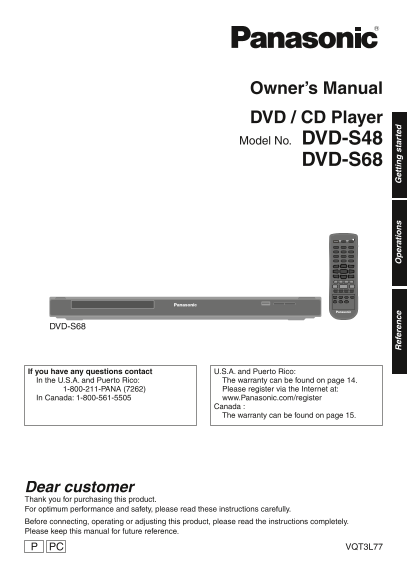
Owner’s Manual DVD / CD Player Model No. DVD-S48

DVD-S68

DVD-S68

If you have any questions contact U.S.A. and Puerto Rico: In the U.S.A. and Puerto Rico: The warranty can be found on page 14. 1-800-211-PANA (7262) Please register via the Internet at: In Canada: 1-800-561-5505 www.Panasonic.com/register ef er en ce er at io et ti ta rt ed

Canada : The warranty can be found on page 15.

Dear customer Thank you for purchasing this product. For optimum performance and safety, please read these instructions carefully. Before connecting, operating or adjusting this product, please read the instructions completely. Please keep this manual for future reference.

PC VQT3L77

DVD-S68_S48_PP-En.indd 1 2010/11/30 13:25:11

Page Summary Contents For Panasonic DVD-S48 S68 User Guide and Manual

Page 1 Owner’s Manual DVD / CD Player Model No. DVD-S48 DVD-S68 DVD-S68 If you have any questions contact U.S.A. and Puerto Rico: In the U.S.A. and Puerto Rico: The warranty can be found on page 14. 1-800-21...
Page 2 IMPORTANT SAFETY CAUTION RISK OF ELECTRIC SHOCK INSTRUCTIONS DO NOT OPEN CAUTION: TO REDUCE THE RISK OF Read these operating instructions carefully before ELECTRIC SHOCK, DO NOT using the unit. Follow...
Page 3 THE FOLLOWING APPLIES ONLY IN THE U.S.A. CAUTION FCC Note: Unit This equipment has been tested and found to comply with the limits for a Class B digital This unit utilizes a laser. Use of controls or ...
Page 4 3L Table of contents General Information Getting started Accessories Audio/Video cable IMPORTANT SAFETY INSTRUCTIONS ............ (K2KA6BA00004) General Information ......................................
Page 5 Region codes It may not be possible to play the medias in some cases due to the type of media, the condition of the DVD-Video recording, the recording method and how the fi les This unit plays DVD-Vid...
Page 6 3L Connections Before making any connections we suggest you DVD-S48 temporarily disconnect all the units from AC power. Do not place the unit on amplifi ers/receivers or VIDEO OUT equipment that may b...
Page 7 DVD-S68 VIDEO OUT HDMI AUDIO IN R L VIDEO IN Audio/Video cable HDMI IN (supplied) AV OUT HDMI cable VIDEO OUT AV OUT COMPONENT VIDEO OUT AUDIO OUT VIDEO OUT Connect terminals of the same color.• COMPO...
Page 8 3L Control guide SETUP Enters or exits the system setup menu page 11) RETURN Returns to the previous display 4 SKIP, u, i Skips to previous title/chapter/track or next title/chapter/track Switches the...
Page 9 Playback 1 Turn on the TV and select the correct video ABOUT DIVX VIDEO (Only for Canada) input. Div X® is a digital video format created by Div X, 2 Press POWER ^. Inc. This is an offi cial Div X Cer...
Page 10 3L USB REC HDMI CEC protocol You can copy audio fi les (CD-DA) from a CD on a (DVD-S68 only) USB device into MP3 format. The DVD player supports HDMI CEC (Consumer 1 Connect the USB device. Electronic...
Page 11 Changing the player settings Change the unit’s settings if necessary. The HDMI CEC (DVD-S68 only) settings remain intact even if you switch the unit When connecting this unit with the TV via to standb...
Page 12 3L Changing the player settings Specifi cations Signal system: NTSC/PAL VIDEO Operating temperature range: Brightness +5 °C to +35 °C (+41 °F to +95 °F) This adjusts the brightness.⇒ Operating humidit...
Page 13 Troubleshooting Before requesting service, make the following When the following messages on the unit’s checks. If you still need assistance, please contact display. us. U.S.A. and Puerto Rico: See pa...
Page 14 3L Limited Warranty (Only for U.S.A. and Puerto Rico) Panasonic Consumer Electronics Company, Division of Panasonic Corporation of North America One Panasonic Way, Secaucus, New Jersey 07094 Panasonic...
Page 15 Limited Warranty (Only for CANADA) Panasonic Canada Inc. 5770 Ambler Drive, Mississauga, Ontario L4W 2T3 PANASONIC PRODUCT – LIMITED WARRANTY EXCHANGE PROGRAM Panasonic Canada Inc. warrants this produ...
Page 16 “DVD Logo” is a trademark of DVD Format/Logo The recording and playback of content on this or any Licensing Corporation. other device may require permission from the owner of the copyright or other su...

Manual Details

Brand Panasonic
Pages 16
File Size 1.37 MB
Published June 16, 2026
3 views

Enter the captcha to get the download link:

captcha

Frequently Asked Questions

How do I contact support in the U.S.?

Call 1-800-211-7262 or register at www.Panasonic.com/register.

Can I repair this player myself?

No, there are no user-serviceable parts. Refer servicing to qualified personnel.

Is the DVD-S68 an ENERGY STAR product?

Yes, it meets ENERGY STAR guidelines for energy efficiency.

Where is the warranty info for Canadian users?

The warranty can be found on page 15 of this manual.