Panasonic DMC-LS5 User's Manual
Summary
Discover comprehensive operation instructions for your Panasonic DMC-LS5 digital camera. This essential guide is designed for new users who wish to master every feature, ensuring safe and reliable photography and videography. It covers everything from basic operation and selecting shooting modes to advanced menu settings, battery care, and connecting accessories. Use this manual as your expert resource to keep the most of your memories perfectly captured.
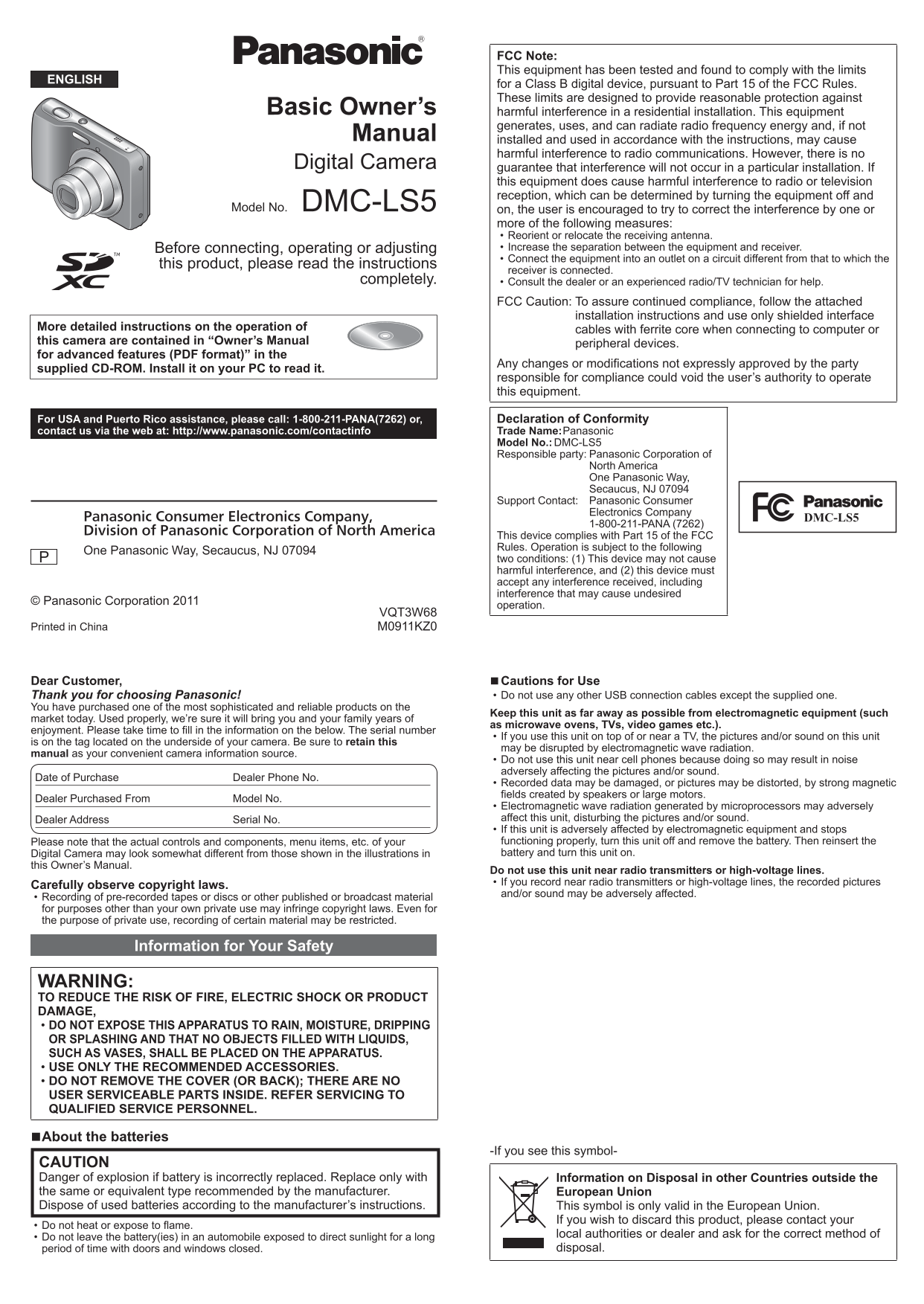
Page 1 Text Content
FCC Note:
1.Standard accessories 4.Sequence of operations
This equipment has been tested and found to comply with the limits
ENGLISH
for a Class B digital device, pursuant to Part 15 of the FCC Rules.
Check that all the accessories are supplied before using the camera. Press the Power button
These limits are designed to provide reasonable protection against
Basic Owner’s Batteries Hand strap
harmful interference in a residential installation. This equipment The power is turned on.
LR6/AA Alkaline VFC4737
generates, uses, and can radiate radio frequency energy and, if not
Manual batteries Press the shutter button and
installed and used in accordance with the instructions, may cause
USB connection take pictures
harmful interference to radio communications. However, there is no CD-ROM
Digital Camera cable
guarantee that interference will not occur in a particular installation. If VFF0848 Press halfway
K1HY08YY0023
this equipment does cause harmful interference to radio or television (press lightly and focus) reception, which can be determined by turning the equipment off and Press fully
Model No. DMC-LS5 on, the user is encouraged to try to correct the interference by one or If any accessories are lost, customers should contact Panasonic’s
(press the button all the way to record)
more of the following measures: parts department at 1 800 833-9626 for further information about
Reorient or relocate the receiving antenna. obtaining replacement parts.
Before connecting, operating or adjusting Increase the separation between the equipment and receiver. ■Selecting the Recording Mode
For information about optional accessories, refer to the “Digital
Connect the equipment into an outlet on a circuit different from that to which the
this product, please read the instructions Camera Accessory System”. Press [MODE] button to select the Recording Mode.
receiver is connected.
completely. Please dispose of all packaging appropriately.
Consult the dealer or an experienced radio/TV technician for help. Taking pictures with automatic settings.
Keep small parts in a safe place out of the reach of children.
FCC Caution: To assure continued compliance, follow the attached Take pictures with your own settings.
installation instructions and use only shielded interface
Take pictures according to scene.
More detailed instructions on the operation of cables with ferrite core when connecting to computer or
this camera are contained in “Owner’s Manual 2.Names of parts Take motion pictures.
peripheral devices.
for advanced features (PDF format)” in the
Any changes or modifications not expressly approved by the party Shutter button
supplied CD-ROM. Install it on your PC to read it.
responsible for compliance could void the user’s authority to operate
Power button ■Setting the menu
this equipment.
Press [MENU/SET] to display the menu screen to change the
Self-timer
recording function, camera settings, and other settings.
For USA and Puerto Rico assistance, please call: 1-800-211-PANA(7262) or, Declaration of Conformity indicator contact us via the web at: http://www.panasonic.com/contactinfo Trade Name: Panasonic
Model No.: DMC-LS5 Microphone
We recommend using ■Viewing your pictures
Responsible party: Panasonic Corporation of
Speaker
North America the supplied hand strap
One Panasonic Way, Lens to avoid dropping the Press the Playback button Secaucus, NJ 07094
camera.
Support Contact: Panasonic Consumer
Flash
Electronics Company
Panasonic Consumer Electronics Company, DMC-LS5 Press to select the picture
1-800-211-PANA (7262)
Division of Panasonic Corporation of North America
This device complies with Part 15 of the FCC
[DIGITAL] socket ●Deleting pictures
Rules. Operation is subject to the following
One Panasonic Way, Secaucus, NJ 07094
two conditions: (1) This device may not cause LCD monitor Press [ / ] to delete the displayed picture harmful interference, and (2) this device must
accept any interference received, including Zoom button Press to select [Yes] and then press [MENU/SET]
interference that may cause undesired
© Panasonic Corporation 2011 [MODE] button
operation. ●In this manual, the button that is used is shaded.
VQT3W68
Cursor button
Printed in China M0911KZ0
Playback button
/ ] (Delete/Return) button
Dear Customer, ■Cautions for Use Specifications
Be careful not to block the microphone or the speaker.
Thank you for choosing Panasonic! Do not use any other USB connection cables except the supplied one.
You have purchased one of the most sophisticated and reliable products on the Camera effective 14,100,000 pixels
Keep this unit as far away as possible from electromagnetic equipment (such
market today. Used properly, we’re sure it will bring you and your family years of pixels
as microwave ovens, TVs, video games etc.).
enjoyment. Please take time to fill in the information on the below. The serial number
If you use this unit on top of or near a TV, the pictures and/or sound on this unit 3. Inserting the card (optional)/the batteries Lens Optical 5 × zoom f=4.7 mm to 23.5 mm
is on the tag located on the underside of your camera. Be sure to retain this
may be disrupted by electromagnetic wave radiation. (35 mm film camera equivalent: 26 mm to 130 mm)/
manual as your convenient camera information source.
Do not use this unit near cell phones because doing so may result in noise Open the card/battery F2.8 (Max. W) to F6.5 (Max. T) adversely affecting the pictures and/or sound.
Date of Purchase Dealer Phone No. door Image Stabilizer Optical method
Recorded data may be damaged, or pictures may be distorted, by strong magnetic fields created by speakers or large motors.
Dealer Purchased From Model No. LCD monitor 2.7” TFT LCD (4:3) (Approx. 230,400 dots)
Electromagnetic wave radiation generated by microprocessors may adversely
(field of view ratio about 100%)
Dealer Address Serial No. affect this unit, disturbing the pictures and/or sound.
If this unit is adversely affected by electromagnetic equipment and stops Flash Flash range: (ISO AUTO) Approx. 0.6 m (1.97 feet)
Please note that the actual controls and components, menu items, etc. of your functioning properly, turn this unit off and remove the battery. Then reinsert the to 4.6 m (15.09 feet) (Wide)
Digital Camera may look somewhat different from those shown in the illustrations in battery and turn this unit on.
Microphone Monaural
this Owner’s Manual.
Do not use this unit near radio transmitters or high-voltage lines.
Speaker Monaural
If you record near radio transmitters or high-voltage lines, the recorded pictures
Carefully observe copyright laws.
and/or sound may be adversely affected. Recording media Built-in Memory (Approx. 10 MB)/
Recording of pre-recorded tapes or discs or other published or broadcast material
Insert the batteries or
for purposes other than your own private use may infringe copyright laws. Even for SD Memory Card/SDHC Memory Card/
the purpose of private use, recording of certain material may be restricted. card SDXC Memory Card
Make sure that their orientation Recording file JPEG (still picture)
Information for Your Safety format Quick Time Motion JPEG (motion pictures with
is correct.
audio)
■Usable batteries
Interface USB 2.0 (High Speed)
WARNING:
LR6/AA Alkaline batteries (supplied)
TO REDUCE THE RISK OF FIRE, ELECTRIC SHOCK OR PRODUCT Terminal DIGITAL: Dedicated jack (8 pin)
HR6/AA Rechargeable Ni-MH (nickel metal hydride) batteries
DAMAGE, Dimensions Approx. 96.5 mm (W) × 62.0 mm (H) × 27.2 mm (D)
(optional)
DO NOT EXPOSE THIS APPARATUS TO RAIN, MOISTURE, DRIPPING [3.8” (W) × 2.45” (H) × 1.07” (D)]
●Do not use batteries other than those listed above.
OR SPLASHING AND THAT NO OBJECTS FILLED WITH LIQUIDS, (excluding the projection part)
SUCH AS VASES, SHALL BE PLACED ON THE APPARATUS. ■Recording capacity guidelines (pictures/recording time)
Mass (weight) With card and battery: Approx. 173 (0.38 lb)
USE ONLY THE RECOMMENDED ACCESSORIES. Excluding card and battery: Approx. 126 (0.28 lb)
DO NOT REMOVE THE COVER (OR BACK); THERE ARE NO Fully-charged Panasonic
Supplied batteries or Operating Between 0 °C and 40 °C
Ni-MH batteries
USER SERVICEABLE PARTS INSIDE. REFER SERVICING TO optional Panasonic
(optional, when the battery temperature (Between 32 °F and 104 °F)
QUALIFIED SERVICE PERSONNEL. alkaline batteries
capacity is 1950 m Ah) (Operating humidity: Between 10%RH and 80%RH)
Number of recordable pictures Approx. 160 pictures Approx. 320 pictures Language select English / Spanish
■About the batteries
Recording time Approx. 80 min. Approx. 160 min.
-If you see this symbol- Power Source DC 3 V LR6/AA Alkaline batteries (2) (supplied)
CAUTION Playback time Approx. 480 min. Approx. 640 min. DC 2.4 V HR6/AA Rechargeable Ni-MH (nickel Danger of explosion if battery is incorrectly replaced. Replace only with Information on Disposal in other Countries outside the metal hydride) batteries (2)
Please note that the performance of alkaline batteries significantly
the same or equivalent type recommended by the manufacturer. European Union
Power When recording: 1.4 W
decreases in low temperature conditions.
Dispose of used batteries according to the manufacturer’s instructions. This symbol is only valid in the European Union.
Consumption When playing back: 0.8 W
●Recording conditions by CIPA standard
If you wish to discard this product, please contact your
Do not heat or expose to flame.
●Keep the Memory Card out of reach of children to prevent
Do not leave the battery(ies) in an automobile exposed to direct sunlight for a long local authorities or dealer and ask for the correct method of
swallowing.
period of time with doors and windows closed. disposal.
Page Summary Contents For Panasonic DMC-LS5 User's Manual
Manual Details
| Brand | Panasonic |
|---|---|
| Pages | 2 |
| File Size | 378.09 KB |
| Published | July 22, 2026 |
Enter the captcha to get the download link:

Frequently Asked Questions
What should I do if the camera causes harmful radio interference?
Try to correct it by reorienting or relocating the receiving antenna, increasing separation between equipment and receiver, or consulting a technician.
How many pictures can I expect with Ni-MH rechargeable batteries?
You can expect approximately 160 pictures when using Hi-Capacity Ni-MH batteries.
What type of connection cables are recommended for advanced features?
Only use the supplied USB connection cable, and ensure any external connections use shielded interface cables with ferrite cores.
How should I dispose of spent camera batteries?
Please dispose of used batteries according to the manufacturer’s instructions.