Page 1
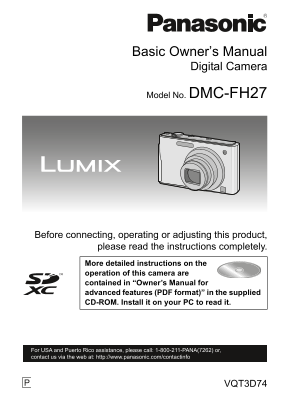
DMC-FH27P-VQT3D74_eng.book 1 ページ 2010年12月27日 月曜日 午後6時36分 Basic Owner’s Manual Digital Camera Model No. DMC-FH27 Before connecting, operating or adjusting this product, please read the instructions com...
Page 2
DMC-FH27P-VQT3D74_eng.book 2 ページ 2010年12月27日 月曜日 午後6時36分 Dear Customer, Thank you for choosing Panasonic! You have purchased one of the most sophisticated and reliable products on the market today. Us...
Page 3
DMC-FH27P-VQT3D74_eng.book 3 ページ 2010年12月27日 月曜日 午後6時36分 Information for Your Safety WARNING: TO REDUCE THE RISK OF FIRE, ELECTRIC SHOCK OR PRODUCT DAMAGE, DO NOT EXPOSE THIS APPARATUS TO RAIN, MOISTU...
Page 4
DMC-FH27P-VQT3D74_eng.book 4 ページ 2010年12月27日 月曜日 午後6時36分 FCC Note: This equipment has been tested and found to comply with the limits for a Class B digital device, pursuant to Part 15 of the FCC Rules...
Page 5
DMC-FH27P-VQT3D74_eng.book 5 ページ 2010年12月27日 月曜日 午後6時36分 DMC-FH27 About the battery pack CAUTION Battery pack (Lithium ion battery pack) Use the specified unit to recharge the battery pack. Do not use...
Page 6
DMC-FH27P-VQT3D74_eng.book 6 ページ 2010年12月27日 月曜日 午後6時36分 Battery charger This battery charger operates on AC between 110 V and 240 V. But In the U.S.A. and Canada, the battery charger must be connecte...
Page 7
DMC-FH27P-VQT3D74_eng.book 7 ページ 2010年12月27日 月曜日 午後6時36分 -If you see this symbol- Information on Disposal in other Countries outside the European Union This symbol is only valid in the European Union....
Page 8
DMC-FH27P-VQT3D74_eng.book 8 ページ 2010年12月27日 月曜日 午後6時36分 Contents Information for Your Safety Standard Accessories Names of the Components How to Use the Touch Panel Charging the Battery • Charging • ...
Page 9
DMC-FH27P-VQT3D74_eng.book 9 ページ 2010年12月27日 月曜日 午後6時36分 Standard Accessories Check that all the accessories are supplied before using the camera. Product numbers correct as of January 2011. These may...
Page 10
DMC-FH27P-VQT3D74_eng.book 10 ページ 2010年12月27日 月曜日 午後6時36分 Names of the Components Flash Lens Self-timer indicator AF Assist Lamp Touch panel/LCD monitor Strap eyelet Be sure to attach the strap when u...
Page 11
DMC-FH27P-VQT3D74_eng.book 11 ページ 2010年12月27日 月曜日 午後6時36分 Camera ON/OFF switch Zoom lever Speaker Microphone Shutter button [E.ZOOM] button Tripod receptacle Card/Battery door DC coupler cover When us...
Page 12
DMC-FH27P-VQT3D74_eng.book 12 ページ 2010年12月27日 月曜日 午後6時36分 How to Use the Touch Panel This touch panel is a type that detects pressure. Touch the screen Drag To touch and release the touch panel. A mov...
Page 13
DMC-FH27P-VQT3D74_eng.book 13 ページ 2010年12月27日 月曜日 午後6時36分 Note If you use a commercially available liquid crystal protection sheet, please follow the instructions that accompany the sheet. (Some liqui...
Page 14
DMC-FH27P-VQT3D74_eng.book 14 ページ 2010年12月27日 月曜日 午後6時36分 Charging the Battery About batteries that you can use with this unit Supplied battery or dedicated optional batteries (DMW-BCK7PP) can be used...
Page 15
DMC-FH27P-VQT3D74_eng.book 15 ページ 2010年12月27日 月曜日 午後6時36分 About the [CHARGE] indicator The [CHARGE] indicator turns on: The [CHARGE] indicator A is turned on during charging. The [CHARGE] indicator tu...
Page 16
DMC-FH27P-VQT3D74_eng.book 16 ページ 2010年12月27日 月曜日 午後6時36分 About the Built-in Memory/the Card Built-in Memory Memory size: Approx. 70 MB The access time for the built-in memory may be longer than the a...
Page 17
DMC-FH27P-VQT3D74_eng.book 17 ページ 2010年12月27日 月曜日 午後6時36分 Inserting and Removing the Card (optional)/the Battery Check that this unit is turned off. We recommend using a Panasonic card. Slide the card...
Page 18
DMC-FH27P-VQT3D74_eng.book 18 ページ 2010年12月27日 月曜日 午後6時36分 Setting Date/Time (Clock Set) The clock is not set when the camera is shipped. Turn the camera on. Touch [Clock Set]. Touch the items you wish...
Page 19
DMC-FH27P-VQT3D74_eng.book 19 ページ 2010年12月27日 月曜日 午後6時36分 Selecting the [Rec] Mode Touch [ Touch the mode icon. List of [Rec] Modes Intelligent Auto Mode The subjects are recorded using settings autom...
Page 20
DMC-FH27P-VQT3D74_eng.book 20 ページ 2010年12月27日 月曜日 午後6時36分 [Rec] Mode: ñ Taking pictures using the automatic function (ñ: Intelligent Auto Mode) The camera will set the most appropriate settings to mat...
Page 21
DMC-FH27P-VQT3D74_eng.book 21 ページ 2010年12月27日 月曜日 午後6時36分 Scene Detection When the camera identifies the optimum scene, the icon of the scene concerned is displayed in blue for 2 seconds, after which ...
Page 22
DMC-FH27P-VQT3D74_eng.book 22 ページ 2010年12月27日 月曜日 午後6時36分 [Rec] Mode: n Motion Picture Mode Touch [ Touch [ Press the shutter button halfway to focus and then press it fully to start recording. Availa...
Page 23
DMC-FH27P-VQT3D74_eng.book 23 ページ 2010年12月27日 月曜日 午後6時36分 [Playback] Mode: ¸ Playing Back Pictures ([Normal Play]) Touch [ The display switches to normal playback. Drag the screen horizontally. After ...
Page 24
DMC-FH27P-VQT3D74_eng.book 24 ページ 2010年12月27日 月曜日 午後6時36分 Setting the Menu Touch [ Touch the menu icon. Touch the menu item. Screen at right is an example of selecting [AF Mode] in [Rec] mode Menu. To...
Page 25
DMC-FH27P-VQT3D74_eng.book 25 ページ 2010年12月27日 月曜日 午後6時36分 Reading the Owner’s Manual (PDF format) More detailed instructions on the operation of this camera are contained in “Owner’s Manual for advanc...
Page 26
DMC-FH27P-VQT3D74_eng.book 26 ページ 2010年12月27日 月曜日 午後6時36分 ∫When the Owner’s Manual (PDF format) will not open You will need Adobe Acrobat Reader 5.0 or later or Adobe Reader 7.0 or later to browse or ...
Page 27
DMC-FH27P-VQT3D74_eng.book 27 ページ 2010年12月27日 月曜日 午後6時36分 Specifications Digital Camera: Information for your safety Power Source: DC 5.1 Power Consumption: 1.2 W (When recording) 0.7 W (When playing ...
Page 28
DMC-FH27P-VQT3D74_eng.book 28 ページ 2010年12月27日 月曜日 午後6時36分 Hi-speed burst Burst speed Approx. 4 pictures/second [3M (4:3), 2.5M (3:2) or 2M (16:9) is selected as the picture size.] Number of When using...
Page 29
DMC-FH27P-VQT3D74_eng.book 29 ページ 2010年12月27日 月曜日 午後6時36分 Dimensions Approx. 99.2 mm (W)k56.5 mm (H)k27.7 mm (D) (excluding the [3.9q(W)k2.2q(H)k1.1q(D)] projecting parts) Mass (weight) Approx. 159 g/...
Page 30
DMC-FH27P-VQT3D74_eng.book 30 ページ 2010年12月27日 月曜日 午後6時36分 Digital Camera Accessory System Accessory# Description Illustration DMW-BCK7PP Battery Pack DMW-AC5PP AC Adaptor DMW-DCC10 DC Coupler RP-SDW64...
Page 31
DMC-FH27P-VQT3D74_eng.book 31 ページ 2010年12月27日 月曜日 午後6時36分 Digital Camera Accessory Order Form Please photocopy this form when placing an order. 1. Digital Camera Model # 2. Items Ordered Quantity Acce...
Page 32
DMC-FH27P-VQT3D74_eng.book 32 ページ 2010年12月27日 月曜日 午後6時36分 Limited Warranty (ONLY FOR U.S.A. AND PUERTO RICO) Panasonic Consumer Electronics Company, Division of Panasonic Corporation of North America ...
Page 33
DMC-FH27P-VQT3D74_eng.book 33 ページ 2010年12月27日 月曜日 午後6時36分 Mail-In Service For assistance in the U.S.A. and Puerto Rico in obtaining repairs, please ship the product prepaid to: Panasonic Exchange Cent...
Page 34
DMC-FH27P-VQT3D74_eng.book 34 ページ 2010年12月27日 月曜日 午後6時36分 THERE ARE NO EXPRESS WARRANTIES EXCEPT AS LISTED UNDER “LIMITED WARRANTY COVERAGE”. THE WARRANTOR IS NOT LIABLE FOR INCIDENTAL OR CONSEQUENTIA...
Page 35
DMC-FH27P-VQT3D74_eng.book 35 ページ 2010年12月27日 月曜日 午後6時36分 Customer Services Directory (United States and Puerto Rico) Obtain Product Information and Operating Assistance; locate your nearest Dealer or...
Page 36
DMC-FH27P-VQT3D74_eng.book 36 ページ 2010年12月27日 月曜日 午後6時36分 SDXC Logo is a trademark of SD-3C, LLC. Quick Time and the Quick Time logo are trademarks or registered trademarks of Apple Inc., used under l...