Page 1
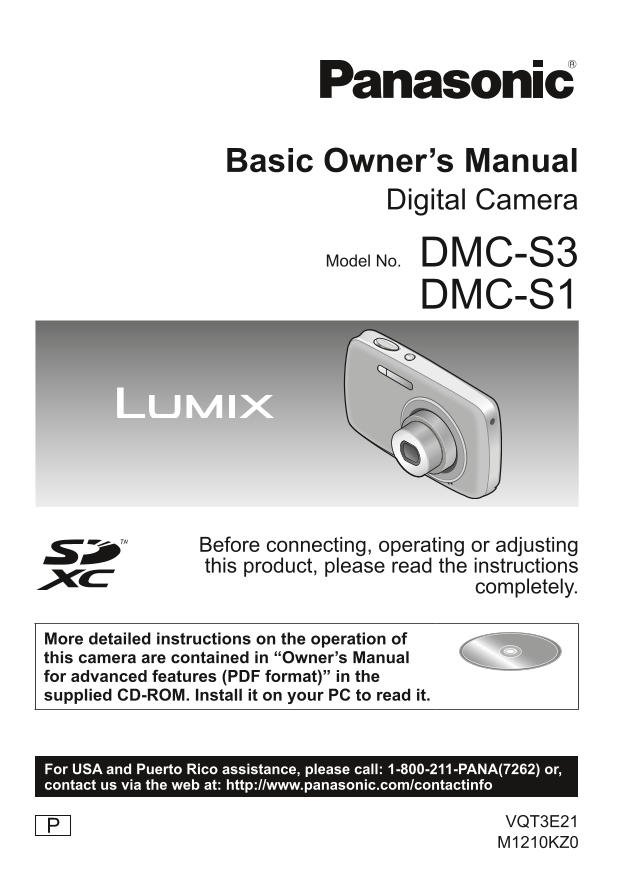
Basic Owner’s Manual Digital Camera Model No. DMC-S3 DMC-S1 Before connecting, operating or adjusting this product, please read the instructions completely. More detailed instructions on the operation...
Page 2
Dear Customer, FCC Note: Thank you for choosing Panasonic! This equipment has been tested and found to comply with the limits for You have purchased one of the most sophisticated and reliable products...
Page 3
Dear Customer, FCC Note: Thank you for choosing Panasonic! This equipment has been tested and found to comply with the limits for You have purchased one of the most sophisticated and reliable products...
Page 4
WARNING: Warning Risk of fire, explosion and burns. Do not disassemble, heat above 60 °C TO REDUCE THE RISK OF FIRE, ELECTRIC SHOCK OR PRODUCT (140 °F) or incinerate. DAMAGE, DO NOT EXPOSE THIS APPARA...
Page 5
WARNING: Warning Risk of fire, explosion and burns. Do not disassemble, heat above 60 °C TO REDUCE THE RISK OF FIRE, ELECTRIC SHOCK OR PRODUCT (140 °F) or incinerate. DAMAGE, DO NOT EXPOSE THIS APPARA...
Page 6
Before use Contents Standard accessories Information for Your Safety .......2 Check that all the accessories are supplied before using the camera. Part numbers are as of January 2011. Before use Basic...
Page 7
Before use Contents Standard accessories Information for Your Safety .......2 Check that all the accessories are supplied before using the camera. Part numbers are as of January 2011. Before use Basic...
Page 8
The illustrations and screens in this manual may differ from the actual Names of parts product. This manual uses the screens from DMC-S3 as examples in its explanations. Shutter button Speaker Cursor ...
Page 9
The illustrations and screens in this manual may differ from the actual Names of parts product. This manual uses the screens from DMC-S3 as examples in its explanations. Shutter button Speaker Cursor ...
Page 10
Preparations Charging the battery ■About batteries that you can use with this unit Connect the charger to the electrical outlet The batteries that can be used with this unit are NCA-YN101G (supplied) ...
Page 11
Preparations Charging the battery ■About batteries that you can use with this unit Connect the charger to the electrical outlet The batteries that can be used with this unit are NCA-YN101G (supplied) ...
Page 12
Inserting and removing the card (optional)/the battery Turn off the power and slide ●Always use genuine Panasonic batteries (NCA-YN101G: supplied or the card/battery door out ( DMW-BCK7PP: optional). ...
Page 13
Inserting and removing the card (optional)/the battery Turn off the power and slide ●Always use genuine Panasonic batteries (NCA-YN101G: supplied or the card/battery door out ( DMW-BCK7PP: optional). ...
Page 14
Setting the menu Setting the clock The clock is not set when the camera is shipped. Refer to the procedure example below when operating the [Setup] menu, [Rec] menu and [Playback] menu. Press the Powe...
Page 15
Setting the menu Setting the clock The clock is not set when the camera is shipped. Refer to the procedure example below when operating the [Setup] menu, [Rec] menu and [Playback] menu. Press the Powe...
Page 16
Basics Taking pictures with automatic settings Selecting the Recording Mode [Intelligent Auto] Mode Recording Mode: Press the Power button ( Optimum settings are made automatically from information su...
Page 17
Basics Taking pictures with automatic settings Selecting the Recording Mode [Intelligent Auto] Mode Recording Mode: Press the Power button ( Optimum settings are made automatically from information su...
Page 18
Taking pictures with automatic settings Taking motion pictures [Motion Picture] Mode [Intelligent Auto] Mode (Continued) Recording Mode: Recording Mode: ■Automatic Scene Detection Press the [MODE] but...
Page 19
Taking pictures with automatic settings Taking motion pictures [Motion Picture] Mode [Intelligent Auto] Mode (Continued) Recording Mode: Recording Mode: ■Automatic Scene Detection Press the [MODE] but...
Page 20
Others Viewing your pictures [Normal Play] Reading the Owner’s Manual (PDF format) Playback Mode: Press the Playback button ( More detailed instructions on the operation of this camera are contained i...
Page 21
Others Viewing your pictures [Normal Play] Reading the Owner’s Manual (PDF format) Playback Mode: Press the Playback button ( More detailed instructions on the operation of this camera are contained i...
Page 22
Reading the Owner’s Manual (PDF format) Specifications (Continued) ■When the Owner’s Manual (PDF format) will not open Digital Camera: Information for your safety You will need Adobe Acrobat Reader 5....
Page 23
Reading the Owner’s Manual (PDF format) Specifications (Continued) ■When the Owner’s Manual (PDF format) will not open Digital Camera: Information for your safety You will need Adobe Acrobat Reader 5....
Page 24
Specifications (Continued) Shutter speed 8 to 1/1600 th Dimensions Approx. 98.8 mm (W) x 58.8 mm (H) x 20.9 mm (D) Exposure (AE) AUTO (Program AE) (excluding the projection part) Exposure Compensation...
Page 25
Specifications (Continued) Shutter speed 8 to 1/1600 th Dimensions Approx. 98.8 mm (W) x 58.8 mm (H) x 20.9 mm (D) Exposure (AE) AUTO (Program AE) (excluding the projection part) Exposure Compensation...
Page 26
Specifications (Continued) Optional accessories Battery charger Product name: Battery pack (Panasonic DE-A91B): Information for your safety Product no.: DMW-BCK7PP Input 110 V to 240 V ~ 50/60Hz, 0.2 ...
Page 27
Specifications (Continued) Optional accessories Battery charger Product name: Battery pack (Panasonic DE-A91B): Information for your safety Product no.: DMW-BCK7PP Input 110 V to 240 V ~ 50/60Hz, 0.2 ...
Page 28
Limited Warranty for P_eng.fm 11 ページ 2009年11月26日 木曜日 午後5時0分 Limited Warranty Limited Warranty Digital Camera Accessory Order Form (ONLY FOR U.S.A. AND PUERTO RICO) (ONLY FOR U.S.A. AND PUERTO RICO) Pl...
Page 29
Limited Warranty for P_eng.fm 11 ページ 2009年11月26日 木曜日 午後5時0分 Limited Warranty Limited Warranty Digital Camera Accessory Order Form (ONLY FOR U.S.A. AND PUERTO RICO) (ONLY FOR U.S.A. AND PUERTO RICO) Pl...
Page 30
Limited Warranty for P_eng.fm 12 ページ 2009年11月26日 木曜日 午後5時0分 Limited Warranty for P_eng.fm 13 ページ 2009年11月26日 木曜日 午後5時0分 Mail-In Service THERE ARE NO EXPRESS WARRANTIES EXCEPT AS LISTED UNDER For assis...
Page 31
Limited Warranty for P_eng.fm 12 ページ 2009年11月26日 木曜日 午後5時0分 Limited Warranty for P_eng.fm 13 ページ 2009年11月26日 木曜日 午後5時0分 Mail-In Service THERE ARE NO EXPRESS WARRANTIES EXCEPT AS LISTED UNDER For assis...
Page 32
Limited Warranty for P_eng.fm 14 ページ 2009年11月26日 木曜日 午後5時0分 Customer Services Directory (United States and Puerto Rico) Obtain Product Information and Operating Assistance; locate your nearest Dealer ...
Page 33
Limited Warranty for P_eng.fm 14 ページ 2009年11月26日 木曜日 午後5時0分 Customer Services Directory (United States and Puerto Rico) Obtain Product Information and Operating Assistance; locate your nearest Dealer ...
Page 34
SDXC Logo is a trademark of SD-3C, LLC. Quick Time and the Quick Time logo are trademarks or registered trademarks of Apple Inc., used under license therefrom. This product uses “Dyna Font” from Dyna ...
Page 35
SDXC Logo is a trademark of SD-3C, LLC. Quick Time and the Quick Time logo are trademarks or registered trademarks of Apple Inc., used under license therefrom. This product uses “Dyna Font” from Dyna ...