Page 1
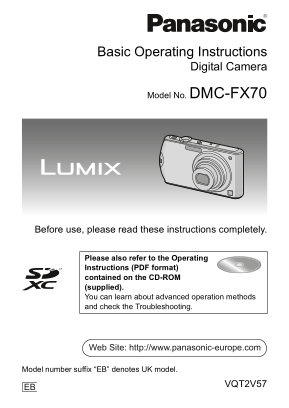
DMC-FX70&FX75-VQT2V47_eng.book 1 ページ 2010年6月7日 月曜日 午後8時1分 Basic Operating Instructions Digital Camera Model No. DMC-FX70 Before use, please read these instructions completely. Please also refer to...
Page 2
DMC-FX70&FX75-VQT2V47_eng.book 2 ページ 2010年6月17日 木曜日 午後4時6分 Dear Customer, We would like to take this opportunity to thank you for purchasing this Panasonic Digital Camera. Please read these Operat...
Page 3
DMC-FX70&FX75-VQT2V47_eng.book 3 ページ 2010年6月7日 月曜日 午後8時1分 IMPORTANT Caution for AC mains lead The wires in this mains lead are coloured For your safety, please read the following in accordance w...
Page 4
DMC-FX70&FX75-VQT2V47_eng.book 4 ページ 2010年6月7日 月曜日 午後8時1分 About the battery pack CAUTION Danger of explosion if battery is incorrectly replaced. Replace only with the same or equivalent type recom...
Page 5
DMC-FX70&FX75-VQT2V47_eng.book 5 ページ 2010年6月7日 月曜日 午後8時1分 About the battery charger CAUTION! DO NOT INSTALL OR PLACE THIS UNIT IN A BOOKCASE, BUILT-IN CABINET OR IN ANOTHER CONFINED SPACE. ENSURE ...
Page 6
VQT2V57~Safety_eng.fm 6 ページ 2010年6月17日 木曜日 午後4時20分 Information for Users on Collection and Disposal of Old Equipment and used Batteries These symbols on the products, packaging, and/or accompanying do...
Page 7
DMC-FX70&FX75-VQT2V47_eng.book 7 ページ 2010年6月7日 月曜日 午後8時1分 Contents Information for Your Safety Standard Accessories Names of the Components How to Use the Touch Panel Charging the Battery About th...
Page 8
DMC-FX70&FX75-VQT2V47_eng.book 8 ページ 2010年6月17日 木曜日 午後4時6分 Standard Accessories Check that all the accessories are supplied before using the camera. Product numbers correct as of June 2010. These ...
Page 9
DMC-FX70&FX75-VQT2V47_eng.book 9 ページ 2010年6月17日 木曜日 午後4時6分 Sales and Support Information Customer Care Centre For customers within the UK: 0844 844 3852 For customers within the Republic of Irelan...
Page 10
DMC-FX70&FX75-VQT2V47_eng.book 10 ページ 2010年6月7日 月曜日 午後8時1分 Names of the Components Flash Lens Self-timer indicator AF assist lamp Hand strap eyelet Be sure to attach the hand strap when using the ...
Page 11
VQT2V57~Body1_eng.fm 11 ページ 2010年6月24日 木曜日 午前9時32分 Camera ON/OFF switch Zoom lever Motion picture button Speaker Microphone Shutter button Lens barrel [HDMI] socket [AV OUT/DIGITAL] socket Tripod rece...
Page 12
DMC-FX70&FX75-VQT2V47_eng.book 12 ページ 2010年6月17日 木曜日 午後4時6分 How to Use the Touch Panel This touch panel is a type that detects pressure. Operation or settings are performed by directly touching th...
Page 13
DMC-FX70&FX75-VQT2V47_eng.book 13 ページ 2010年6月17日 木曜日 午後4時6分 Note The touch panel does not operate when the LCD monitor is turned off. If you use a commercially available liquid crystal protection ...
Page 14
DMC-FX70&FX75-VQT2V47_eng.book 14 ページ 2010年6月17日 木曜日 午後4時6分 Charging the Battery About batteries that you can use with this unit The battery that can be used with this unit is DMW-BCF10E. It has b...
Page 15
DMC-FX70&FX75-VQT2V47_eng.book 15 ページ 2010年6月17日 木曜日 午後4時6分 Connect the AC mains lead. Disconnect the charger from the electrical socket and detach the battery after charging is completed. About t...
Page 16
DMC-FX70&FX75-VQT2V47_eng.book 16 ページ 2010年6月17日 木曜日 午後4時6分 About the Built-in Memory/the Card Built-in Memory Memory size: Approx. 40 MB The built-in memory can be used as a temporary storage dev...
Page 17
DMC-FX70&FX75-VQT2V47_eng.book 17 ページ 2010年6月7日 月曜日 午後8時1分 Inserting and Removing the Card (optional)/the Battery Check that this unit is turned off. We recommend using a Panasonic card. Slide the...
Page 18
DMC-FX70&FX75-VQT2V47_eng.book 18 ページ 2010年6月17日 木曜日 午後4時6分 Setting Date/Time (Clock Set) The clock is not set when the camera is shipped. Turn the camera on. Touch [CLOCK SET]. Touch the items yo...
Page 19
DMC-FX70&FX75-VQT2V47_eng.book 19 ページ 2010年6月17日 木曜日 午後4時6分 Setting the Menu This section describes how to select the [REC] Mode menu settings, and the same setting can be used for the [MOTION PIC...
Page 20
DMC-FX70&FX75-VQT2V47_eng.book 20 ページ 2010年6月7日 月曜日 午後8時1分 Mode switching Selecting the [REC] Mode Turn the camera on. [REC]/[PLAYBACK] selector switch [MODE] button Slide the [REC]/[PLAYBACK] sel...
Page 21
DMC-FX70&FX75-VQT2V47_eng.book 21 ページ 2010年6月7日 月曜日 午後8時1分 [REC] Mode: ñ Taking Pictures Using the Automatic Function (ñ: Intelligent Auto Mode) The camera will set the most appropriate settings t...
Page 22
DMC-FX70&FX75-VQT2V47_eng.book 22 ページ 2010年6月17日 木曜日 午後4時6分 Scene Detection When the camera identifies the optimum scene, the icon of the scene concerned is displayed in blue for 2 seconds, after ...
Page 23
VQT2V57~Body1_eng.fm 23 ページ 2010年6月17日 木曜日 午後6時5分 [REC] Mode: ñ· Recording Motion Pictures This can record high definition motion pictures compatible with the AVCHD format or motion pictures recorded ...
Page 24
DMC-FX70&FX75-VQT2V47_eng.book 24 ページ 2010年6月7日 月曜日 午後8時1分 [PLAYBACK] Mode: ¸ Playing Back Pictures ([NORMAL PLAY]) Slide the [REC]/[PLAYBACK] selector switch A to [(]. Forward or rewind the image...
Page 25
VQT2V57~Body1_eng.fm 25 ページ 2010年6月18日 金曜日 午後6時21分 [PLAYBACK] Mode: ¸ Deleting Pictures Once deleted, pictures cannot be recovered. Pictures on the built-in memory or the card, that are being played b...
Page 26
DMC-FX70&FX75-VQT2V47_eng.book 26 ページ 2010年6月7日 月曜日 午後8時1分 Reading the Operating Instructions (PDF format) You have practised the basic operations introduced in these operating instructions and wa...
Page 27
DMC-FX70&FX75-VQT2V47_eng.book 27 ページ 2010年6月7日 月曜日 午後8時1分 ∫When the Operating Instructions (PDF format) will not open You will need Adobe Acrobat Reader 5.0 or later or Adobe Reader 7.0 or later ...
Page 28
DMC-FX70&FX75-VQT2V47_eng.book 28 ページ 2010年6月7日 月曜日 午後8時1分 Specifications Digital Camera: Information for your safety Power Source: DC 5.1 Power Consumption: 1.2 W (When recording) 0.6 W (When pla...
Page 29
DMC-FX70&FX75-VQT2V47_eng.book 29 ページ 2010年6月7日 月曜日 午後8時1分 Burst recording Burst speed: Approx. 1.8 pictures/second Number of recordable pictures: Max. 5 pictures (Standard), max. 3 pictures (Fine...
Page 30
DMC-FX70&FX75-VQT2V47_eng.book 30 ページ 2010年6月7日 月曜日 午後8時1分 Interface Digital: “USB 2.0” (High Speed) Data from the PC can not be written to the camera using the USB connection cable. Analog video/...
Page 31
DMC-FX70&FX75-VQT2V47_eng.book 31 ページ 2010年6月7日 月曜日 午後8時1分 Battery Charger (Panasonic DE-A60A): Information for your safety Input: V to 240 V 50/60 Hz, 0.2 Output: 4.2 V 0.65 Battery Pack (lithium...
Page 32
DMC-FX70&FX75-VQT2V47_eng.book 32 ページ 2010年6月7日 月曜日 午後8時1分 SDXC Logo is a trademark of SD-3C, LLC. The “AVCHD”, “AVCHD Lite” and the “AVCHD”, “AVCHD Lite” logo are trademarks of Panasonic Corporat...