Page 1
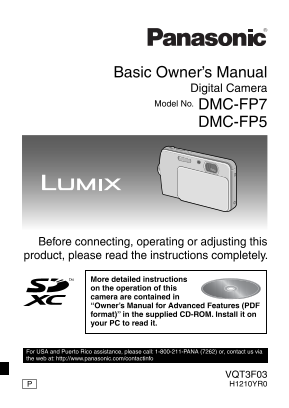
Basic Owner’s Manual Digital Camera Model No. DMC-FP7 DMC-FP5 Before connecting, operating or adjusting this product, please read the instructions completely. More detailed instructions on the operati...
Page 2
Dear Customer, Thank you for choosing Panasonic! You have purchased one of the most sophisticated and reliable products on the market today. Used properly, we’re sure it will bring you and your family...
Page 3
FCC Note: This equipment has been tested and found to comply with the limits for a Class B digital device, pursuant to Part 15 of the FCC Rules. These limits are designed to provide reasonable protect...
Page 4
Product identifi cation marking Product Location Digital camera Battery charger About the battery pack CAUTION Battery pack (Lithium ion battery pack) • Use the specifi ed unit to recharge the battery...
Page 5
About the battery charger CAUTION! DO NOT INSTALL OR PLACE THIS UNIT IN A BOOKCASE, BUILT-IN CABINET OR IN ANOTHER CONFINED SPACE. ENSURE THE UNIT IS WELL VENTILATED. TO PREVENT RISK OF ELECTRIC SHOCK...
Page 6
Keep this unit as far away as possible from electromagnetic equipment (such as microwave ovens, TVs, video games etc.). • If you use this unit on top of or near a TV, the pictures and/or sound on this...
Page 7
Contents Information for Your Safety ....................................................................2 Standard Accessories............................................................................
Page 8
Standard Accessories Check that all the accessories are included before using the camera. Product numbers are correct as of January 2011. These may be subject to change. 1 Battery Pack (Battery Pack i...
Page 9
Names of the Components 1 Flash 2 Microphone 3 Lens 4 Lens cover 5 Self-timer Indicator AF Assist Lamp 6 Strap eyelet • Be sure to attach the strap when using the camera to ensure that you will not dr...
Page 10
13 Tripod receptacle 14 Card / Battery door 15 Release lever 16 DC coupler cover • When using an AC adaptor, ensure that the Panasonic DC coupler (DMW- DCC10; optional) and AC adaptor (DMW-AC5PP; opti...
Page 11
How to Use the Touch Panel This touch panel is a type that detects pressure. You can operate the camera by directly touching the icons or images on the LCD monitor (Touch Panel) with your fi nger or t...
Page 12
Note • If you use a commercially available liquid crystal protection sheet, please follow the instructions that accompany the sheet. (Depending on the material, visibility or operability may be impair...
Page 13
Charging the Battery About batteries that you can use with this unit Supplied battery or dedicated optional batteries (DMW-BCK7PP) can be used with this camera. It has been found that counterfeit batt...
Page 14
Connect the charger to the electrical outlet. • Charging starts when the [CHARGE] indicator A lights green. [CHARGE] indicator Lights on: Charging Lights off: Charging complete (Disconnect the charger...
Page 15
Recording still pictures (By CIPA standard in Normal Picture Mode) DMC-FP7 DMC-FP5 Supplied Optional Supplied Optional battery battery battery battery Capacity 660 m Ah 680 m Ah 660 m Ah 680 m Ah Numb...
Page 16
About the Built-in Memory / the Card Built-in Memory • Memory size: Approx. 70 MB • The built-in memory can be used as a temporary storage device when the card being used becomes full. • The access ti...
Page 17
Inserting and Removing the Card (optional) / the Battery • Check that this unit is turned off. • We recommend using a Panasonic card. Slide the release lever in the direction of the [OPEN] and open th...
Page 18
Setting Date / Time (Clock Set) • The clock is not set when the camera is shipped. Open the lens cover. • The camera is turned on. Touch [Clock Set]. Touch the items you wish to set (Year / Month / Da...
Page 19
Setting the Menu Using the menu, you can select your preferred recording or playback functions, or can make basic settings for the camera. This section describes the operation method using the example...
Page 20
Recording Sequence Open the lens cover. The camera is turned on in Recording Mode. (Recording is possible with this setting.) Shutter button Select Recording Mode. Touch [w1]. Touch the mode icon. • T...
Page 21
[Rec] Mode: 4 Taking Pictures Using the Automatic Function (4: Intelligent Auto Mode) The camera will set the most appropriate settings to match the subject and the recording conditions so we recommen...
Page 22
Scene Detection When the camera identifi es the optimum scene, the icon of the scene concerned is displayed in blue for 2 seconds, after which its color changes to the usual red. 4 3 [i-Portrait] 5 [i...
Page 23
[Rec] Mode: 6 Recording Motion Pictures This records motion pictures with sound. (Motion pictures cannot be recorded without audio.) Touch [w1] in Recording Mode. Touch [6]. Press the shutter button h...
Page 24
[Playback] Mode: 5 Playing Back Pictures ([Normal Play]) If the card is inserted, pictures in the card are played back. If not, pictures in the built-in memory are played back. Touch [9] in Recording ...
Page 25
Reading the Owner’s Manual (PDF format) More detailed instructions on the operation of this camera are contained in “Owner’s Manual for Advanced Features (PDF format)” in the supplied CD-ROM. Install ...
Page 26
When the Owner’s Manual (PDF format) will not open You will need Adobe Acrobat Reader 5.0 or later or Adobe Reader 7.0 or later to browse or print the Owner’s Manual (PDF format). Insert the CD-ROM co...
Page 27
Specifi cations Digital Camera: Information for your safety Power Source: DC 5.1 V Power Consumption: 1.2 W (When recording) (DMC-FP7) / 1.1 W (When recording) (DMC-FP5) 0.7 W (When playing back) (DMC...
Page 28
Hi-speed burst Burst speed: Approx. 4 pictures/second Picture size: 3M (4:3), 2.5M (3:2, 1:1) or 2M (16:9) is selected as the picture size. Number of recordable pictures: Approx. 15 to 100 Shutter spe...
Page 29
Interface Digital: USB 2.0 (High Speed) Analog video / audio: NTSC Audio line output (monaural) Terminal AV OUT/DIGITAL: Dedicated jack (8 pin) Dimensions: Approx. 101.0 mm (W) × 58.9 mm (H) × 18.2 mm...
Page 30
Digital Camera Accessory System Battery Pack: DC coupler AC Adaptor DMW-BCK7PP DMW-DCC10 DMW-AC5PP SD Memory Card 2 GB ..........RP-SDN02GU1A SDHC Memory Card 4 GB ..........RP-SDN04GU1A 4 GB ...........
Page 31
Digital Camera Accessory Order Form Please photocopy this form when placing an order. 1. Digital Camera Model # 2. Items Ordered Accessory # Description Price Each Quantity Total Price Subtotal Your S...
Page 32
Limited Warranty (ONLY FOR U.S.A. AND PUERTO RICO) Panasonic Consumer Electronics Company, Division of Panasonic Corporation of North America One Panasonic Way, Secaucus, New Jersey 07094 Panasonic Di...
Page 33
Mail-In Service For assistance in the U.S.A. and Puerto Rico in obtaining repairs, please ship the product prepaid to: Panasonic Exchange Center 4900 George Mc Vay Drive Suite B Mc Allen, TX 78503 pan...
Page 34
THERE ARE NO EXPRESS WARRANTIES EXCEPT AS LISTED UNDER “LIMITED WARRANTY COVERAGE”. THE WARRANTOR IS NOT LIABLE FOR INCIDENTAL OR CONSEQUENTIAL DAMAGES RESULTING FROM THE USE OF THIS PRODUCT, OR ARISI...
Page 35
Customer Services Directory (United States and Puerto Rico) Obtain Product Information and Operating Assistance; locate your nearest Dealer or Service Center; purchase Parts and Accessories; or make C...
Page 36
• SDXC Logo is a trademark of SD-3C, LLC. • Quick Time and the Quick Time logo are trademarks or registered trademarks of Apple Inc., used under license therefrom. • This product uses “Dyna Font” from...