Page 1
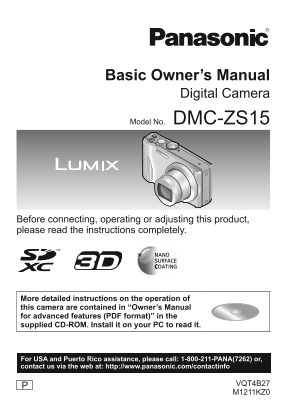
Basic Owner’s Manual Digital Camera Model No. DMC-ZS15 Before connecting, operating or adjusting this product, please read the instructions completely. More detailed instructions on the operation of t...
Page 2
Dear Customer, Thank you for choosing Panasonic! You have purchased one of the most sophisticated and reliable products on the market today. Used properly, we’re sure it will bring you and your family...
Page 3
FCC Note: This equipment has been tested and found to comply with the limits for a Class B digital device, pursuant to Part 15 of the FCC Rules. These limits are designed to provide reasonable protect...
Page 4
WARNING: To reduce the risk of fire, electric shock or product damage, Do not expose this unit to rain, moisture, dripping or splashing. Do not place objects filled with liquids, such as vases, on thi...
Page 5
Warning Risk of fire, explosion and burns. Do not disassemble, heat above 60 °C (140 °F) or incinerate. ■About the AC adaptor (supplied) CAUTION! To reduce the risk of fire, electric shock or product ...
Page 6
■Cautions for Use Do not use any other USB connection cables except the supplied one. Always use a genuine Panasonic HDMI mini cable (RP-CDHM15, RP-CDHM30: optional). Part numbers: RP-CDHM15 (1.5 m) (...
Page 7
-If you see this symbol- Information on Disposal in other Countries outside the European Union This symbol is only valid in the European Union. If you wish to discard this product, please contact your...
Page 8
Contents Information for Your Safety .......2 Deleting pictures ......................17 Before use ...................................8 Reading the Owner’s Manual Standard accessories ..................
Page 9
Standard accessories Check that all the accessories are supplied before using the camera. Part numbers are as of January 2012. Battery pack USB connection DMW-BCG10PP cable Charge the battery K1HY08YY...
Page 10
Names and Functions of Main Parts Camera ON/OFF switch Shutter button Mode dial Flash Self-timer indicator/AF Assist Lamp Lens barrel Lens Zoom lever Speaker Microphone Motion picture button LCD monit...
Page 11
Inserting and removing the card (optional)/ the battery To charge the battery, insert it into the camera. Set the camera ON/OFF switch to OFF and slide the release lever ( ) to [OPEN] before opening t...
Page 12
Charging the battery The battery is not charged when the camera is shipped. Charge the battery before use. Charge the battery with the AC adaptor (supplied) indoors (10 °C to 30 °C (50 °F to 86 °F)). ...
Page 13
Setting the clock The clock is not set when the camera is shipped. Set REC/PLAY switch to before turning the camera on. Turn the camera on ( Press [MENU/SET] ( Press to select the items (year, month, ...
Page 14
Setting the menu Refer to the following procedures to operate the menus. Example: Setting [AF Mode] from to in the [Program AE] Mode Press [MENU/SET] to display the menu Switching to the [Rec] menu Se...
Page 15
Taking pictures Shutter button Turn the camera on ( Slide the REC/PLAY switch ( to Set to the desired recording mode ■Recording mode Take pictures with automatic settings. The subjects are recorded us...
Page 16
Taking motion pictures Recording mode: You can record motion pictures with audio (monaural). Zoom can also be used during recording. Slide the REC/PLAY switch ( to Press the motion picture button ( to...
Page 17
Viewing your pictures [Normal Play] Slide the REC/PLAY switch ( to Press to select the picture ●To play back a motion picture, select a picture with or , and then press to start playback. ●You can pri...
Page 18
Reading the Owner’s Manual (PDF format) More detailed instructions on the operation of this camera are contained in “Owner’s Manual for advanced features (PDF format)” in the supplied CD-ROM. Install ...
Page 19
Installing supplied software (PHOTOfun STUDIO) This software allows you to acquire pictures to the PC, and also categorize these acquired pictures by their recording date or the model name of the came...
Page 20
Specifications Digital Camera: Information for your safety Power Source DC 5.1 V Power When recording: 1.4 W Consumption When playing back: 0.9 W Camera effective 12,100,000 pixels pixels Image sensor...
Page 21
LCD monitor 3.0” TFT LCD (4:3) (Approx. 460,800 dots) (field of view ratio about 100%) Microphone / Monaural Speaker Recording media Built-in Memory (Approx. 70 MB) / SD Memory Card / SDHC Memory Card...
Page 22
Specifications AC adaptor (Panasonic VSK0768): Information for your safety Input ~ 110 V to 240 V, 50/60 Hz, 0.2 A Output 5 V, 800 m A Battery pack (lithium-ion) (Panasonic DMW-BCG10PP): Information f...
Page 23
Digital Camera Accessory System Description Accessory# Battery Pack DMW-BCG10 AV Cable DMW-AVC1 HDMI mini cable RP-CDHM15, RP-CDHM30 Marine Case DMW-MCTZ20 Class 10 64 GB SDXC Memory Card RP-SDU64GE1K...
Page 24
Digital Camera Accessory Order Form Please photocopy this form when placing an order. 1. Digital Camera Model # 2. Items Ordered Accessory # Description Price Each Quantity Total Price Shipping & ...
Page 25
Limited Warranty (ONLY FOR U.S.A. AND PUERTO RICO) Panasonic Consumer Marketing Company of North America, Division of Panasonic Corporation of North America One Panasonic Way, Secaucus, New Jersey 070...
Page 26
Mail-In Service For assistance in the U.S.A. and Puerto Rico in obtaining repairs, please ship the product prepaid to: Panasonic Exchange Center 4900 George Mc Vay Drive Suite B Mc Allen, TX 78503 pan...
Page 27
THERE ARE NO EXPRESS WARRANTIES EXCEPT AS LISTED UNDER “LIMITED WARRANTY COVERAGE”. THE WARRANTOR IS NOT LIABLE FOR INCIDENTAL OR CONSEQUENTIAL DAMAGES RESULTING FROM THE USE OF THIS PRODUCT, OR ARISI...
Page 28
Customer Services Directory (United States and Puerto Rico) Obtain Product Information and Operating Assistance; locate your nearest Dealer or Service Center; purchase Parts and Accessories; or make C...
Page 29
HDMI, the HDMI Logo, and High-Definition Multimedia Interface are trademarks or registered trademarks of HDMI Licensing LLC in the United States and other countries. HDAVI Control™ is a trademark of P...