OMRON PLC Mechanical Controller IPC Multi-Axis Controller Touch Screen Sysmac Library SYSMAC-XR SYSMAC-XR011 EtherCAT 1S Series Library Catalog
Summary
Designed for industrial automation systems running on NJ/NX controllers, this library revolutionizes servo drive setup and maintenance. It provides crucial function blocks that eliminate the need for a connected PC during service operations. Engineers can easily manage complex tasks like individual parameter backup and restoration, absolute encoder initialization, and motor restarts directly at the unit. Furthermore, it enables simultaneous gain tuning across multiple independent drives, significantly reducing downtime and streamlining field service procedures.
Page 1 Text Content
Sysmac Library for NJ/NX/NY Controller SYSMAC-XR011 Ether CAT 1S Series Library
Reduce servo drive setting and replacement work at changeover, maintenance, and operation times.
Issue 1 Operation rates are low due to the time-consuming changes of servo drive settings.
Operation became unstable due to changing settings. It takes time to restore to default or previous
Issue 2
settings by using old version files to stabilize operation.
Issue 3 When a broken device is replaced, a PC is required to change parameters. When operation becomes unstable due to parts replacement or deterioration, a PC is required for
Issue 4
gain tuning.
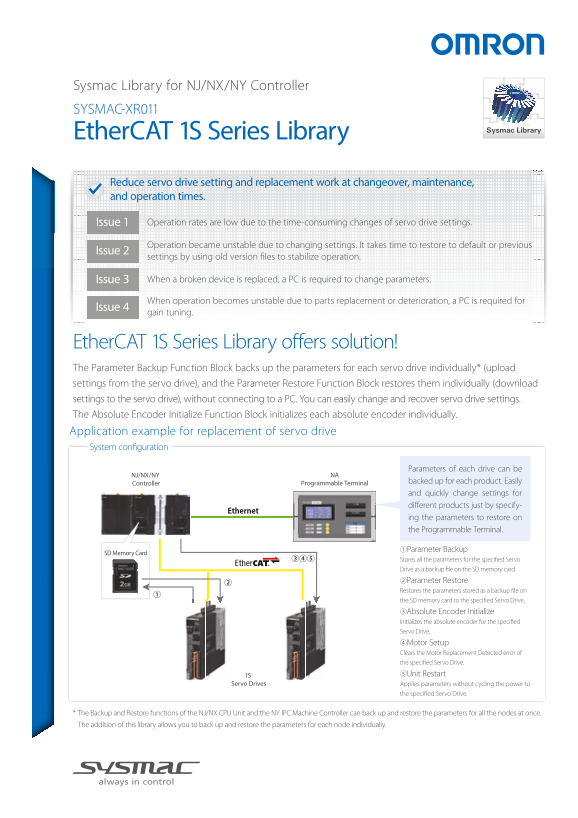
Ether CAT 1S Series Library offers solution! The Parameter Backup Function Block backs up the parameters for each servo drive individually* (upload settings from the servo drive), and the Parameter Restore Function Block restores them individually (download settings to the servo drive), without connecting to a PC. You can easily change and recover servo drive settings. The Absolute Encoder Initialize Function Block initializes each absolute encoder individually. Application example for replacement of servo drive System configuration
Parameters of each drive can be
NJ/NX/NY NA
Controller Programmable Terminal backed up for each product. Easily and quickly change settings for different products just by specify- ing the parameters to restore on the Programmable Terminal.
①Parameter Backup
SD Memory Card
Stores all the parameters for the specified Servo Drive as a backup file on the SD memory card. ②Parameter Restore Restores the parameters stored as a backup file on the SD memory card to the specified Servo Drive. ③Absolute Encoder Initialize Initializes the absolute encoder for the specified Servo Drive. ④Motor Setup Clears the Motor Replacement Detected error of the specified Servo Drive. 1S ⑤Unit Restart
Servo Drives Applies parameters without cycling the power to
the specified Servo Drive.
* The Backup and Restore functions of the NJ/NX CPU Unit and the NY IPC Machine Controller can back up and restore the parameters for all the nodes at once. The addition of this library allows you to back up and restore the parameters for each node individually.
Page Summary Contents For OMRON PLC Mechanical Controller IPC Multi-Axis Controller Touch Screen Sysmac Library SYSMAC-XR SYSMAC-XR011 EtherCAT 1S Series Library Catalog
Manual Details
| Brand | Omron |
|---|---|
| Pages | 2 |
| File Size | 911.99 KB |
| Published | June 05, 2026 |
Enter the captcha to get the download link:

Frequently Asked Questions
How can I back up servo drive parameters?
Use the Parameter Backup Function Block; it stores settings for each drive on an SD memory card.
What is required to change or recover machine settings after a failure?
The library allows for individual parameter backup and restore without needing a PC connection.
How do I initialize an absolute encoder?
Use the Absolute Encoder Initialize Function Block, which initializes the encoder individually.
Can multiple drives be tuned at once?
Yes, two or more independent drives can be tuned simultaneously using Easy Tuning.