Page 1
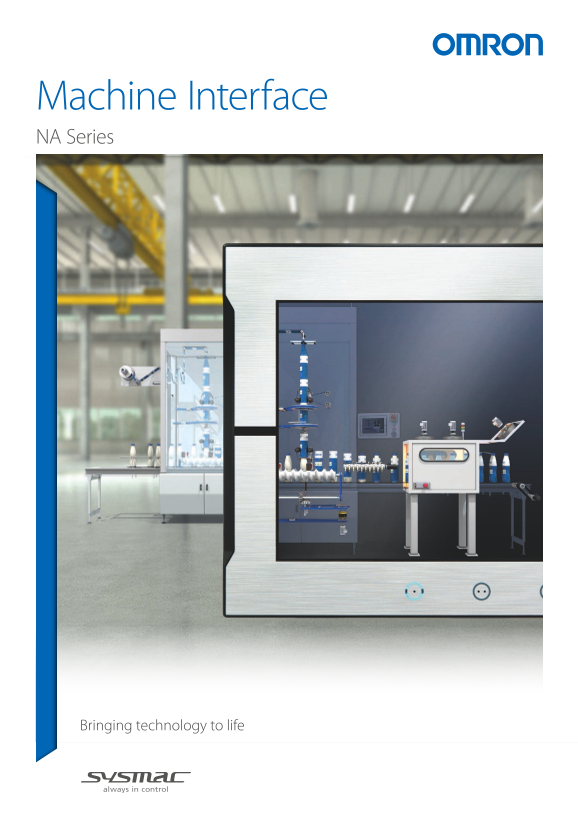
Machine Interface NA Series Bringing technology to life
Page 2
Bringing technology to life - NA Series, Machine Interface2 Sysmac - the family that matches every requirement As part of the Sysmac automation platform, Omron NA HMI transforms machine data into info...
Page 3
NX I/O NX Safety FH Vision System 1S AC Servo System NJ/NX/NY Controller
Page 4
Bringing technology to life - NA Series, Machine Interface Integrating your world The Sysmac Studio is the centerpiece of the Sysmac platform, bringing ONE Tag Database together all areas of automatio...
Page 5
ONE Learning, ONE Project • Program your controller and safety systems • Simultaneously program the NA Series as device in Sysmac Studio • Program your whole machine in one project • Work in a familia...
Page 6
Bringing technology to life - NA Series, Machine Interface Keep Machine Running - Minimize downtime If something unexpected happens in your machine, it is crucial to identify the cause and solve the p...
Page 7
Logging and displaying operations N E W Displayed on NA The system events that the NA Series detects and the operations that operators perform on the HMI can be logged. The logs can be displayed on th...
Page 8
Bringing technology to life - NA Series, Machine Interface Simple, but Flexible! The NA Series gives the user the ability to design using IAGs (Intelligent Application Gadgets). IAGs simplify and acce...
Page 9
Step 3: Publish and Share When the IAG is built and tested (using simulation) it can be published and the collection file distributed to be used again and again. Omron will release further IAG collect...
Page 10
Bringing technology to life - NA Series, Machine Interface A range of options that covers every need NA5 Very stylish, very functional All wide screen models: 7, 9, 12, 15 inch Black and Silver Edge t...
Page 11
N E WSoft-NA HMI functions work on Windows to flexibly suit various on-site applications Soft-NA provides equivalent functionality to NA5. This Windows application can be used with a wide variety of h...
Page 12
Bringing technology to life - NA Series, Machine Interface SHOW your machine - Greater visualization More than 16 million display colors (24-bit full color) High-resolution bitmap graphics*1 and 67 di...
Page 13
Setting, sorting, and filtering alarms Alarms can be set easily, reducing time and effort required for creating alarm screens. ■Improved User Alarms Viewer You can quickly create the desired alarm scr...
Page 14
Bringing technology to life - NA Series, Machine Interface OPERATE your machine - Comfortable to use Supporting Asian languages An Asian language - Japanese, simplified Chinese, traditional Chinese, o...
Page 15
Customizing keypads and resizing objects You can change the keypad size, choose only the keys you need, and customize the keys to execute specified actions. Create your own keypad suitable for your ap...
Page 16
Bringing technology to life - NA Series, Machine Interface Usability: Design - Simple screen design Sharing data between the NA Series and the NJ/NX/NY Series in real time Integrated development envir...
Page 17
Adding an object by drag & drop Just drag a variable from the Ladder Editor in the NA Page Editor to add an object. The variable is automatically set in the property of the added object.* This eli...
Page 18
Bringing technology to life - NA Series, Machine Interface Resource management Helps install your machines globally and modularize design. Language Settings • Different fonts, sizes, and styles can be...
Page 19
Improved resource editing • In addition to entering a text string directly in properties, you can assign an ID first and enter a text string later. This resource ID-based management enables you to sta...
Page 20
Bringing technology to life - NA Series, Machine Interface Page Editor Provides a simple GUI and a full suite of functionality to assist and streamline the design process. Importing and exporting page...
Page 21
Data input order The data input order can be set. Enable When numeric values are entered conse- Auto Navigate Keypads The data input cutively, the focus automatically moves to in the properties of ord...
Page 22
Bringing technology to life - NA Series, Machine Interface Usability: Debugging - Easy and fast debugging in integrated development environment Integrated Simulator The NJ/NX/NY Controller Simulator a...
Page 23
Cross references The same GUI for the cross reference function as the NJ/NX/NY Controller can be used. When a variable is clicked in the global variable table, a list of the locations where the variab...
Page 24
Programmable Terminal NA series Bringing technology to life 15.4 inch wide The NA-series Programmable Terminal transforms machine data into information, shows information and controls devices based on...
Page 25
NA series System configuration NA5 USB Serial USB Ethernet Ethernet SD Memory slave port *1 host × 2 port 2 port 1 Card SD Card Ethernet NJ/NX/NY series Ethernet (Modbus/TCP) CK3E/CK3M series Ethernet...
Page 26
NA series Ordering Information NA5-@W Product name Specifications Model *1 15.4 inch wide screen, TFT LCD, 16,770,000 colors (24 bit full color), 1280 × 800 dots, Frame color : Silver NA5-15W101S-V1 N...
Page 27
NA series Automation Software Number of Product name Specifications Media Model licenses Sysmac Studio − (Media only) (32-bit) SYSMAC-SE200D The Sysmac Studio is the software that provides an integrat...
Page 28
NA series Performance Specifications Display Specification NA5-15W NA5-12W NA5-9W NA5-7W Display device TFT LCD Screen size 15.4 inches 12.1 inches 9.0 inches 7.0 inches Resolution 1,280 × 800 dots (h...
Page 29
NA series General Specifications um id ity Specification NA5-15W NA5-12W NA5-9W NA5-7W Rated supply voltage 24 VDC Allowable power supply voltage 19.2 to 28.8 VDC (24 VDC ±20%) range Allowable momenta...
Page 30
NA series Version Information NA series and Programming Devices NA series Corresponding unit versions/version NJ/NX/NY-series Controller NX701-@@@@ NY512-@@@@ NX102-@@@@ NY532-@@@@ Model NA system ver...
Page 31
NA series Back Panel (k) Battery connector (l) DIP switch (m) Battery (a) Battery cover (b) ID information label (Appearance Bottm Panel with the Battery Cover Open) (e) Ethernet ports (f) Serial port...
Page 32
NA series Dimensions (Unit: mm) NA5-15W101S-V1/-15W101B-V1 Cable Connection Dimensions NA5-12W101S-V1/-12W101B-V1 Cable Connection Dimensions
Page 33
NA series NA5-9W001S-V1/-9W001B-V1 Cable Connection Dimensions NA5-7W001S-V1/-7W001B-V1 Cable Connection Dimensions Note: 1. For information on the product whose model number does not end with -V1, re...
Page 34
NA series Related Manuals Cat. No. Model number Manual NA5-15@101@-V1 NA5-12@101@-V1 V125 NA-series Programmable Terminal Hardware (-V1) User's Manual NA5-9@001@-V1 NA5-7@001@-V1 NA5-15@101@ (-V1) NA5...
Page 35
Terms and Conditions Agreement Read and understand this catalog. Please read and understand this catalog before purchasing the products. Please consult your OMRON representative if you have any questi...
Page 36
Note: Do not use this document to operate the Unit. OMRON Corporation Industrial Automation Company Authorized Distributor: Kyoto, JAPAN Contact : www.ia.omron.com Regional Headquarters OMRON EUROPE B...