Page 1
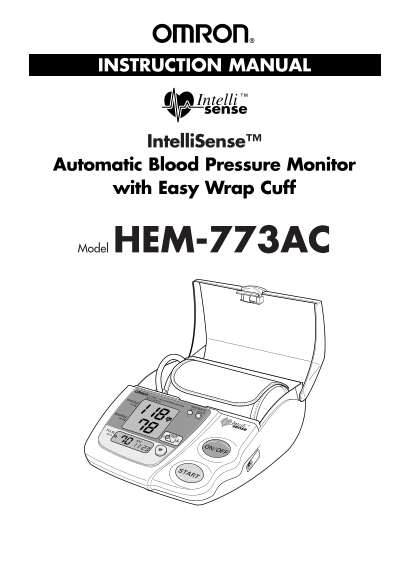
HEM-773 1/10/03 2:38 AM Page 1 INSTRUCTION MANUAL Intelli Sense™ Automatic Blood Pressure Monitor with Easy Wrap Cuff Model HEM-773AC
Page 2
HEM-773 1/10/03 2:38 AM Page 2 TABLE OF CONTENTS Introduction..................................................................................................3 Notes on Safety...........................
Page 3
HEM-773 1/10/03 2:38 AM Page 3 INTRODUCTION Thank you for purchasing the Omron Intelli Sense™ Automatic Blood Pressure Monitor with Easy Wrap Cuff, HEM-773AC. Although your blood pressure fluctuates t...
Page 4
HEM-773 1/10/03 2:38 AM Page 4 NOTES ON SAFETY • The warning signs and the sample icons shown here are listed for you to use the product safely and correctly as well as to prevent the risk and the dam...
Page 5
HEM-773 1/10/03 2:38 AM Page 5 KNOW YOUR UNIT Main Unit: AC Adapter Jack Release Button of Cover Cover Cuff Storage Container Set Button Air Jack Heart Symbol Adjust Button Systolic Blood Pressure Use...
Page 6
HEM-773 1/10/03 2:38 AM Page 6 QUICK REFERENCE GUIDE 1. Avoid eating, smoking, and exercising for at least 30 minutes before taking a measurement. 2. Remove tight-fitting clothing from your upper left...
Page 7
HEM-773 1/10/03 2:38 AM Page 7 BATTERY INSTALLATION/REPLACEMENT 1. Slide the battery cover off in the direction of the arrow. 2. Install or replace 4 “AA” size batteries so the + (positive) and – (neg...
Page 8
HEM-773 1/10/03 2:38 AM Page 8 HOW TO SET TIME AND DATE 1. When the batteries are installed, the display will show 12:00 a.m. 2. Press and hold the SET button. DATE/TIME SET The year digits (2002) wil...
Page 9
HEM-773 1/10/03 2:38 AM Page 9 HOW TO USE THE AC ADAPTER To avoid potential damage to the monitor, use only the exclusive Omron AC adapter (HEM-ADPT1). To connect the AC adapter 1. Insert the AC adapt...
Page 10
HEM-773 1/10/03 2:38 AM Page 10 HOW TO APPLY THE when wrapping ARM CUFF on your left arm 1. Check if the air plug is securely inserted in the main unit. 2. Remove tight-fitting clothing from your uppe...
Page 11
HEM-773 1/10/03 2:38 AM Page 11 HOW TO APPLY THE ARM CUFF (Continued)when wrapping on your arm 6. Align the Green Marker of the cuff over the brachial artery on the Bottom Edge 1/2 inch inside of the ...
Page 12
HEM-773 1/10/03 2:38 AM Page 12 HOW TO TAKE A READING If you are going to use the unit’s memory function to automatically store the measurement values, you USER need to choose user A or B on the User ...
Page 13
HEM-773 1/10/03 2:38 AM Page 13 HOW TO TAKE A READING (Continued) 4. When the measurement is complete, the arm cuff completely deflates and your blood pressure and pulse rate are displayed. NOTE: The ...
Page 14
HEM-773 1/10/03 2:38 AM Page 14 HOW TO USE THE MEMORY FUNCTION This monitor has a memory capable of storing 21 sets of readings each for A and B User Selector. Every time you complete the measurement,...
Page 15
HEM-773 1/10/03 2:38 AM Page 15 TROUBLESHOOTING Error Indicator Cause Correction Turn monitor off, wait 2-3 minutes and take another measurement (some users may require a longer Cuff under-inflated. w...
Page 16
HEM-773 1/10/03 2:38 AM Page 16 CAUTION CAUTION: Changes or modifications not expressly approved by Omron Healthcare, Inc. could void the user’s warranty. NOTE : POTENTIAL FOR RADIO/TELEVISION INTERFE...
Page 17
HEM-773 1/10/03 2:38 AM Page 17 CARE AND MAINTENANCE To keep your digital blood pressure monitor in the best condition and protect the unit from damage follow the directions listed below: Clean the mo...
Page 18
HEM-773 1/10/03 2:38 AM Page 18 WARRANTY Your HEM-773AC Intelli Sense™ Automatic Blood Pressure Monitor is warranted to be free from manufacturing defects for a period of five years under normal use. ...
Page 19
HEM-773 1/10/03 2:38 AM Page 19 SPECIFICATIONS ACModel: HEM-773AC Display: LCD Digital Display Measurement Range: Pressure: 0 to 280 mm Hg Pulse: 40 to 180/minute Accuracy/Calibration: Pressure: ±3 mm...
Page 20
HEM-773 1/10/03 2:38 AM Page 20 Manufactured by: OMRON Distributed by: OMRON HEALTHCARE, INC. 300 Lakeview Parkway Vernon Hills, Illinois 60061 www.omronhealthcare.com Copyright © 2003 OMRON HEALTHCAR...