Page 1
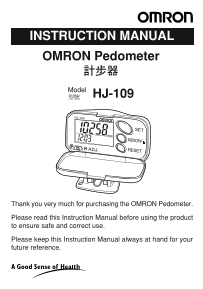
INSTRUCTION MANUAL OMRON Pedometer Model HJ-109 Thank you very much for purchasing the OMRON Pedometer. Please read this Instruction Manual before using the product to ensure safe and correct use. Ple...
Page 2
CONTENTS Before Using the Unit Safety Information Features of the Pedometer HJ-109 Name of Parts About the Pedometer How to Use the Unit How to Attach the Pedometer How to Set Time, Weight, and Stride...
Page 3
Before Using the Unit Safety Information Please read this section carefully before using this unit Warning Keep the unit out of reach of young children. If a child swallows battery, cover, or screw, c...
Page 4
Features of the Pedometer HJ-109 ❑“Aerobic step” function helps to enhance your health. The pedometer can measure continuous walking for more than 10 minutes in terms of number of aerobic steps, which...
Page 5
Name of Parts Front Case SET Button Digital Display MEMORY/▲ Button Knob RESET Button Hole to Thread Back Case with a Cord Battery Cover Screw of battery cover Insulation Film Before Using The Unit 5 ...
Page 6
About the Pedometer Walking for good health Aerobic activities strengthen the heart and lungs, making them more efficient, and also allows your body to use fats and sugars more efficiently, thus burni...
Page 7
About the Pedometer Calorie/amount of burnt fat displayed The calorie/amount of burnt fat display indicates the energy consumed by walking and is calculated from the weight, stride distance, number of...
Page 8
How To Use the Unit How to Attach the Pedometer Attach the unit to your belt or to the top of your shorts or pants. The unit must be horizontal to the ground in order for it to function correctly. The...
Page 9
How to Set Time, Weight, and Stride Distance 1. Turn on the power by pulling out the insulation film. You do not need to re-insert the film. When the power is turned on, the time setting screen will a...
Page 10
How to Set Time, Weight, and Stride Distance 3. How to set the time <Setting range: 0:00 - 23:59> Example:To set the time to 2:30 p.m. i) Press the MEMORY/▲ Button once to increase by the hour. ...
Page 11
How to Set Time, Weight, and Stride Distance 4. How to set the weight Example:To set the weight to 65 kg <Setting range: 30 to 136 kg> i) Press the MEMORY/▲ Button once to advance by the kilogra...
Page 12
How to Start 1. When all the settings are completed, your pedometer is ready for step count mode. 2. Reset the data on the display, including the number of steps, number of aerobic steps, calories, an...
Page 13
How to Adjust the Sensitivity This unit is adjusted to +/– 5% accuracy (+/– 5 steps against 100 steps) measured by standard walking on a flat surface in the correct posture. Attach your digital pedome...
Page 14
To View the Results Press the SET Button each time you want to switch the screen display from the number of aerobic steps/ duration of aerobic walk, to calorie/amount of burnt fat burnt, to distance, ...
Page 15
Memory Function The unit can store data of past seven days to the recent day (on number of steps, aerobic steps, calorie, and distance). Example: To see the data 1. Press the SET Button to display the...
Page 16
Replacement of Battery When to replace the battery Replace the battery with a new one (LR43) when a mark blinks. Once the battery is removed, all the memory data and the set data (time weight, and str...
Page 17
Troubleshooting How to Care and Store the Unit How to Clean the Unit Always keep the unit clean before use. Wipe the main unit with a soft dry cloth. If necessary, use a cloth moistened with water or ...
Page 18
When Problem Occurs Problem Probable cause What to do A mark The battery is Replace the battery blinks. worn out. with a new one (LR43). The polarities of Insert the battery in battery (+ and –) are c...
Page 19
Specifications Type OMRON Pedometer Model HJ-109 Power Supply 1.5 VDC (one LR43 battery) Measurement Range Number of steps: 0 to 99,999 steps Number of aerobic steps: 0 to 99,999 steps Duration of aer...