# A B C D E F G H I J K L M N O P Q R S T U V W X Y Z

Nikon D90 Users' Guide

Summary

This comprehensive user guide transitions you from beginner to photographic expert using the Nikon D90. It moves beyond basic operation, offering deep dives into advanced manual controls such as ISO management, White Balance (WB) calibration, and critical AF system techniques. Perfect for photographers who want to maximize their potential and achieve professional-grade color, exposure, and contrast settings right out of the camera.
📄 Preview PAGE OF 31

Page 1 Text Content

Nikon D90 Users’ Guide Introduction

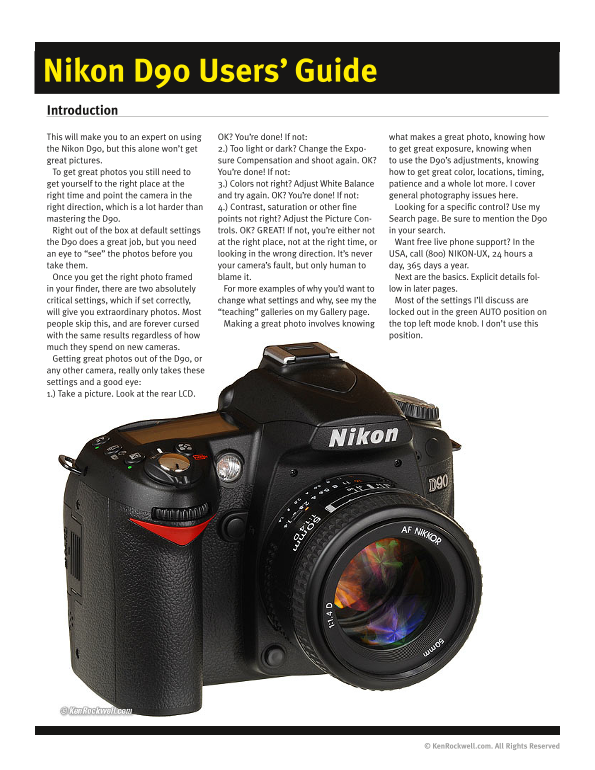
This will make you to an expert on using OK? You’re done! If not: what makes a great photo, knowing how the Nikon D90, but this alone won’t get 2.) Too light or dark? Change the Expo- to get great exposure, knowing when great pictures. sure Compensation and shoot again. OK? to use the D90’s adjustments, knowing To get great photos you still need to You’re done! If not: how to get great color, locations, timing, get yourself to the right place at the 3.) Colors not right? Adjust White Balance patience and a whole lot more. I cover right time and point the camera in the and try again. OK? You’re done! If not: general photography issues here. right direction, which is a lot harder than 4.) Contrast, saturation or other fine Looking for a specific control? Use my mastering the D90. points not right? Adjust the Picture Con- Search page. Be sure to mention the D90 Right out of the box at default settings trols. OK? GREAT! If not, you’re either not in your search. the D90 does a great job, but you need at the right place, not at the right time, or Want free live phone support? In the an eye to “see” the photos before you looking in the wrong direction. It’s never USA, call (800) NIKON-UX, 24 hours a take them. your camera’s fault, but only human to day, 365 days a year. Once you get the right photo framed blame it. Next are the basics. Explicit details fol- in your finder, there are two absolutely For more examples of why you’d want to low in later pages. critical settings, which if set correctly, change what settings and why, see my the Most of the settings I’ll discuss are will give you extraordinary photos. Most “teaching” galleries on my Gallery page. locked out in the green AUTO position on people skip this, and are forever cursed Making a great photo involves knowing the top left mode knob. I don’t use this with the same results regardless of how position.

much they spend on new cameras. Getting great photos out of the D90, or any other camera, really only takes these settings and a good eye: 1.) Take a picture. Look at the rear LCD.

© Ken Rockwell.com. All Rights Reserved

Page Summary Contents For Nikon D90 Users' Guide

Page 1 Nikon D90 Users’ Guide Introduction This will make you to an expert on using OK? You’re done! If not: what makes a great photo, knowing how the Nikon D90, but this alone won’t get 2.) Too light or dar...
Page 2 Nikon D90 Users’ Guide © Ken Rockwell.com Nikon D90 Camera Settings FORMAT the small top LCD, and if you first tap INFO, you can see it more Always format your card after you put it in any camera, or ...
Page 3 Nikon D90 Users’ Guide © Ken Rockwell.com There is no “right” way to set it. Photography is an art, so what- Metering ever looks good to you is right. I have used Matrix, the D90’s default, for everyt...
Page 4 Nikon D90 Users’ Guide © Ken Rockwell.com Nikon D90 Lens Settings If the switch says “M/A - M “ then use M/A. This gives autofocus, Non-G lenses will have an aperture ring on the base of the lens and ...
Page 5 Nikon D90 Users’ Guide © Ken Rockwell.com Nikon D90 Front Controls Flash Bolt +/- Button (right side of flash hump as seen from front) Press this to pop up the flash. This button also sets the flash s...
Page 6 Nikon D90 Users’ Guide © Ken Rockwell.com it, since there is no in-camera indication. If for some reason the shut- ter seems to have a weird delay, check this! SLOW (called SLOW on top and rear LCDs) ...
Page 7 Nikon D90 Users’ Guide © Ken Rockwell.com Nikon D90 top controls A Mode: Aperture Priority In A mode you choose the Aperture and the D90 chooses the shutter speed. S Mode: Shutter Priority In S mode y...
Page 8 Nikon D90 Users’ Guide © Ken Rockwell.com I usually leave it set at 0.0. If I’m outdoors in bright light with the subject just happened to be the right tone, you’d always have to use Picture Control s...
Page 9 Nikon D90 Users’ Guide © Ken Rockwell.com by a computer or used in any other camera. Professionals prefer to be Self Timer (clock icon) safe than sorry. They don’t use cards to archive previous photos...
Page 10 Nikon D90 Users’ Guide © Ken Rockwell.com Nikon D90 Rear controls page for the specifics of each setting. There are no rules, use whatever looks best to you. Here is a run down of the individual setti...
Page 11 Nikon D90 Users’ Guide © Ken Rockwell.com light. 10,000 K is very, very orange. The shade setting is similar to 7,500 Trick: When you have 4, 9 or 25 images (or the calendar) up, spin the K, and 10,00...
Page 12 Nikon D90 Users’ Guide © Ken Rockwell.com and you’re back to normal. You set the AF mode in Custom Settings Menu a7. Want to make a movie? Just press the OK button while in Live View, and you’re rolli...
Page 13 Nikon D90 Users’ Guide © Ken Rockwell.com Top LCDs are bogus, a leftover from film cameras because camera On the D90, just hit the dedicated INFO button with your thumb backs had to swing open to inse...
Page 14 Nikon D90 Users’ Guide © Ken Rockwell.com Nikon D90 Playback Menu How to Get Here would take more computing power than Nikon chose to devote to Press MENU, click to the left and then up to select the ...
Page 15 Nikon D90 Users’ Guide © Ken Rockwell.com Nikon D90 Shooting (Film) Menu TRAL and +1 Saturation for photos of people, and STANDARD for shots in the studio when I need product colors to be accurate. Ma...
Page 16 Nikon D90 Users’ Guide © Ken Rockwell.com Managing the Preset White Card Settings might choose 1/8. Well hidden, you also can set the green/magenta and amber/blue bias for white-card preset WB. Since ...
Page 17 Nikon D90 Users’ Guide © Ken Rockwell.com Long Exp. NR This is Long Exposure Dark-Frame Subtraction Noise Reduction. OFF Default. Leave it here. ON Don’t use this. If you do, the D90 will double the a...
Page 18 Nikon D90 Users’ Guide © Ken Rockwell.com Nikon D90 Custom Setting Menu (pencil icon) What I Change I change a zillion things, all explained on the next pages where I detail everything. Complaints and...
Page 19 Nikon D90 Users’ Guide © Ken Rockwell.com Nikon D90 Custom Setting Menu: Autofocus Dynamic area You pick a point, and the D90 will magically (and secretly) choose others if the subject moves. This is ...
Page 20 Nikon D90 Users’ Guide © Ken Rockwell.com a4 AF Point Illumination a6 AE-L/AF-L for MB-D80 This controls when, or if, the AF points light up in the finder. This lets you choose what the AE-L/AF-L butt...
Page 21 Nikon D90 Users’ Guide © Ken Rockwell.com Nikon D90 Custom Setting Menu: Metering/Exposure b2 Easy exposure compensation This lets you alter your exposure by turning the front dial without hav- ing to...
Page 22 Nikon D90 Users’ Guide © Ken Rockwell.com Nikon D90 Custom Setting Menu: Timers/AE lock c1 Shutter-release button AE-L This lets you lock the exposure with the shutter button, like a point- and-shoot ...
Page 23 Nikon D90 Users’ Guide © Ken Rockwell.com Nikon D90 Custom Setting Menu: Shooting/display d1 - d12 Shooting/display d7 File number sequence This ensures your file numbers keep counting up. How to Get ...
Page 24 Nikon D90 Users’ Guide © Ken Rockwell.com Nikon D90 Custom Setting Menu: Bracketing/flash This is how to set the built-in flash to become the commander to talk to a wireless remote flash, which today ...
Page 25 Nikon D90 Users’ Guide © Ken Rockwell.com Nikon D90 Custom Setting Menu: Controls f3 Assign FUNC. button This selects what the magic Function Button does. I prefer selecting “Top item in My Menu,” whi...
Page 26 Nikon D90 Users’ Guide © Ken Rockwell.com f4 Assign AE-L/AF-L button Change main/sub This sets the function of the AE-L/AF-L button on the rear of the D90. So what. It also can be set to many of the s...
Page 27 Nikon D90 Users’ Guide © Ken Rockwell.com Nikon D90 Setup Menu (wrench) Clean image sensor This setting runs the self-cleaning function. it also allows you to set it to run every time the D90 is turne...
Page 28 Nikon D90 Users’ Guide © Ken Rockwell.com When you get your text message spelled out, go to Attach Com- Charging life ment and hit OK so a small checkmark shows. Now go to and select Charging Life sho...
Page 29 Nikon D90 Users’ Guide © Ken Rockwell.com Nikon D90 Retouch Menu If you set ADR to AUTO for shooting as I do, you shouldn’t need this. Remember: shadows are supposed to be dark. Red-Eye Correction Thi...
Page 30 Nikon D90 Users’ Guide © Ken Rockwell.com Small Picture Fisheye This one lets you make a smaller image, for email or web posting, for This isn’t much. All it does is bloat the center of a rectangular ...
Page 31 Nikon D90 Users’ Guide © Ken Rockwell.com Nikon D90 My Menu (Recent Settings) Menu Set Picture Control This lets me select among the various picture controls. I use my VIVID setting with +3 saturation...

Manual Details

Brand Nikon
Pages 31
File Size 2.20 MB
Published June 01, 2026
61 views

Enter the captcha to get the download link:

captcha

Frequently Asked Questions

How do I ensure my flash is ready for continuous shooting?

Since there is no physical lever like on the D300 or D700, you must set your camera’s setting menu to control the AF-area mode via My Menu or FUNC button.

What is the best image size/quality setting for family pictures?

The author recommends 6MP (Medium) at 12 x 18” prints, as 12MP (Large) is often excessive for general use.

How do I manage my color settings and white balance options on the D90?

You can set White Balance using the WB button and front dial; AUTO WB is generally recommended, but specific adjustments like A3 or A6 are available for warmer/cooler tones.