Page 1
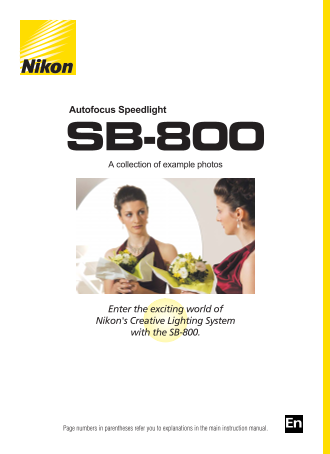
Autofocus Speedlight SB-800 A collection of example photos Enter the exciting world of Nikon's Creative Lighting System with the SB-800. Page numbers in parentheses refer you to explanations in the ma...
Page 2
A wealth of advanced flash-shooting techniques await you with the SB-800. Take life-like portraits. Soften the shadows. Record details of small objects.
Page 3
Create more natural-looking pictures by illuminating both the subject and background. Emulate the results of professional studio photographers. Use colored gel filters to add specific colors to the sc...
Page 4
Bounce flash Create more flattering portraits by tilting or rotating the flash head to bounce the light off the ceiling or walls. When photographing a person standing in front of a wall, tilt or rotat...
Page 5
Nikon Diffusion Dome With Nikon Diffusion Dome Without Nikon Diffusion Dome Shooting data The Nikon Diffusion Dome diffuses the light (Without Nikon Diffusion Dome) from the flash to soften shadows an...
Page 6
i-TTL Automatic Balanced Fill-Flash i-TTL Automatic Balanced Fill-Flash Standard i-TTL flash In this mode, the camera automatically controls the Shooting data flash output to keep both the subject and...
Page 7
Flash Value Lock (FV Lock) Using FV Lock for an off-center subject Without using FV Lock for an off-center subject Shooting data Using FV Lock, you can obtain the correct (Without FV Lock) exposure, w...
Page 8
Close-up photography using multiple flash units Two flash units (one bounced from the side; Direct on-camera flash another used directly from the top rear) Dramatic close-ups of small objects can be c...
Page 9
On-camera flash Two flash units: Off-camera flash bounced from the side + one directly from the top With a single on-camera flash unit, distinct shadows appear behind the subject, contributing to a se...
Page 10
Close-up photography using multiple flash units (cont.) Two flash units (one from the side and another from above) A single flash unit from above By using more than one SB-800, you can take Shooting d...
Page 11
Wireless multiple flash shooting in the TTL auto flash mode Current wireless multiple Advanced Wireless Lighting shooting (Two flash units: flash shooting on-camera flash + remote flash from the side)...
Page 12
Multiple flash shooting (1) Three flash units (on-camera flash + one remote unit bounced off Single on-camera flash the ceiling + one remote unit with red gel filter in the fireplace) Use more than on...
Page 13
Multiple flash shooting (2) Single off-camera flash Three flash units (One off-camera on the left + one on the right + one behind the subject bounced off the back wall) The master flash illuminates th...
Page 14
Slow-sync flash shooting with multiple flash Four flash units using a slow shutter speed Four flash units using a normal shutter speed Using a slow shutter speed with more than one Shooting data (Usin...
Page 15
Slow-sync flash shooting Slow-sync flash Normal shutter speed Shooting data When shooting in extremely dark situations, (Normal shutter speed) flash can be used with slow shutter speeds to Camera: D2H...
Page 16
Shooting with colored gel filters Shooting data (With a gel filter) Camera: D2H Speedlight: SB-800 set to Do White balance setting: Fluorescent With a gel filter (for fluorescent light) and the camera...
Page 17
Using colored gel filters with multiple flash Single on-camera flash Four flash units: One on-camera + three remote flash units (two with gel filters and one without) Shooting data Colored gel filters...
Page 18
Using colored gel filters with multiple flash (cont.) On-camera flash (bounced) + remote flash unit with a yellow On-camera flash only (bounced) gel filter and positioned behind the window shade witho...
Page 19
Four flash units with gel filters Truly original photos are possible to create by using three remote flash units with colored gel filters attached and positioning them on three sides of the subject, t...
Page 20
Using colored gel filters with multiple flash (cont.) Four flash units: On-camera flash + three remote flash Single on-camera flash units with blue, yellow, and red gel filters With the SB-800 mounted...
Page 21
Flash output level compensation using multiple flash units In the Advanced Wireless Lighting mode, you can use more than one flash to intentionally overexpose or underexpose various parts of the pictu...
Page 22
Exposure compensation and flash output level compensation Exposure compensation and flash output level compensation are used to intentionally modifying the exposure. Exposure compensation in the Non-T...
Page 23
Red-eye reduction Prevents the center of a person’s eyes from appearing red in color photographs. Red-eye reduction control is set on the camera, not on the SB-800 (p. 58). With red-eye reduction With...
Page 24
NIKON CORPORATION Printed in Japan TT3H03000101(11) 8MSA0911--