Lenze Inverters - Servo inverters: 94 SimpleServo, 94 SimpleServo i1000 servo inverters
Summary
This Quick Start guide provides comprehensive setup details for the SSi1000 indexer drive system, enabling reliable control of servo motors and indexing operations. It walks users through installing MotionView software on a PC, connecting the unit via RS232 cable, configuring specific motor models, and executing simple motion programs within a safe testing environment. Ideal for technicians, engineers, or educators needing to rapidly implement and test basic motorized automation systems.
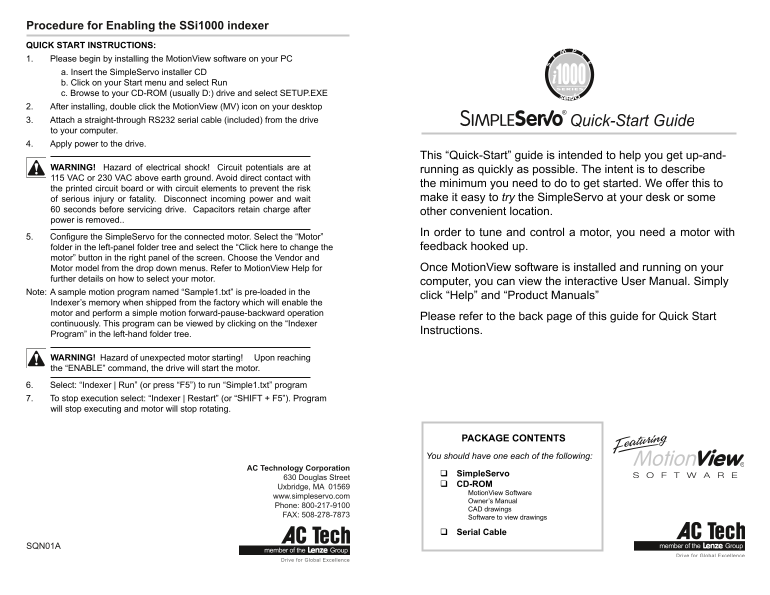
Page 1 Text Content
Procedure for Enabling the SSi1000 indexer QUICK START INSTRUCTIONS: 1. Please begin by installing the Motion View software on your PC a. Insert the Simple Servo installer CD b. Click on your Start menu and select Run c. Browse to your CD-ROM (usually D:) drive and select SETUP.EXE 2. After installing, double click the Motion View (MV) icon on your desktop 3. Attach a straight-through RS232 serial cable (included) from the drive to your computer. 4. Apply power to the drive.
This “Quick-Start” guide is intended to help you get up-and-
WARNING! Hazard of electrical shock! Circuit potentials are at running as quickly as possible. The intent is to describe 115 VAC or 230 VAC above earth ground. Avoid direct contact with
the minimum you need to do to get started. We offer this to
the printed circuit board or with circuit elements to prevent the risk
of serious injury or fatality. Disconnect incoming power and wait make it easy to try the Simple Servo at your desk or some
60 seconds before servicing drive. Capacitors retain charge after other convenient location. power is removed..
In order to tune and control a motor, you need a motor with
5. Configure the Simple Servo for the connected motor. Select the “Motor”
folder in the left-panel folder tree and select the “Click here to change the feedback hooked up.
motor” button in the right panel of the screen. Choose the Vendor and
Motor model from the drop down menus. Refer to Motion View Help for Once Motion View software is installed and running on your
further details on how to select your motor.
computer, you can view the interactive User Manual. Simply
Note: A sample motion program named “Sample1.txt” is pre-loaded in the
click “Help” and “Product Manuals”
Indexer’s memory when shipped from the factory which will enable the motor and perform a simple motion forward-pause-backward operation
Please refer to the back page of this guide for Quick Start
continuously. This program can be viewed by clicking on the “Indexer
Instructions.
Program” in the left-hand folder tree.
WARNING! Hazard of unexpected motor starting! Upon reaching the “ENABLE” command, the drive will start the motor. 6. Select: “Indexer | Run” (or press “F5”) to run “Simple1.txt” program 7. To stop execution select: “Indexer | Restart” (or “SHIFT + F5”). Program will stop executing and motor will stop rotating.
PACKAGE CONTENTS You should have one each of the following:
AC Technology Corporation
Simple Servo
630 Douglas Street
CD-ROM
Uxbridge, MA 01569
Motion View Software
www.simpleservo.com
Owner’s Manual
Phone: 800-217-9100
CAD drawings
FAX: 508-278-7873
Software to view drawings
Serial Cable
SQN01A
Page Summary Contents For Lenze Inverters - Servo inverters: 94 SimpleServo, 94 SimpleServo i1000 servo inverters
Manual Details
| Brand | Lenze |
|---|---|
| Pages | 2 |
| File Size | 220.43 KB |
| Published | June 03, 2026 |
Enter the captcha to get the download link:

Frequently Asked Questions
How do I begin the setup process?
Install the MotionView software first by running SETUP.EXE from the SimpleServo installer CD.
What is required to operate the indexer?
You need a motor connected and power applied to the drive. The program starts with a sample motion file (Sample1.txt).
Where can I find detailed operating instructions?
Once MotionView software is installed, you can view the interactive User Manual by clicking on 'Help'.
What precautions must be taken before servicing the drive?
Disconnect incoming power and wait 60 seconds because capacitors retain a charge after power removal.