KODAK Personal Picture Maker 215 User's Guide
Summary
Professional photo printing made simple with Kodak's Personal Picture Maker 215. This system utilizes advanced Color Rich Technology to deliver vibrant, long-lasting, and true-to-life quality prints for your cherished memories. The manual provides comprehensive details on operation, including setup, compatible KODAK ink and paper types, optimized printing resolutions (up to 1200 dpi), and recommended supplies to ensure flawless results every time. Ideal for hobbyists and families seeking an easy way to print high-quality photos for sharing with loved ones.
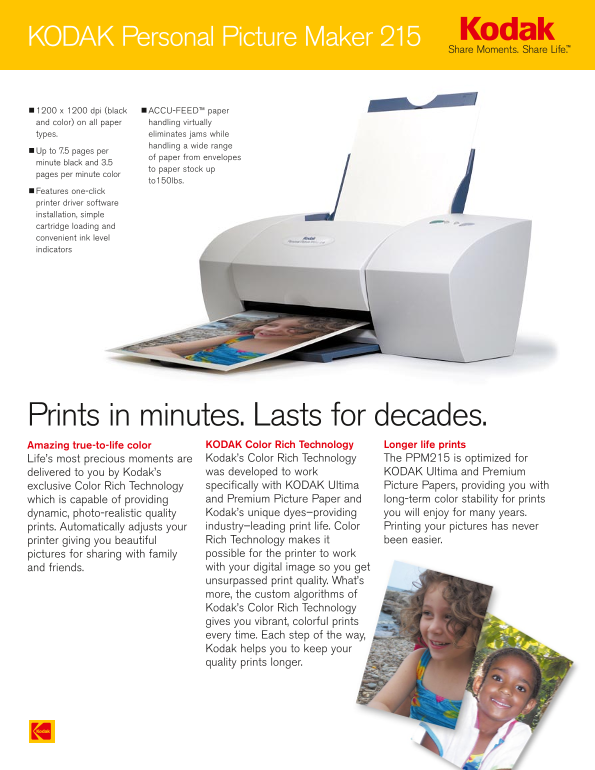
Page 1 Text Content
KODAK Personal Picture Maker 215
1200 x 1200 dpi (black ACCU-FEED™ paper and color) on all paper handling virtually types. eliminates jams while
handling a wide range
Up to 7.5 pages per
of paper from envelopes
minute black and 3.5
to paper stock up
pages per minute color
to150lbs.
Features one-click printer driver software installation, simple cartridge loading and convenient ink level indicators
Prints in minutes. Lasts for decades.
Amazing true-to-life color KODAK Color Rich Technology Longer life prints Life’s most precious moments are Kodak’s Color Rich Technology The PPM215 is optimized for delivered to you by Kodak’s was developed to work KODAK Ultima and Premium exclusive Color Rich Technology specifically with KODAK Ultima Picture Papers, providing you with which is capable of providing and Premium Picture Paper and long-term color stability for prints dynamic, photo-realistic quality Kodak’s unique dyes–providing you will enjoy for many years. prints. Automatically adjusts your industry–leading print life. Color Printing your pictures has never printer giving you beautiful Rich Technology makes it been easier. pictures for sharing with family possible for the printer to work and friends. with your digital image so you get unsurpassed print quality. What’s more, the custom algorithms of Kodak’s Color Rich Technology gives you vibrant, colorful prints every time. Each step of the way, Kodak helps you to keep your quality prints longer.
Page Summary Contents For KODAK Personal Picture Maker 215 User's Guide
Manual Details
| Brand | Kodak |
|---|---|
| Pages | 2 |
| File Size | 181.68 KB |
| Published | May 24, 2026 |
Enter the captcha to get the download link:

Frequently Asked Questions
What print resolutions does the PPM215 support?
It supports up to 1200 x 1200 dpi for both black and color prints.
How fast can it print different media types?
Black prints reach up to 7.5 pages per minute, while color prints go up to 3.5 pages per minute (on letter size).
Does the machine require specific software and operating systems?
It requires Windows 95*, 98 (2nd Edition), ME, 2000, or XP, with USB compatibility for optimal use.
What types of paper can I print on?
It supports letter size, legal size, A5, B5, and specific card stock/envelope sizes suitable for inkjet printing.