Page 1
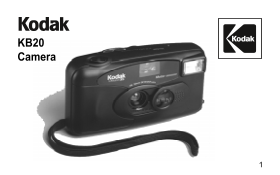
KB20 Camera
Page 2
Getting to Know Your Camera A101_0011AA
Page 4
Contents Need Help with Your Camera? Camera Identification Specifications Loading the Batteries Loading the Film Taking Pictures Taking Flash Pictures Unloading the Film Troubleshooting
Page 5
Need Help with Your Camera? Call: Kodak (USA only) toll free from 9:00 a.m. to 7:00 p.m. (Eastern time) Monday through Friday at 1 (800) 242-2424. Kodak (Canada only) from 8:30 a.m. to 5:00 p.m. (East...
Page 6
Camera Identification (see inside front cover for diagrams) Shutter Button Viewfinder Eyepiece Picture Counter Film-Sprocket Teeth Viewfinder Film Window Flash Film Door Lens Cover Film-Load Mark Lens...
Page 7
Specifications Lens: 30 mm, 2-element aspheric lens Shutter Speed: Fixed of 1/100 second Aperture: f/8.0 for flash/daylight Film Speed: DX (ISO) 100, 200, or 400 print film Focus Range: Daylight: 4 ft...
Page 8
Battery Tips Loading the Batteries Remember to keep spare This camera uses 2 AA-size batteries with you at all times. alkaline batteries. Read and follow all warnings 1. Load the batteries as shown. a...
Page 9
2. Insert the flat end of the film Loading the Film cartridge over the FILM For excellent all-around results SPINDLE . Push the other for indoor and outdoor picture- end of the film cartridge down tak...
Page 10
3. Pull out the film leader until the If the end of the film extends tip reaches the FILM-LOAD past the film-load mark, gently MARK . Lay the film flat push the excess back into the between the film-g...
Page 11
4. Close the film door and check 5. Slide the LENS COVER the FILM WINDOW (you completely open to uncover the should see the film information LENS and to turn the through the window). Do not FLASH on. ...
Page 12
6. Press the SHUTTER NOTE: The picture counter starts BUTTON three times or until at “S,” and each dot within the the PICTURE COUNTER increments of 5 represents one shows “1.” (If the picture picture....
Page 13
Taking Pictures 2. For a sharp picture stand at least 4 ft (1.2 m) from your This camera features a flash that, subject. when the flash-ready light glows, will 4 ft. fire every time you take a picture...
Page 14
4. Hold the camera steady and 5. Close the lens cover when you gently press the SHUTTER finish taking pictures. BUTTON to take the picture. After you take the picture, the film automatically advances ...
Page 15
Tips for Better Pictures Add interest to your picture by Keep your pictures simple. framing it with a tree branch, a Move close enough to your window, or even the rails of a subject so it fills the vi...
Page 16
Taking Flash Pictures 2. Take the picture when the FLASH-READY LIGHT glows. In dim light, such as indoors or outdoors in heavy shade, or on dark overcast days, you need flash. Your camera features an ...
Page 17
3. Keep the subject within the 4. Hold the camera steady and distance range for the speed of gently press the SHUTTER film in your camera. Don’t take BUTTON to take the picture. pictures beyond the ma...
Page 18
Wait until the motor stops Unloading the Film before you open the film The film will not advance when door. you reach the end of the roll. 2. Open the FILM DOOR and You must rewind the film remove the...
Page 19
Troubleshooting What happened Probable cause Solution Camera will Lens cover closed Open the lens cover not operate completely Batteries improperly Insert batteries as loaded in camera shown on batter...
Page 20
What happened Probable cause Solution Flash-ready light Flash not turned on Open the lens cover fails to glow completely within 30 seconds Batteries weak or dead Replace with 2 fresh AA-size alkaline ...
Page 21
Consumer Imaging EASTMAN KODAK COMPANY Rochester, NY 14650 Pt. No. 916 5119 Kodak is a trademark. Printed in U.S.A.