Page 1
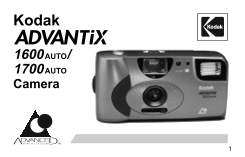
Kodak 1600 AUTO/ 1700 AUTO Camera
Page 2
Film Status Indicator (FSI) A highlighted indicator advances from one symbol to another to identify the status of the film inside the cassette. Unexposed Partially Exposed Fully Exposed Processed Nega...
Page 3
This device complies with part 15 of the FCC Rules. Operation is subject to the following two conditions: (1) This device may not cause harmful interference, and (2) this device must accept any interf...
Page 4
Look for this logo to be sure that the film you buy is made for this camera. Look for this logo to select a certified photofinisher for developing your film and to assure that you get all the features...
Page 8
Contents Need Help with Your Camera or More Information About the Advanced Photo System? Camera Identification Batteries Loading the Film Taking Pictures Taking Flash Pictures Unloading the Film Troub...
Page 9
Need Help with Your Camera or More Information About the Advanced Photo System? Call: Kodak (United States only) toll free from 9:00 a.m. to 7:00 p.m. (Eastern time ) Monday through Friday at 1 (800) ...
Page 10
Camera Identification (see inside cover flaps of manual for camera diagrams) (1) Shutter Button (10) Camera Strap (2) Print-Size Selector (11) LCD Panel (3) Viewfinder (12) Camera- /Flash-Ready (4) Re...
Page 11
Batteries This camera uses 2 AAA-size alkaline batteries that supply power for all camera operations. 1. Turn camera upside down. 2. Pull out and lift open the Battery Door (16) located on the side of...
Page 12
Low-Batteries Warning It’s time to replace the batteries when — the Camera- /Flash-Ready Indicator (12) takes longer than 30 seconds to turn off, the LCD panel displays “LO,” the film doesn’t rewind, ...
Page 13
Battery Tips: Remember to keep spare batteries with you at all times. Read and follow all warnings and instructions supplied by the battery manufacturer. Keep batteries away from children. Do not atte...
Page 14
Loading the Film For excellent all-around results for indoor and outdoor picture-taking, use KODAK ADVANTIX 200-speed Film. 1. Turn the Film-Door Lever (9) to the “open” position and insert the film c...
Page 15
Taking Pictures You can take Classic (C), HDTV (H), and Panoramic (P) pictures on the same film cassette. Your photo-processing cost will be based on the format size(s) that you use to expose the film...
Page 16
Typical Print Sizes (Formats) Classic Group (HDTV) Panoramic 3 1/2 x 5" or 4 x 6" 3 1/2 x 6" or 4 x 7" 3 1/2 x 8 1/2" to 4 x 11 1/2" (88.9 x 127 mm (88.9 x 152 mm (88.9 x...
Page 17
Tips for Better Pictures Hold the camera steady when taking pictures. Keep your pictures simple. Move close enough to your subject so it fills the viewfinder but not closer than 4 ft (1.2 m). Take pic...
Page 18
Taking Flash Pictures In dim light, such as indoors or outdoors in heavy shade or on dark overcast days, you need flash. Your camera has a built-in flash with automatic red-eye reduction which fires w...
Page 19
Flash Tips Turn on room lights and have the subject face the lights to minimize red eyes in pictures. Stand at an angle to shiny surfaces like windows or mirrors to avoid flash reflection and bright s...
Page 20
Unloading the Film After you take the last picture on the film cassette, the film automatically starts to rewind. When the film is fully rewound, the LCD Panel (11) will display “0” and “E” will appea...
Page 21
Troubleshooting What happened Probable cause Solution Camera will There are no more Remove the film not operate pictures remaining Batteries weak, dead, Replace or reload missing, or im- the batteries...
Page 22
What happened Probable cause Solution Shutter button will Lens cover closed Open the lens cover not depress Film cassette does Loaded exposed, Load only unexposed not fit completely partially exposed,...
Page 23
Specifications Film Type: KODAK ADVANTIX Film for color prints; slide, chrome, or color reversal film not for use in this camera Lens: 23 mm, 3-element all-glass KODAK EKTANAR Lens with protective len...
Page 24
Consumer Imaging EASTMAN KODAK COMPANY Rochester, NY 14650 © Eastman Kodak Company, 1997 Printed in U.S.A. Pt. No. 916 3502