HP Officejet J5500 Series All-in-One Printer Setup Guide
Summary
This comprehensive guide offers new users full instructions on setting up and operating their HP Officejet J5500 Printer/Copier/Fax machine. It covers everything from initial cartridge alignment and running setup pages to advanced troubleshooting and best practices for ink maintenance. Essential reading for first-time owners, this manual provides detailed steps on successful operation, safety compliance, and preserving print quality over time.
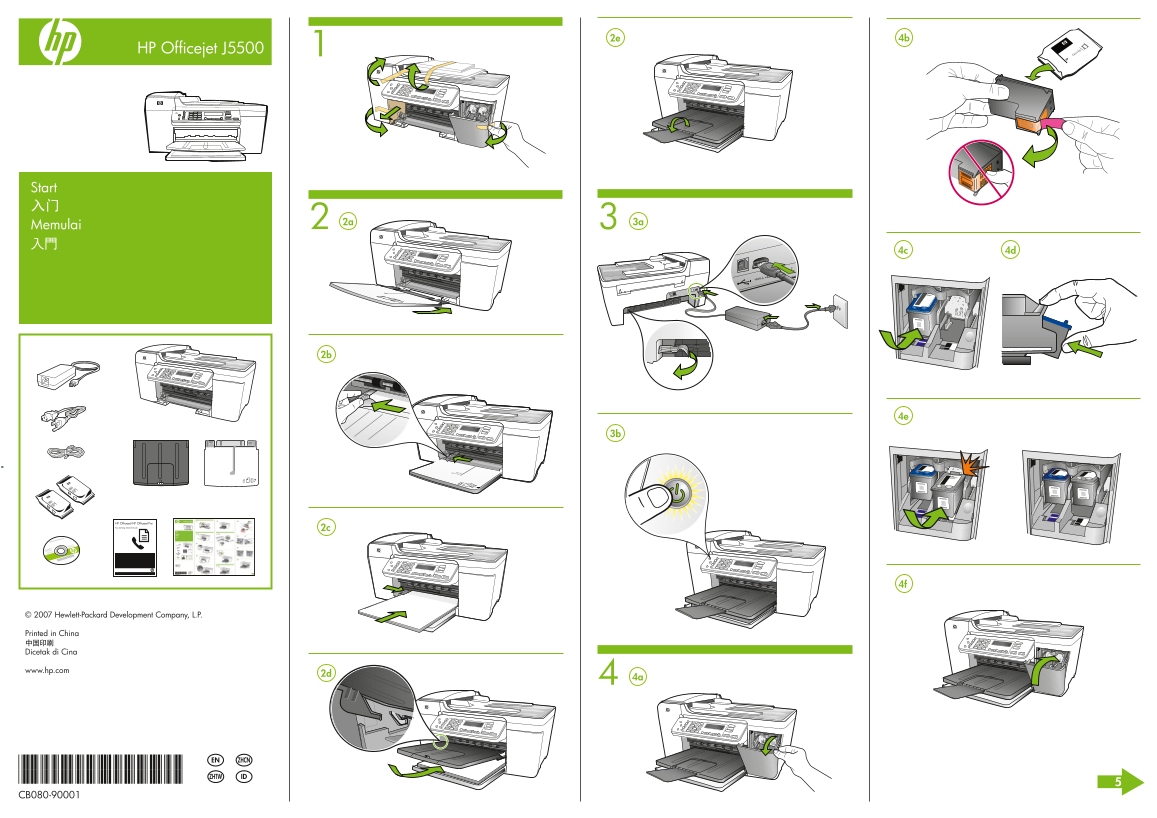
Page 1 Text Content
HP Officejet J5500
Start
Memulai
HP Officejet/HP Officejet Pro Fax Getting Started Guide
© 2007 Hewlett-Packard Development Company, L.P.
Printed in China
Dicetak di Cina
www.hp.com
EN ZHCN
*CB080-90001*
*CB080-90001* ZHTW ID
CB080-90001
Page Summary Contents For HP Officejet J5500 Series All-in-One Printer Setup Guide
Manual Details
| Brand | HP |
|---|---|
| Pages | 2 |
| File Size | 911.09 KB |
| Published | June 18, 2026 |
Enter the captcha to get the download link:

Frequently Asked Questions
How do I complete the initial print cartridge alignment step?
Load plain white paper into the bottom tray, place the alignment page face down on the scanner glass, and press OK to scan it.
Where can I find detailed information about ink usage?
For more details regarding ink consumption and residual ink, visit www.hp.com/go/inkusage.
If alignment is complete, where should I look for further instructions or support?
Consult the User Guide on the CD-ROM that came with the device, or visit www.hp.com/support.