EXTECH INSTRUMENTS 407026 Heavy Duty Meter User Guide
Summary
The professional Extech Heavy Duty Light Meter provides accurate, reliable light intensity measurements across multiple environments. Featuring selectable lighting types, data record/recall, and an RS-232 PC interface, this meter is essential for industrial, architectural, and technical inspections. The accompanying guide covers everything from precise zero calibration and unit selection (LUX/Foot Candles) to operating in comparative relative mode, ensuring flawless measurements for professionals requiring the highest level of accuracy and data integrity.
Page 1 Text Content
User's Guide
Heavy Duty Meter
Model
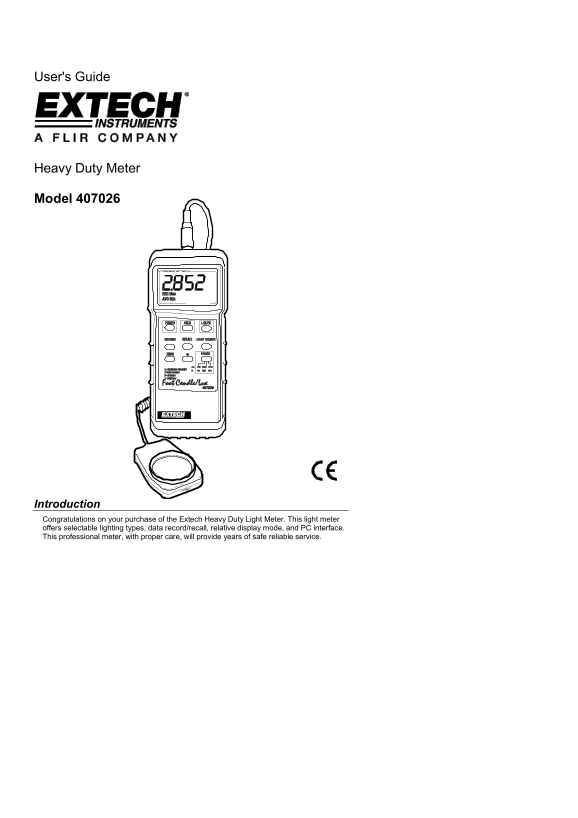
Introduction Congratulations on your purchase of the Extech Heavy Duty Light Meter. This light meter offers selectable lighting types, data record/recall, relative display mode, and PC interface. This professional meter, with proper care, will provide years of safe reliable service.
Page Summary Contents For EXTECH INSTRUMENTS 407026 Heavy Duty Meter User Guide
Manual Details
| Brand | Extech Instruments |
|---|---|
| Pages | 6 |
| File Size | 142.74 KB |
| Published | May 19, 2026 |
Enter the captcha to get the download link:

Frequently Asked Questions
What is the first thing I should do before taking measurements?
You must perform a zero calibration by blocking light to the sensor, selecting 2,000 LUX, and pressing the ZERO button.
How do I measure different kinds of artificial lighting?
Use the LIGHT SOURCE button to select the appropriate type: Sodium (S), Daylight/Tungsten (L), Fluorescent (F), or Mercury (C).
What is the function of the Data Hold feature?
While measuring, press the HOLD button to freeze the current reading on the LCD display.
How long does the meter run and what battery does it use?
It uses a 9V battery and is rated for approximately 200 hours at an average consumption of 5 mA DC.