# A B C D E F G H I J K L M N O P Q R S T U V W X Y Z

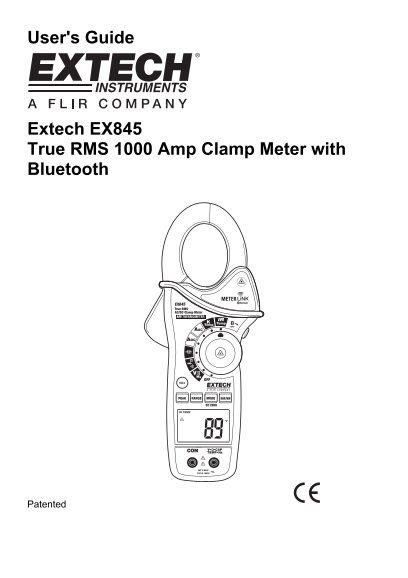
EXTECH INSTRUMENTS EX845 True RMS 1000 Amp Clamp Meter with Bluetooth User Guide and Manual

Summary

The Extech EX845 is a professional True RMS clamp meter offering advanced measurements, including AC/DC Voltage, up to 1000A Current, Resistance, Capacitance, and non-contact IR temperature monitoring. It features integrated Bluetooth connectivity for seamless data transfer with FLIR cameras. This comprehensive guide provides essential safety warnings, detailed operational procedures, and technical specifications necessary for electrical professionals and engineers conducting accurate power analysis, testing, and documentation in demanding industrial environments.
📄 Preview PAGE OF 14

Page 1 Text Content

User's Guide

Extech EX845 True RMS 1000 Amp Clamp Meter with Bluetooth

Patented

Page Summary Contents For EXTECH INSTRUMENTS EX845 True RMS 1000 Amp Clamp Meter with Bluetooth User Guide and Manual

Page 1 User's Guide Extech EX845 True RMS 1000 Amp Clamp Meter with Bluetooth Patented
Page 2 Introduction Congratulations on your purchase of the Extech EX845 CAT IV True RMS 1000A Clamp Meter. This meter is supplied in the Meterlink kit and includes a Bluetooth module designed for use with t...
Page 3 CAUTIONS • Improper use of this meter can cause damage, shock, injury or death. Read and understand this user manual before operating the meter. • Always remove the test leads before replacing the bat...
Page 4 Description Meter Description 1. Current clamp 2. Clamp opening trigger 3. Data Hold Button 4. Mode 5. Peak 6. Range 7. DCA Zero SEND 8. MIN/MAX 9. Backlit LCD Display 10. Test lead input jacks 11. IR...
Page 5 Operation NOTES: Read and understand all Warning and Caution statements in this operation manual prior to using this meter. Set the function select switch to the OFF position when the meter is not in ...
Page 6 Resistance Measurements Note: Remove power before making resistance measurements 1. Insert the black test lead into the negative COM terminal and the red test lead into the Ω positive terminal. 2. Set...
Page 7 Type K Temperature Measurements 1. Set the function switch to the K Temp position. 2. Insert the Temperature Probe into the negative COM and the positive TEMP jacks, observing polarity. 3. Touch the T...
Page 8 Non-Contact Infra Red Temperature Measurements 1. Set the function switch to the IR Temp position. 2. Aim the infrared sensor (rear of the meter) at the surface to be measured. 3. Press the button in ...
Page 9 Data Hold To freeze the LCD reading, press the HOLD button. While data hold is active, the HOLD icon appears on the LCD. Press the HOLD button again to return to normal operation. Peak Hold The Peak H...
Page 10 Bluetooth Communication The meter includes a Bluetooth module designed to communicate with the Flir T/B200, T/B300, T/B360, T/B400 or i/b60 cameras The combination of a clamp meter and an IR camera is...
Page 11 T/B200, 300, 360, 400 Image Edit 1. Entering the camera Preview mode (single press of the image store button). 2. In Preview mode real time data is no longer streamed to the image but it is displayed ...
Page 12 Maintenance WARNING: To avoid electrical shock, disconnect the meter from any circuit, remove the test leads from the input terminals, and turn OFF the meter before opening the case. Do not operate th...
Page 13 Specifications Function Range & Resolution Accuracy (% of reading + digits) 400.0 AAC ± (2.5% + 8d) AC Current 50/60 Hz 1000 AAC ± (2.8% + 5d) 400.0 ADC ± (2.5% + 5d) DC Current 1000 ADC ± (2.8% +...
Page 14 Function Range and Resolution Accuracy (% of reading + digits) -4 to 1400o F ± (3%rdg + 9o F) Temperature (type-K) -20 to 760o C ± (3%rdg + 5o C) Temp -58 to -4°F ± 9 °F (IR) ±2.0% reading or -4 to 51...

Manual Details

Brand Extech Instruments
Pages 14
File Size 802.09 KB
Published May 19, 2026
127 views

Enter the captcha to get the download link:

captcha

Frequently Asked Questions

How do I safely use the Extech EX845 meter?

Do not exceed function ranges; when checking volts, do not switch to current or resistance modes. Always remove test leads for battery replacement.

What features does the EX845 have besides standard measurements?

It includes Type K thermocouple thermometer, Non-Contact IR Temperature readings, and Bluetooth connectivity for data logging.

Who can use this meter?

This device is not a toy; it contains hazardous objects and small parts. Proper care is required by an adult user.

What are the operating limitations of the EX845?

The operational temperature range is 5°C to 40°C, and the maximum altitude for use is 2000 meters (7000 ft).