EPSON WorkForce DS-30 User Guide
Summary
The WorkForce DS-30 is a portable, sheet-fed scanner designed specifically for professional business use, perfect for digitizing documents up to 8.5" x 14", ID cards, and business cards on the go. The manual details its hardware specifications, compatibility with Windows/Mac, and comprehensive features including one-touch cloud scanning and robust built-in OCR software. This powerful tool is ideal for businesses needing reliable conversion of physical records into searchable, editable PDFs and JPEGs from any setup.
Page 1 Text Content
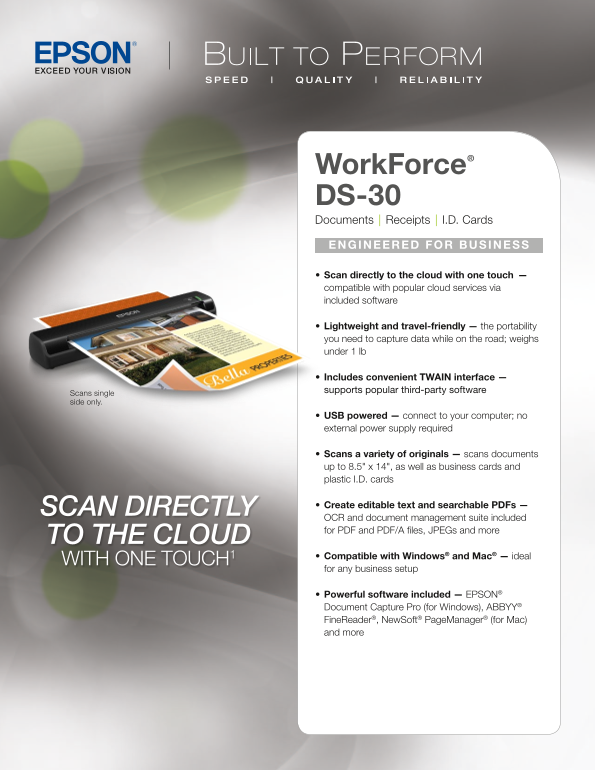
Work Force® DS-30 Documents | Receipts | I.D. Cards e Ng INeere D For BUSINe SS • Scan directly to the cloud with one touch — compatible with popular cloud services via included software • Lightweight and travel-friendly — the portability you need to capture data while on the road; weighs under 1 lb Includes convenient TWAIN interface — supports popular third-party software
scans single side only.
• USB powered — connect to your computer; no external power supply required
• Scans a variety of originals — scans documents up to 8.5" x 14", as well as business cards and plastic I.D. cards
• Create editable text and searchable PDFs —
SCAN DIRECTLY
OCR and document management suite included for PDF and PDF/A files, JPEGs and more
TO THE CLOUD
• Compatible with Windows® and Mac® — ideal
WITH ONE TOUCH1
for any business setup
• Powerful software included — EPs ON® Document Capture Pro (for Windows), ABBYY® Fine Reader®, Newsoft® Page Manager® (for Mac) and more
Page Summary Contents For EPSON WorkForce DS-30 User Guide
Manual Details
| Brand | Epson |
|---|---|
| Pages | 2 |
| File Size | 1.12 MB |
| Published | May 30, 2026 |
Enter the captcha to get the download link:

Frequently Asked Questions
What types of documents can the scanner handle?
It handles various originals including standard documents (up to 8.5" x 14"), business cards, plastic I.D. cards, legal letters, and custom sizes.
Does the unit require external power or is it portable?
No; it is USB powered and requires no separate external power supply.
Can I make editable text from my scans?
Yes, the software allows you to create editable text and searchable PDFs using OCR functionality included in the document management suite.
What operating systems are compatible with this scanner?
It is compatible with Microsoft Windows XP through 7, and Mac OS X versions 10.5.x, 10.6.x, and 10.7x by connecting it to the PC.