EPSON B1100 User Guide
Summary
Maximize your office printing freedom with the A3+ Epson Stylus Office B1100 inkjet printer. This powerful system delivers vibrant, high-quality graphics and professional documents up to A3+, making it ideal for businesses requiring large format versatility. Featuring DURABrite Ultra Ink, prints are waterproof, fade-resistant, and boast a low cost per page comparable to laser printers. The accompanying manual provides comprehensive details on setup, advanced features, paper handling (up to glossy photo paper), and maximizing ink efficiency, ensuring professional users can operate the printer at peak performance.
Page 1 Text Content
EPSON STYLUS OFFICE B1100
EPSON STYLUS OFFICE B1100
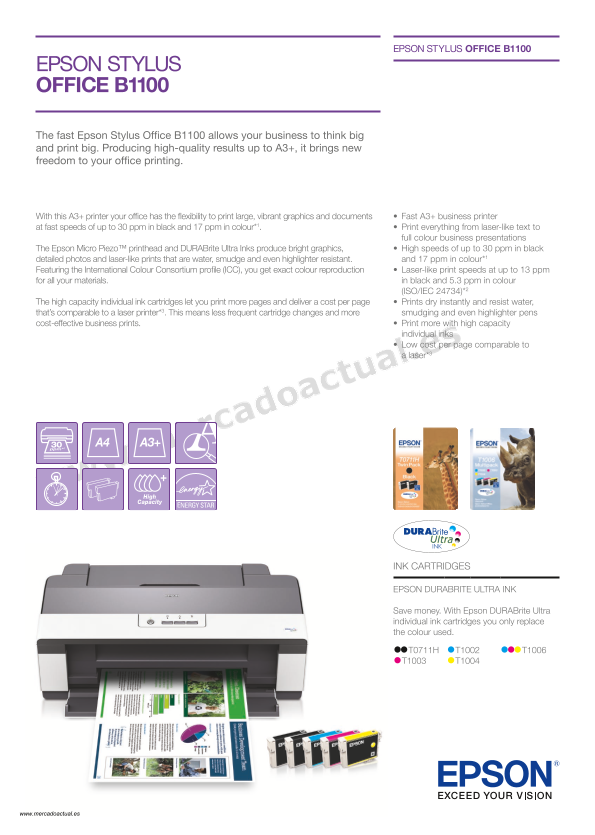
The fast Epson Stylus Office B1100 allows your business to think big and print big. Producing high-quality results up to A3+, it brings new freedom to your office printing.
With this A3+ printer your office has the flexibility to print large, vibrant graphics and documents • Fast A3+ business printer at fast speeds of up to 30 ppm in black and 17 ppm in colour*1. • Print everything from laser-like text to
full colour business presentations The Epson Micro Piezo™ printhead and DURABrite Ultra Inks produce bright graphics, • High speeds of up to 30 ppm in black detailed photos and laser-like prints that are water, smudge and even highlighter resistant. and 17 ppm in colour*1
Featuring the International Colour Consortium profile (ICC), you get exact colour reproduction • Laser-like print speeds at up to 13 ppm for all your materials. in black and 5.3 ppm in colour
(ISO/IEC 24734)*2
The high capacity individual ink cartridges let you print more pages and deliver a cost per page • Prints dry instantly and resist water, that’s comparable to a laser printer*3. This means less frequent cartridge changes and more smudging and even highlighter pens
cost-effective business prints. • Print more with high capacity individual inks • Low cost per page comparable to a laser*3
High Capacity
INK CARTRIDGES
EPSON DURABRITE ULTRA INK
Save money. With Epson DURABrite Ultra individual ink cartridges you only replace the colour used.
www.mercadoactual.es
Page Summary Contents For EPSON B1100 User Guide
Manual Details
| Brand | Epson |
|---|---|
| Pages | 2 |
| File Size | 888.92 KB |
| Published | May 19, 2026 |
Enter the captcha to get the download link:

Frequently Asked Questions
What types of paper can the printer handle?
It supports A3+, A3, B4, A4, B5, A5, A6, and photo sizes like 10x15 cm.
How does the printer save money on ink costs?
Using high capacity individual cartridges means you only replace the color that is used.
What are the approximate print speeds for color and black text on A4 paper?
Black text prints at up to 30 ppm, and color prints at up to 17 ppm.
Can I use photo paper with this printer?
Yes, it supports Premium Glossy Photo Paper and offers borderless printing for photos.
What operating systems are supported by the B1100?
It is compatible with Windows (2000/XP/Vista/7) and Mac OS 10.3.9 or later.