Dell Vostro 1550 Settings and Function Information Technical Specifications
Summary
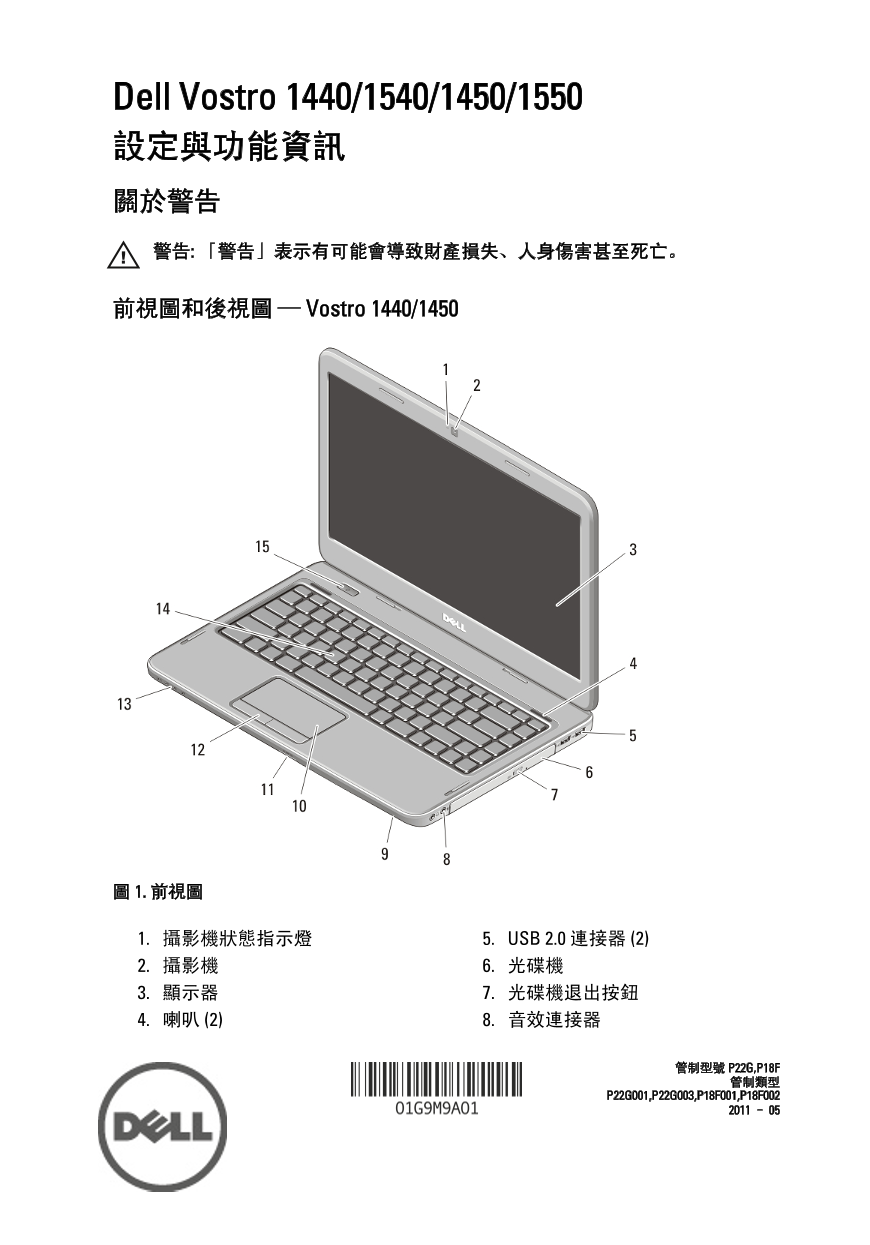
Setup and Features Information in Chinese for the Dell Vostro 1440/1540/1450/1550 laptop series (Regulatory Models P22G, P18F) from 2011. Provides front and back view diagrams for both 14-inch (1440/1450) and 15-inch (1540/1550) variants with callouts for camera, display, speakers, optical drive, USB 2.0 connectors, audio jacks, touchpad, keyboard, and power button. Includes cooling vent safety warnings and quick setup instructions.
Page 1 Text Content
Dell Vostro 1440/1540/1450/1550 設定與功能資訊 關於警告 警告: 「警告」表示有可能會導致財產損失、人身傷害甚至死亡。
前視圖和後視圖 — Vostro 1440/1450
1. 攝影機狀態指示燈 5. USB 2.0 連接器 (2) 2. 攝影機 6. 光碟機 3. 顯示器 7. 光碟機退出按鈕 4. 喇叭 (2) 8. 音效連接器
Page Summary Contents For Dell Vostro 1550 Settings and Function Information Technical Specifications
Manual Details
| Brand | Dell |
|---|---|
| Pages | 10 |
| File Size | 930.68 KB |
| Published | July 03, 2026 |
Enter the captcha to get the download link:

Frequently Asked Questions
电脑存放时需要注意哪些环境要求?
存储温度范围为-40°C至65°C;相对湿度范围为5%至95%(非冷凝)。
什么是正常的工作噪音和过热时的操作?
電腦在變熱時會啟動風扇,發出的噪音是正常現象。
如何正确连接和使用交流電變壓器?
連接變壓器的時候,應抓住接頭而非線本身,從角度上確保避免損傷電纜。其輸入電壓為100VAC至240VAC。
购买电脑时有哪些不同规格可供选择?
系統晶片組、處理器(如Intel Core i3/i5)、影像類型(內建或分離式)和記憶體容量是主要的規格選擇。