# A B C D E F G H I J K L M N O P Q R S T U V W X Y Z

Dell S4810 System Release Notes, OS Version 9.14.1.12

Summary

This release notes document describes Dell Networking OS Version 9.14(1.12) for the S4810 platform, covering new features, open and resolved caveats, supported hardware and software configurations, and operational changes from previous versions. It includes upgrade considerations, supported Brocade cables, and known restrictions. Intended for network administrators deploying or maintaining Dell S4810 switches.
📄 Preview 📖 Table of Contents Contents PAGE OF 13

Page 1 Text Content

Rev. A00 May 2022

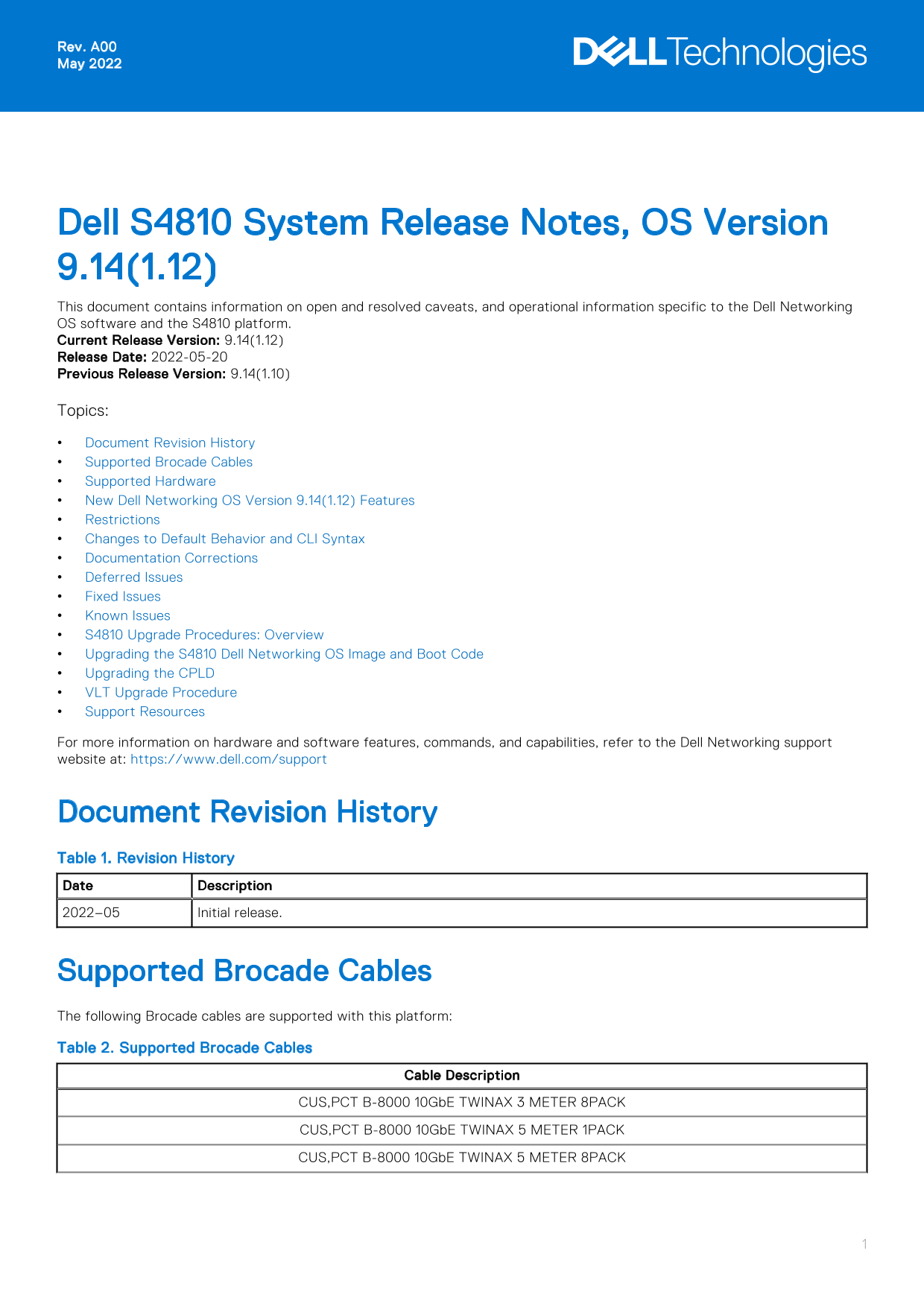
Dell S4810 System Release Notes, OS Version 9.14(1.12) This document contains information on open and resolved caveats, and operational information specific to the Dell Networking OS software and the S4810 platform. Current Release Version: 9.14(1.12) Release Date: 2022-05-20 Previous Release Version: 9.14(1.10) Topics: Document Revision History Supported Brocade Cables Supported Hardware New Dell Networking OS Version 9.14(1.12) Features Restrictions Changes to Default Behavior and CLI Syntax Documentation Corrections Deferred Issues Fixed Issues Known Issues S4810 Upgrade Procedures: Overview Upgrading the S4810 Dell Networking OS Image and Boot Code Upgrading the CPLD VLT Upgrade Procedure Support Resources For more information on hardware and software features, commands, and capabilities, refer to the Dell Networking support website at: https://www.dell.com/support

Document Revision History Table 1. Revision History Date Description 2022–05 Initial release.

Supported Brocade Cables The following Brocade cables are supported with this platform: Table 2. Supported Brocade Cables

Cable Description

CUS,PCT B-8000 10Gb E TWINAX 3 METER 8PACK CUS,PCT B-8000 10Gb E TWINAX 5 METER 1PACK CUS,PCT B-8000 10Gb E TWINAX 5 METER 8PACK

Page Summary Contents For Dell S4810 System Release Notes, OS Version 9.14.1.12

Page 1 Rev. A00 May 2022 Dell S4810 System Release Notes, OS Version 9.14(1.12) This document contains information on open and resolved caveats, and operational information specific to the Dell Networking OS...
Page 2 Table 2. Supported Brocade Cables (continued) Cable Description CUS,PCT B-8000 10Gb E TWINAX 1 METER 1PACK CUS,PCT B-8000 10Gb E TWINAX 1 METER 8PACK CUS,PCT B-8000 10Gb E TWINAX 3 METER 1PACK Support...
Page 3 2. Re-install the Intel driver using version 13.5 A00 (or later) from the http://www.dell.com website. Important: During the installation, do not select the ISCSI part of the driver; select only the F...
Page 4 Deferred Issues Issues that appear in this section were reported in Dell Networking OS version 9.14(1.0) as open, but have since been deferred. Deferred issues are those that are found to be invalid, ...
Page 5 Category Description Work around Work around describes a mechanism for circumventing, avoiding, or recovering from the issue. It might not be a permanent solution. The work-around is unnecessary, as t...
Page 6 Workaround: None Known Issues Known issues are reported using the following definitions. Category Description PR# Problem Report number that identifies the issue. Severity S1 — Crash: A software crash...
Page 7 NOTE: If VLT configurations exist on a switch that runs Dell Networking OS version 9.2(0.0) or prior, ensure that all switches in the VLT domain are upgraded to version 9.3(0.0) before upgrading to ve...
Page 8 Stack-unit 5 is not present. Stack-unit 6 is not present. Stack-unit 7 is not present. Stack-unit 8 is not present. Stack-unit 9 is not present. Stack-unit 10 is not present. Stack-unit 11 is not pres...
Page 9 EXEC PRIVILEGE Dell#show version Dell Real Time Operating System Software Dell Operating System Version: 2.0 Dell Application Software Version: 9.14(1.12) Copyright (c) 1999-2021 by Dell Inc. All Righ...
Page 10 NPU PCI DEVICE ID : 0x B845 (TRIDENT) -- Stack unit 2 -- S4810 SYSTEM CPLD : 7 NPU PCI DEVICE ID : 0x B845 (TRIDENT) Dell# Use the following command to view CPLD version that is associated with the De...
Page 11 2. Check whether the CPLD has been upgraded to the latest version. show revision EXEC PRIVILEGE Dell#show revision -- Stack unit 0 -- S4810 SYSTEM CPLD : 7 NPU PCI DEVICE ID : 0x B845 (TRIDENT) -- Sta...
Page 12 NOTE: After upgrading to the latest Dell Networking OS version, upgrade the CPLD if required. Support Resources The following support resources are available for the S4810 system. Documentation Resour...
Page 13 Notes, cautions, and warnings NOTE: A NOTE indicates important information that helps you make better use of your product. CAUTION: A CAUTION indicates either potential damage to hardware or loss of d...

Manual Details

Brand Dell
Pages 13
File Size 154.68 KB
Published July 01, 2026
9 views

Enter the captcha to get the download link:

captcha

Frequently Asked Questions

Can I use mixed power supply types (AC and DC) in my S4810 switch?

No, Dell Networking does not support mixing different power supply types (i.e., AC and DC) in the same switch.

What airflow requirement must all fans and PSUs meet on the S4810?

All fans and PSUs must have the same airflow direction across the entire unit.

How do I configure an Intel X520 CNA adapter for FCoE sessions?

Uninstall old drivers, reinstall version 13.5 A00 (or later), and configure server-facing ports with `dcbx version cee`.

Where can I find more details regarding S4810 hardware capabilities?

Refer to the Dell Networking website at https://www.dell.com/networking for detailed information on features.