# A B C D E F G H I J K L M N O P Q R S T U V W X Y Z

Dell Networking S3100 Series Release Notes, OS Version 9.14.1.12

Summary

This release notes document describes Dell Networking OS Version 9.14(1.12) for the S3100 Series switch platform, covering new features, open and resolved issues, supported hardware and software configurations, and operational changes from previous versions. It includes upgrade considerations and known restrictions. Intended for network administrators deploying or maintaining Dell S3100 Series switches.
📄 Preview 📖 Table of Contents Contents PAGE OF 15

Page 1 Text Content

Rev. A00 May 2022

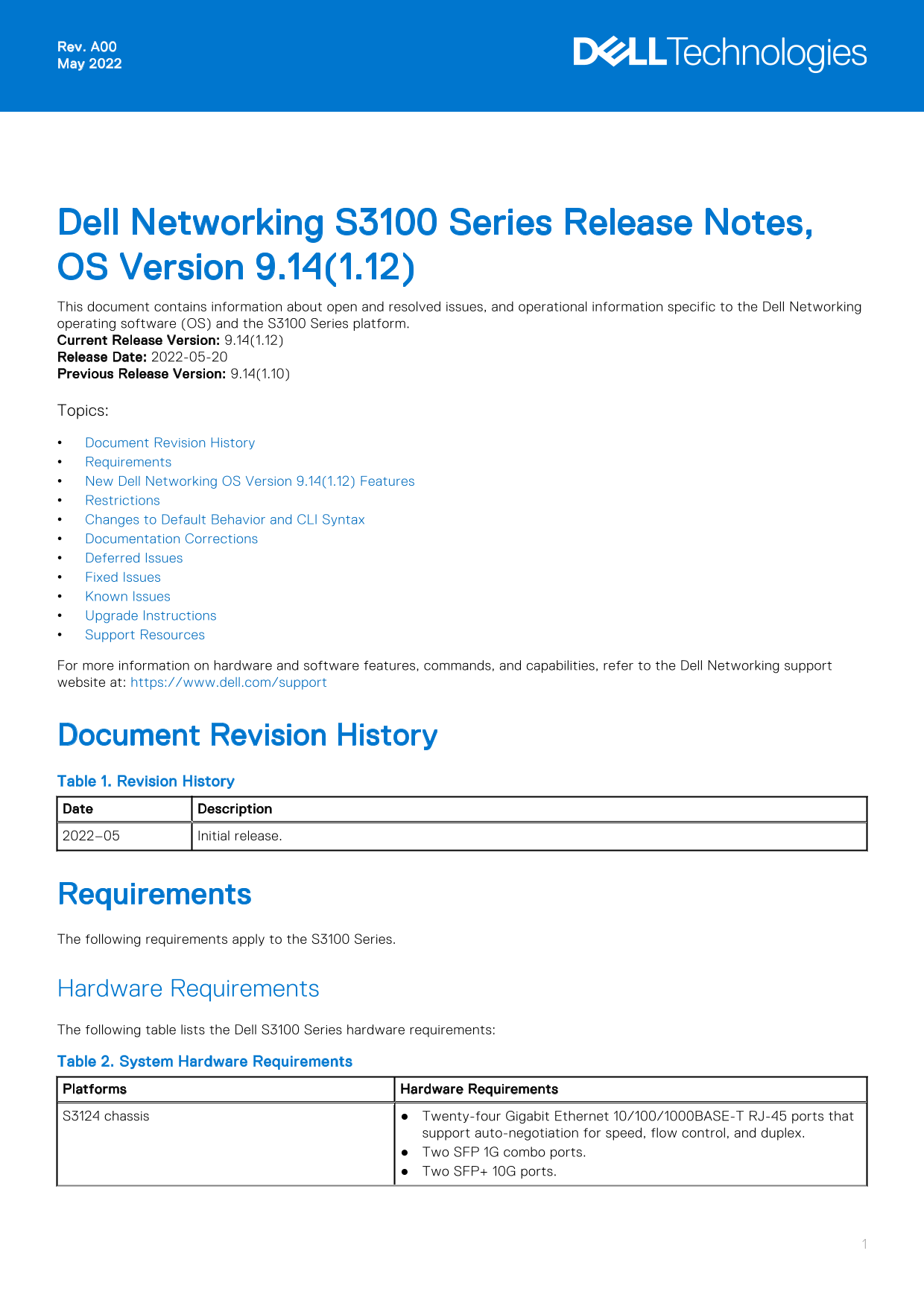
Dell Networking S3100 Series Release Notes, OS Version 9.14(1.12) This document contains information about open and resolved issues, and operational information specific to the Dell Networking operating software (OS) and the S3100 Series platform. Current Release Version: 9.14(1.12) Release Date: 2022-05-20 Previous Release Version: 9.14(1.10) Topics: Document Revision History Requirements New Dell Networking OS Version 9.14(1.12) Features Restrictions Changes to Default Behavior and CLI Syntax Documentation Corrections Deferred Issues Fixed Issues Known Issues Upgrade Instructions Support Resources For more information on hardware and software features, commands, and capabilities, refer to the Dell Networking support website at: https://www.dell.com/support

Document Revision History Table 1. Revision History Date Description 2022–05 Initial release.

Requirements The following requirements apply to the S3100 Series.

Hardware Requirements The following table lists the Dell S3100 Series hardware requirements: Table 2. System Hardware Requirements Platforms Hardware Requirements S3124 chassis Twenty-four Gigabit Ethernet 10/100/1000BASE-T RJ-45 ports that

support auto-negotiation for speed, flow control, and duplex. Two SFP 1G combo ports. Two SFP+ 10G ports.

Page Summary Contents For Dell Networking S3100 Series Release Notes, OS Version 9.14.1.12

Page 1 Rev. A00 May 2022 Dell Networking S3100 Series Release Notes, OS Version 9.14(1.12) This document contains information about open and resolved issues, and operational information specific to the Dell ...
Page 2 Table 2. System Hardware Requirements (continued) Platforms Hardware Requirements 20G expansion slot that supports an optional small form-factor pluggable plus (SFP+) or 10GBase-T module. Two fixed mi...
Page 3 New Dell Networking OS Version 9.14(1.12) Features The following features have been added to the S3100-ON with Dell Networking OS version 9.14(1.12): None. Restrictions While deploying the system in t...
Page 4 Documentation Corrections Dell Networking OS Configuration guide mentions that the maximum number of source sessions supported on a switch is 4. The guide will be updated later with the following info...
Page 5 Category Description S3 — Major: An issue that affects the functionality of a major feature or negatively effects the network for which there exists a work-around that is acceptable to the customer. S...
Page 6 Synopsis: The BN_mod_sqrt() function, which computes a modular square root, contains a bug that can cause it to loop forever for non-prime moduli(CVE-2022-0778) Release Notes: The BN_mod_sqrt() functi...
Page 7 NOTE: If you installed the Open Automation (OA) package on the S3100 series switch, Dell Technologies recommends uninstalling the OA package before you upgrade the Dell Networking OS image. Then reins...
Page 8 If A: is specified in the command, the Dell Networking OS version present in Management unit's A: partition will be pushed to the stack units. If B: is specified in the command, the Management unit's ...
Page 9 reload Dell EMC#reload Proceed with reload [confirm yes/no]: yes... 9. Verify that the system is upgraded to the latest Dell Networking OS version. EXEC Privilege mode show version Dell EMC#show versi...
Page 10 To upgrade the Boot Flash image of all stack-units, the option all can be used. Dell EMC#upgrade boot bootflash-image stack-unit all booted Current Boot information in the system: Card Boot Flash Curr...
Page 11 1 1 up AC up 0 1 2 absent absent 0 -- Fan Status -- Unit Bay Tray Status Fan1 Speed Fan2 Speed 1 1 up up 6956 up 7058 Speed in RPM Dell EMC# Upgrading the CPLD The S3100 series with the Dell Networkin...
Page 12 NOTE: Ensure that the u Boot version is 5.2.1.8 or above. You can verify this version using show system stack-unit 1 command. To upgrade the CPLD image on S3100 Series, follow these steps. 1. Upgrade ...
Page 13 * Warning - Upgrading FPGA is inherently risky and should * * only be attempted when necessary. A failure at this upgrade may * * cause a board RMA. Proceed with caution ! * * When the upgrade has suc...
Page 14 Support Resources The following support resources are available for the S3100 Series. Documentation Resources For information about using the S3100 Series, see the following documents at http://www.de...
Page 15 Notes, cautions, and warnings NOTE: A NOTE indicates important information that helps you make better use of your product. CAUTION: A CAUTION indicates either potential damage to hardware or loss of d...

Manual Details

Brand Dell
Pages 15
File Size 182.30 KB
Published July 01, 2026
8 views

Enter the captcha to get the download link:

captcha

Frequently Asked Questions

Does the S3100 series support stacking?

Yes, all models have two fixed mini-SAS stacking ports to connect up to twelve S3100 series switches.

What is required for a Dell Networking OS upgrade?

The document lists 'Upgrade Instructions' under Topics and directs users to the Dell Networking support website for details. The minimum OS version is 9.14(1.12).

Are there any port limitations when using combo ports?

In hybrid mode, negotiation auto and speed commands are not available on the combo ports; you must provision them using the combo-port-type command.

Can I configure DHCP over IPv6 ranges?

IPv6 autoconfig can only be configured on individual interfaces if they were selected using the interface range command and added to the management VRF.