# A B C D E F G H I J K L M N O P Q R S T U V W X Y Z

Dell EMC Networking S3100 Series Release Notes, OS Version 9.14.2.11

Summary

A detailed operational guide for network administrators managing the Dell EMC Networking S3100 Series switches running OS Version 9.14(2.11). This release note provides essential technical information, detailing newly resolved issues, updated features, and platform requirements across various S3100 models. It is for IT professionals needing precise instructions on upgrading, maintaining, and maximizing the performance of their core network infrastructure.
📄 Preview 📖 Table of Contents Contents PAGE OF 16

Page 1 Text Content

Rev. A00 November 2021

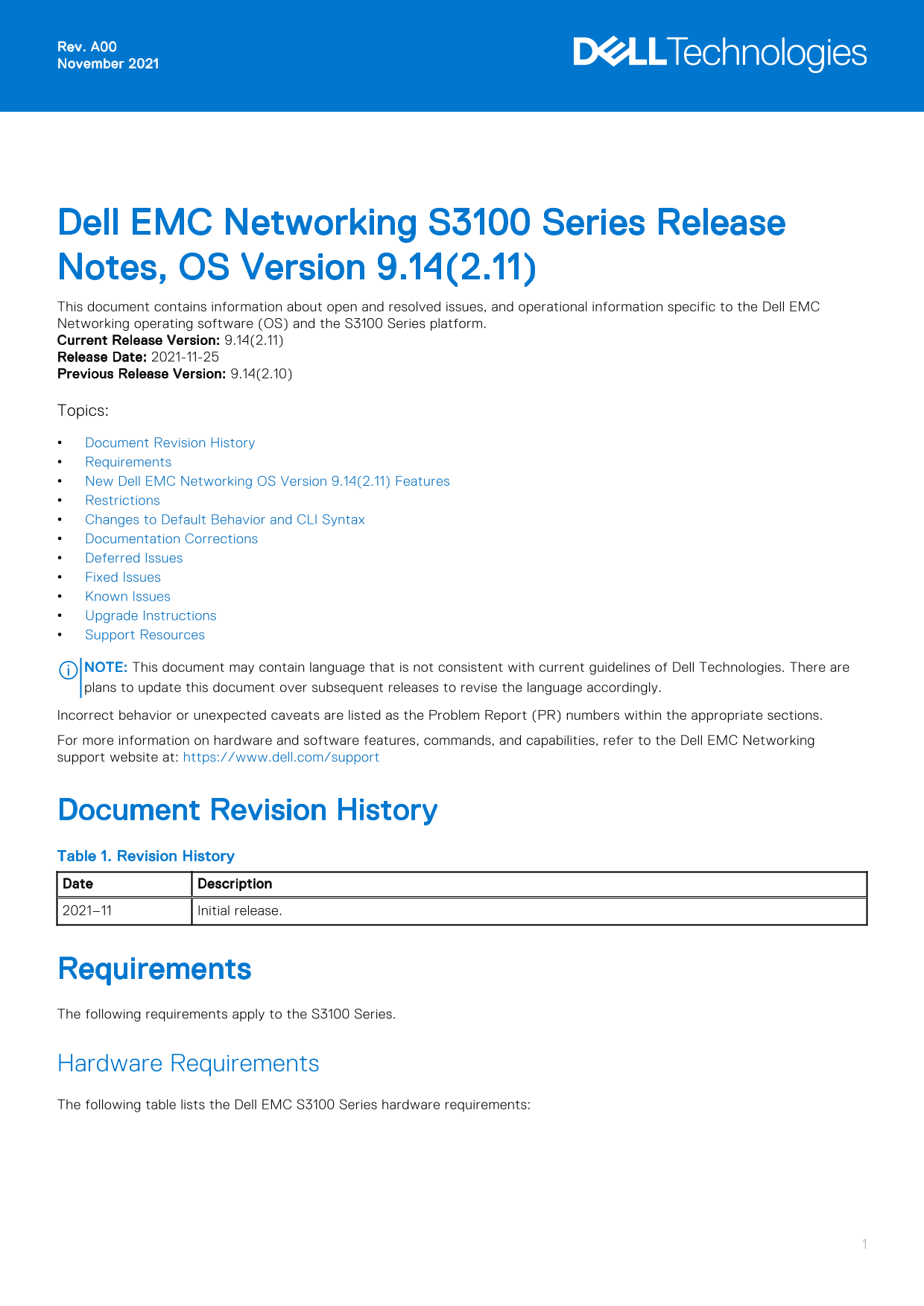
Dell EMC Networking S3100 Series Release Notes, OS Version 9.14(2.11) This document contains information about open and resolved issues, and operational information specific to the Dell EMC Networking operating software (OS) and the S3100 Series platform. Current Release Version: 9.14(2.11) Release Date: 2021-11-25 Previous Release Version: 9.14(2.10) Topics: Document Revision History Requirements New Dell EMC Networking OS Version 9.14(2.11) Features Restrictions Changes to Default Behavior and CLI Syntax Documentation Corrections Deferred Issues Fixed Issues Known Issues Upgrade Instructions Support Resources NOTE: This document may contain language that is not consistent with current guidelines of Dell Technologies. There are plans to update this document over subsequent releases to revise the language accordingly. Incorrect behavior or unexpected caveats are listed as the Problem Report (PR) numbers within the appropriate sections. For more information on hardware and software features, commands, and capabilities, refer to the Dell EMC Networking support website at: https://www.dell.com/support

Document Revision History Table 1. Revision History Date Description 2021–11 Initial release.

Requirements The following requirements apply to the S3100 Series.

Hardware Requirements The following table lists the Dell EMC S3100 Series hardware requirements:

Page Summary Contents For Dell EMC Networking S3100 Series Release Notes, OS Version 9.14.2.11

Page 1 Rev. A00 November 2021 Dell EMC Networking S3100 Series Release Notes, OS Version 9.14(2.11) This document contains information about open and resolved issues, and operational information specific to ...
Page 2 Table 2. System Hardware Requirements Platforms Hardware Requirements S3124 chassis Twenty-four Gigabit Ethernet 10/100/1000BASE-T RJ-45 ports that support auto-negotiation for speed, flow control, an...
Page 3 New Dell EMC Networking OS Version 9.14(2.11) Features The following features are integrated into the Dell EMC Networking 9.14.2 branch through this release: None Restrictions Prerequisite steps to up...
Page 4 Documentation Corrections This section describes the errors identified in the current release of the Dell EMC Networking OS. The router bgp command allows you to configure only one L3 interface with a...
Page 5 Category Description S4 — Minor: A cosmetic issue or an issue in a minor feature with little or no network impact for which there might be a work-around. Synopsis Synopsis is the title or short descri...
Page 6 Synopsis: SSH connections with Cipher Block Chaining (CBC) ciphers are vulnerable. Release Notes: SSH connections with Cipher Block Chaining (CBC) ciphers are vulnerable. Workaround: Configure a stron...
Page 7 Category Description PR# Problem Report number that identifies the issue. Severity S1 — Crash: A software crash occurs in the kernel or a running process that requires a restart of AFM, the router, sw...
Page 8 write memory 2. Back up your startup configuration to a secure location (for example, an FTP server as shown here). EXEC Privilege mode copy startup-config destination Dell EMC# copy running-config ft...
Page 9 The Dell EMC Networking OS versions present in A: and B: can be viewed for individual units by specifying the stack unit id [1–12] in the command or for all the stack units by specifying all in the co...
Page 10 System Type: S3124P Control Processor: Broadcom 56340 (ver A0) with 2 Gbytes (2147483648 bytes) of memory, core(s) 1. 1G bytes of boot flash memory. 1 52-port GE/TE (S3100) 1 28-port GE/TE (S3100) 1 2...
Page 11 Bootflash image upgrade for all completed successfully. Dell EMC# Dell EMC#show system brief Stack MAC : 00:11:33:44:77:86 Reload-Type : normal-reload [Next boot : normal-reload] -- Stack Info -- Unit...
Page 12 Speed in RPM Dell EMC# Upgrading the CPLD The S3100 series with the Dell EMC Networking OS Version 9.14(2.11) requires System CPLD revision 24. NOTE: If your CPLD revisions are higher than the ones sh...
Page 13 upgrade fpga-image stack-unit <id> booted Dell EMC#upgrade fpga-image stack-unit 1 booted Current information for the system: Card Device Name Current Version New Version Unit1 S3124F SYSTEM CPL...
Page 14 * be automatically rebooted to reload the upgraded components. * Upgrade image for stack-unit 3 [yes/no]: yes System fpga upgrade in progress!!! Please do NOT power off the unit!!! Upgrade result : Un...
Page 15 For more information about hardware features and capabilities, see the Dell EMC Networking website at https:// www.dellemc.com/networking. Issues Incorrect behavior or unexpected caveats are listed in...
Page 16 Notes, cautions, and warnings NOTE: A NOTE indicates important information that helps you make better use of your product. CAUTION: A CAUTION indicates either potential damage to hardware or loss of d...

Manual Details

Brand Dell
Pages 16
File Size 186.49 KB
Published June 23, 2026
14 views

Enter the captcha to get the download link:

captcha

Frequently Asked Questions

What chassis types support PoE+?

The S3124P and S3148P chassis both support PoE+.

How do I connect multiple S3100 series switches?

Use the two fixed mini Serial Attached SCSI (mini-SAS) stacking ports HG[21] available on all chassis for connectivity.

Are there specific steps to upgrade the OS?

You must uninstall the older Open Automation (OA) package, upgrade the Dell EMC Networking OS, and then reinstall necessary OA packages like SmartScripts, Puppet, etc.

What do I use for advanced hardware feature info?

For more detailed information on hardware features and capabilities, refer to the Dell EMC Networking website at https://www.dellemc.com/networking.