# A B C D E F G H I J K L M N O P Q R S T U V W X Y Z

Dell EMC Z9100-ON System Release Notes, OS Version 9.14.2.11

Summary

These system release notes document Dell EMC Networking OS version 9.14(2.11) for the Z9100-ON open networking switch platform. They cover new features, restrictions, documentation corrections, changes to default behavior and CLI syntax, deferred issues, fixed issues, and known issues identified by problem report numbers. The document details hardware requirements including 32 fixed QSFP28 ports and management interfaces, software upgrade procedures using CLI and ONIE, and third-party OS installation. It targets network engineers and data center operators managing Dell open networking switches in high-performance data center environments.
📄 Preview 📖 Table of Contents Contents PAGE OF 29

Page 1 Text Content

Rev. A00 November 2021

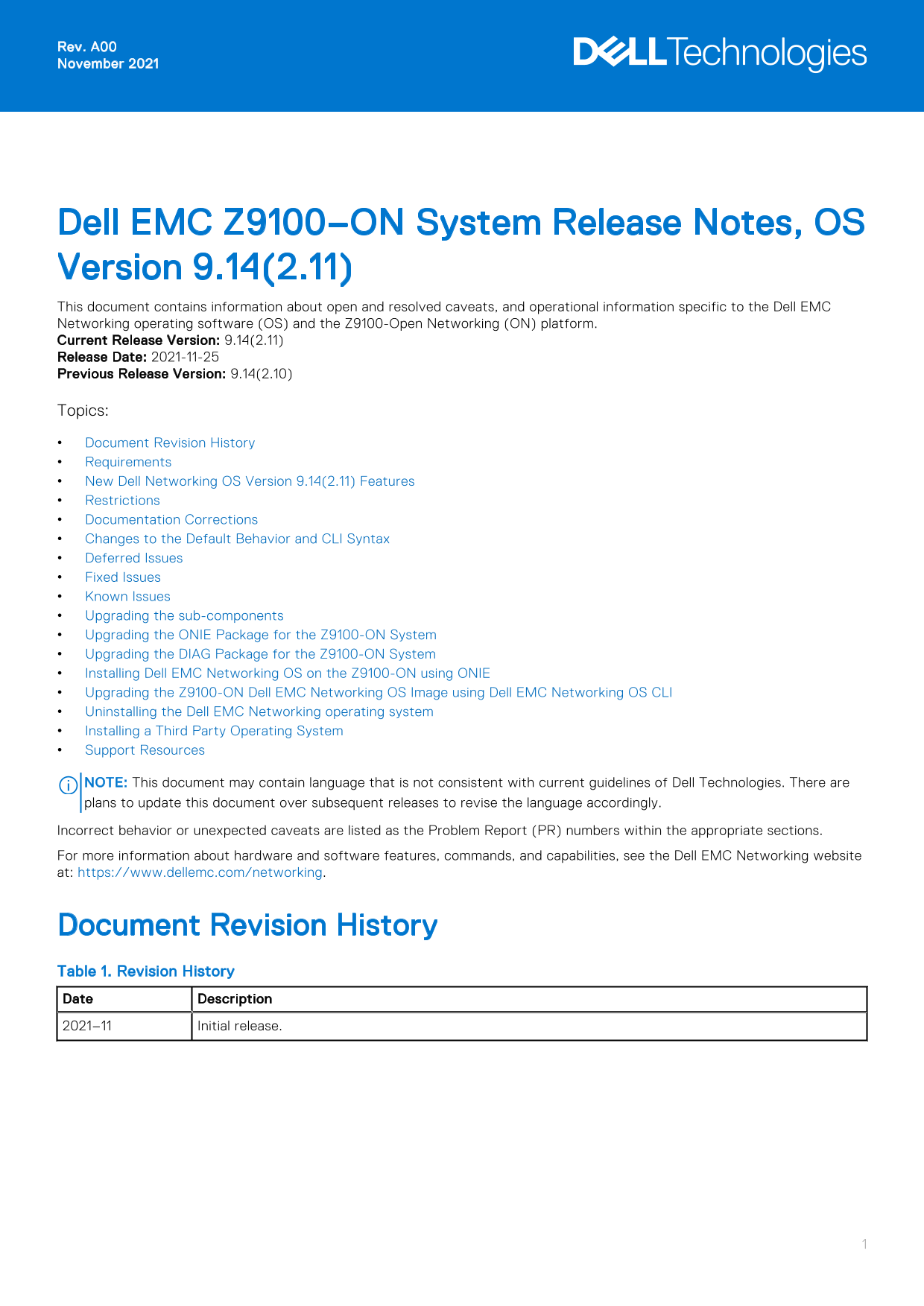
Dell EMC Z9100–ON System Release Notes, OS Version 9.14(2.11) This document contains information about open and resolved caveats, and operational information specific to the Dell EMC Networking operating software (OS) and the Z9100-Open Networking (ON) platform. Current Release Version: 9.14(2.11) Release Date: 2021-11-25 Previous Release Version: 9.14(2.10) Topics: Document Revision History Requirements New Dell Networking OS Version 9.14(2.11) Features Restrictions Documentation Corrections Changes to the Default Behavior and CLI Syntax Deferred Issues Fixed Issues Known Issues Upgrading the sub-components Upgrading the ONIE Package for the Z9100-ON System Upgrading the DIAG Package for the Z9100-ON System Installing Dell EMC Networking OS on the Z9100-ON using ONIE Upgrading the Z9100-ON Dell EMC Networking OS Image using Dell EMC Networking OS CLI Uninstalling the Dell EMC Networking operating system Installing a Third Party Operating System Support Resources

NOTE: This document may contain language that is not consistent with current guidelines of Dell Technologies. There are plans to update this document over subsequent releases to revise the language accordingly. Incorrect behavior or unexpected caveats are listed as the Problem Report (PR) numbers within the appropriate sections. For more information about hardware and software features, commands, and capabilities, see the Dell EMC Networking website at: https://www.dellemc.com/networking.

Document Revision History Table 1. Revision History Date Description 2021–11 Initial release.

Page Summary Contents For Dell EMC Z9100-ON System Release Notes, OS Version 9.14.2.11

Page 1 Rev. A00 November 2021 Dell EMC Z9100–ON System Release Notes, OS Version 9.14(2.11) This document contains information about open and resolved caveats, and operational information specific to the Del...
Page 2 Requirements The following requirements apply to the Z9100-ON system. Hardware Requirements The following lists the Dell EMC Z9100-ON system hardware requirements: 10/25/40/50/100 Gb E switch Thirty t...
Page 3 b. Puppet c. Open management infrastructure (OMI) d. SNMP MIB Prerequisite steps to downgrade the Dell EMC Networking OS from 9.14.2.0 or later to the earlier version: 1. Uninstall the OA package of 9...
Page 4 1. From the ONIE menu, use the ONIE uninstall option to uninstall Dell EMC Networking OS 9.14(2.11). 2. Use the ONIE install option to install the older version of Dell EMC Networking OS. The systems ...
Page 5 Changes to the Default Behavior and CLI Syntax The following behavior and CLI changes are applicable to the Z9100–ON switch with Dell EMC Networking OS version 9.14(2.11): None Deferred Issues Issues ...
Page 6 Category Description S4 — Minor: A cosmetic issue or an issue in a minor feature with little or no network impact for which there might be a work-around. Synopsis Synopsis is the title or short descri...
Page 7 Synopsis: SSH connections may be vulnerable with switches running on a 1024 bit RSA key. Release Notes: SSH connections may be vulnerable with switches running on a 1024 bit RSA key. Workaround: Creat...
Page 8 Category Description Release Notes Release Notes description contains more detailed information about the issue. Work around Work around describes a mechanism for circumventing, avoiding, or recoverin...
Page 9 reload 3. Verify the Boot Selector image. EXEC Privilege Mode show system stack-unit <id> Dell EMC#show system stack-unit 1 -- Unit 1 -- Unit Type : Management Unit Status : online Next Boot : o...
Page 10 Card Boot Flash Current Version New Version Unit1 Boot Flash 3.23.2.8 3.23.2.13 * Warning - Upgrading boot flash is inherently risky and should only * * be attempted when necessary. A failure at this ...
Page 11 Speed in RPM Dell EMC# Upgrade the CPLD The Z9100-ON system with Dell EMC Networking OS Version 9.14(2.11) requires System complex programmable logic device (CPLD) 1 revision 7, CPLD2 revision 4, CPLD...
Page 12 stack-unit 1 Z9100-ON OOB-FPGA 1.0 Dell EMC# Upgrading the CPLD Image NOTE: The upgrade fpga-image system cpld stack-unit 1 booted command is hidden when using the feature in the CLI. However, it is a...
Page 13 Z9100-ON CPLD 2 : 4 Z9100-ON CPLD 3 : 4 Z9100-ON CPLD 4 : 4 Z9100-ON MSS FPGA : 2.2 Z9100-ON MSS IAP : 2.5 Z9100-ON OOB-FPGA : 1.0 Dell EMC# NOTE: Do not power off the system while the FPGA upgrade is...
Page 14 Oct 18 16:23:12: %STKUNIT1-M:CP %CHMGR-5-FANTRAY_REMOVED: Major Alarm :Fan tray 3 of Unit 1 is removed Oct 18 16:23:12: %STKUNIT1-M:CP %CHMGR-5-FANTRAY_REMOVED: Major Alarm :Fan tray 4 of Unit 1 is re...
Page 15 * Warning - Upgrading FPGA is inherently risky and should * * only be attempted when necessary. A failure at this upgrade may * * cause a board RMA. Proceed with caution ! * Upgrade image for stack-un...
Page 16 CP Z9100-ON OOB-FPGA 0.7 1.0 * Warning - Upgrading FPGA is inherently risky and should * * only be attempted when necessary. A failure at this upgrade may * * cause a board RMA. Proceed with caution !...
Page 17 Use the ^ and v keys to select which entry is highlighted. Press enter to boot the selected OS, 'f' to boot FTOS, 'b' to go to BLI, 'o' to boot ONIE, 'd' to boot DIAG-OS, 'e' to edit the commands befo...
Page 18 The ONIE discovery stops, as shown: discover: ONIE update mode detected. Stopping: discover... done. ONIE:/ # 6. Configure an interface and assign an IP address to that interface using the following c...
Page 19 Upgrading the DIAG Package for the Z9100-ON System To upgrade the DIAG package, use one of the following two processes: Zero touch (dynamic): Copy the update ONIE installer for your system to the TFTP...
Page 20 The ONIE Installer mode is enabled and the ONIE prompt appears, as shown: ONIE: OS Install Mode ... Version : 3.23.1.0-7 Build Date: 2021-10-18T14:41-0700 Info: Mounting kernel filesystems... done. ER...
Page 21 Warning: The kernel is still using the old partition table. The new table will be used at the next reboot. The operation has completed successfully. volume label EDA-DIAG on device /dev/sda3 mke2fs 1....
Page 22 Use the ^ and v keys to select which entry is highlighted. Press enter to boot the selected OS, `e' to edit the commands before booting or `c' for a command-line. 4. From this menu, choose the ONIE : ...
Page 23 Stopping: discover... done. Info: Fetching tftp://10.16.127.86/ONIE-FTOS-Z9100-ON-9.14.2.11.bin ... ONIE-FTOS-Z9100-ON-9 100% |*******************************| 87118k 0:00:00 ETA ONIE: Executing insta...
Page 24 To downgrade Dell EMC Networking OS version 9.14(2.11) to versions earlier than 9.11(0.0P4), 9.11(0.1P1), or 9.11(0.2), follow these steps: 1. From the ONIE menu, use the ONIE uninstall option to unin...
Page 25 show boot system stack-unit [1-6] | all] Dell EMC#show boot system stack-unit all Current system image information in the system: Type Boot Type A B stack-unit 1 DOWNLOAD BOOT 9.14(2.11) 9.14(2.10) De...
Page 26 Uninstalling the Dell EMC Networking operating system To un-install the Dell EMC Networking OS version 9.14(2.11) from the Z9100-ON system, perform the following steps: 1. Reboot the system. During th...
Page 27 Starting: dropbear ssh daemon... done. Starting: telnetd... done. discover: Uninstall mode detected. Running uninstaller. Erasing internal mass storage device: /dev/sda4 (32MB) Percent complete: 100% ...
Page 28 Installing a Third Party Operating System Apart from the Dell EMC Networking OS, you can also install a supported third party operating system on the Z9100-ON system. For more information on installin...
Page 29 Notes, cautions, and warnings NOTE: A NOTE indicates important information that helps you make better use of your product. CAUTION: A CAUTION indicates either potential damage to hardware or loss of d...

Manual Details

Brand Dell
Pages 29
File Size 248.12 KB
Published June 23, 2026
6 views

Enter the captcha to get the download link:

captcha

Frequently Asked Questions

What are the hardware requirements for the Z9100-ON system?

It requires a 10/25/40/50/100 GbE switch with 32 QSFP28 ports, management port, console ports, two SFP+ ports, and AC/DC power supplies with specific airflow directions.

What happens if I mix fan airflow directions?

The system detects the discrepancy, issues an alarm, and may auto-shutdown to prevent heat damage.

What are the software prerequisites for upgrading the Dell EMC Networking OS to 9.14(2.11)?

You must uninstall the older Open Automation (OA) package, upgrade the OS, and then install SmartScripts, Puppet, OMI, and SNMP MIB packages.

Can I downgrade the BIOS after upgrading the OS to 9.14(2.11)?

No, the system does not allow downgrading the BIOS. To use an earlier version, you must use FTP, TFTP, or SCP options from the current OS version.