Dell Inspiron 2650 Setup Diagram User's Guide
Summary
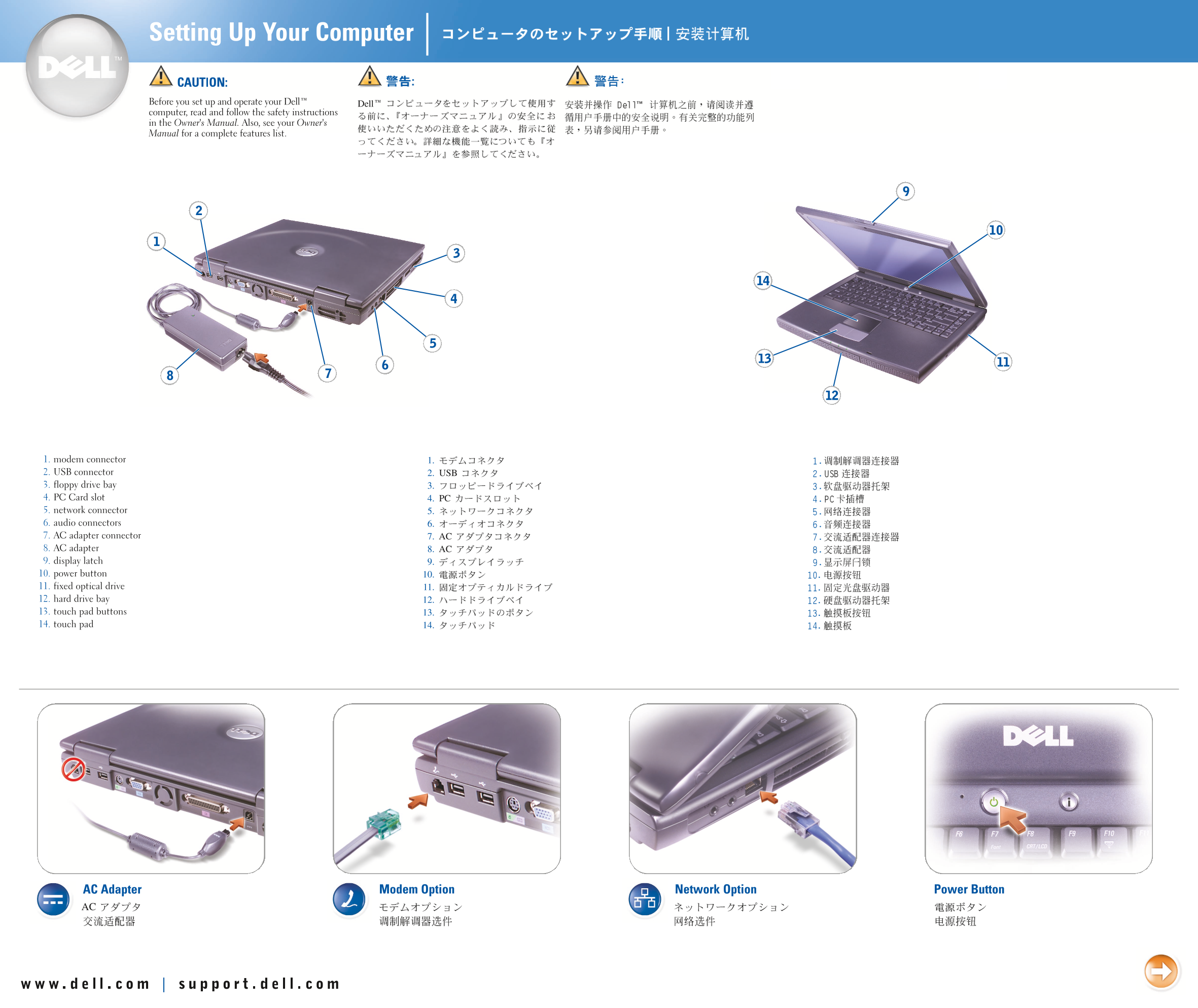
This document is a brief hardware setup diagram for a Dell peripheral device, likely a USB hub or docking station. The content includes numbered connection steps for USB devices, PC connectivity, and AC power adapter installation. This visual quick reference card provides basic guidance for connecting Dell peripheral accessories to computers. Designed for end users needing simple visual instructions for device setup.
Page 1 Text Content
Dell
1. 2. USB 3. 4. PC 5. 6. 7. AC 8. AC 9. 10. 11. 12. 13. 14.
Page Summary Contents For Dell Inspiron 2650 Setup Diagram User's Guide
Page 1
Dell 1. 2. USB 3. 4. PC 5. 6. 7. AC 8. AC 9. 10. 11. 12. 13. 14.
Page 2
Printed in Malaysia Printed on recycled paper P/N 1H075 Rev. A01
Manual Details
| Brand | Dell |
|---|---|
| Pages | 2 |
| File Size | 1.53 MB |
| Published | June 26, 2026 |
8 views
Enter the captcha to get the download link:

Frequently Asked Questions
Where is the device manufactured?
The device is printed in Malaysia.
What material is the manual printed on?
It is printed on recycled paper.
What is the product number of this manual?
The P/N is 1H075.