Dell Inspiron 2600 Setup Diagram User's Guide
Summary
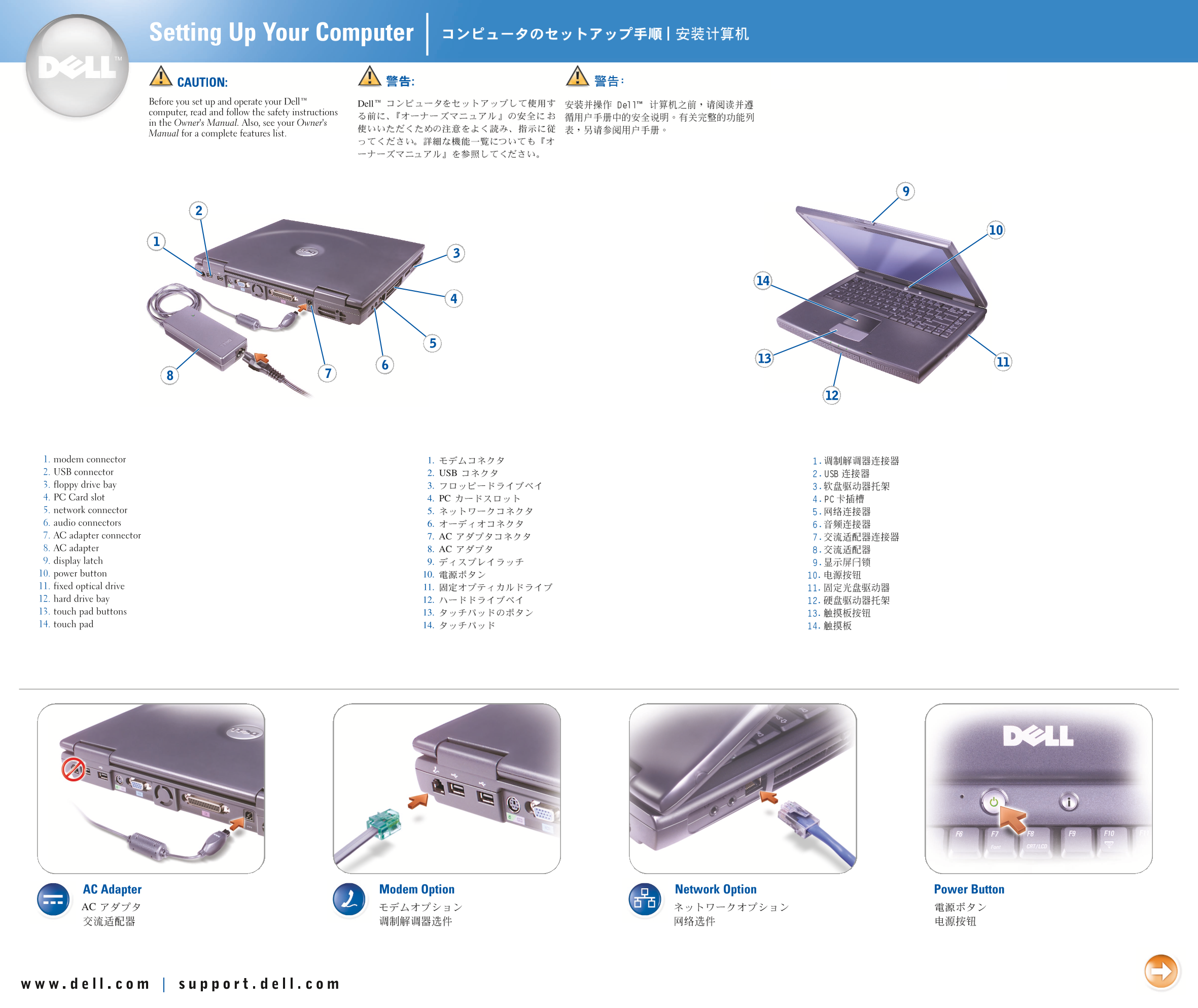
This Dell quick reference card provides a visual diagram of a Dell laptop system, illustrating the location of external ports and controls including USB ports, PC card slot, AC adapter connector, audio jacks, and display latch. It serves as a basic identification guide for the physical interface layout of the notebook. Targeted at end users needing quick identification of laptop ports and connectors.
Page 1 Text Content
Dell
1. 2. USB 3. 4. PC 5. 6. 7. AC 8. AC 9. 10. 11. 12. 13. 14.
Page Summary Contents For Dell Inspiron 2600 Setup Diagram User's Guide
Page 1
Dell 1. 2. USB 3. 4. PC 5. 6. 7. AC 8. AC 9. 10. 11. 12. 13. 14.
Page 2
Printed in Malaysia Printed on recycled paper P/N 1H075 Rev. A01
Manual Details
| Brand | Dell |
|---|---|
| Pages | 2 |
| File Size | 1.53 MB |
| Published | June 27, 2026 |
4 views
Enter the captcha to get the download link:

Frequently Asked Questions
What types of ports are included on this unit?
The device includes connections for USB, PC connectors, and multiple AC inputs.
What is the part number and revision code?
The product utilizes Part Number 1H075 with Revision A01.
Is there any information about the printing materials?
This documentation was printed in Malaysia on recycled paper.