# A B C D E F G H I J K L M N O P Q R S T U V W X Y Z

Dell EMC System S6010-ON 9.14.2.12 Release Notes

Summary

Release notes for Dell EMC Networking System S6010-ON running OS Version 9.14(2.12), released March 2022. Documents supported hardware including 32x QSFP+ 40Gbps ports, dual AC/DC power supplies, and five fan subsystems. Covers new OS features, restrictions, fixed and known issues, upgrade procedures for ONIE and DIAG packages, OS installation via ONIE, boot code upgrades, CPLD updates, and OS uninstallation. Targeted at data center network engineers managing high-density open networking switch deployments.
📄 Preview 📖 Table of Contents Contents PAGE OF 23

Page 1 Text Content

Rev. A00 March 2022

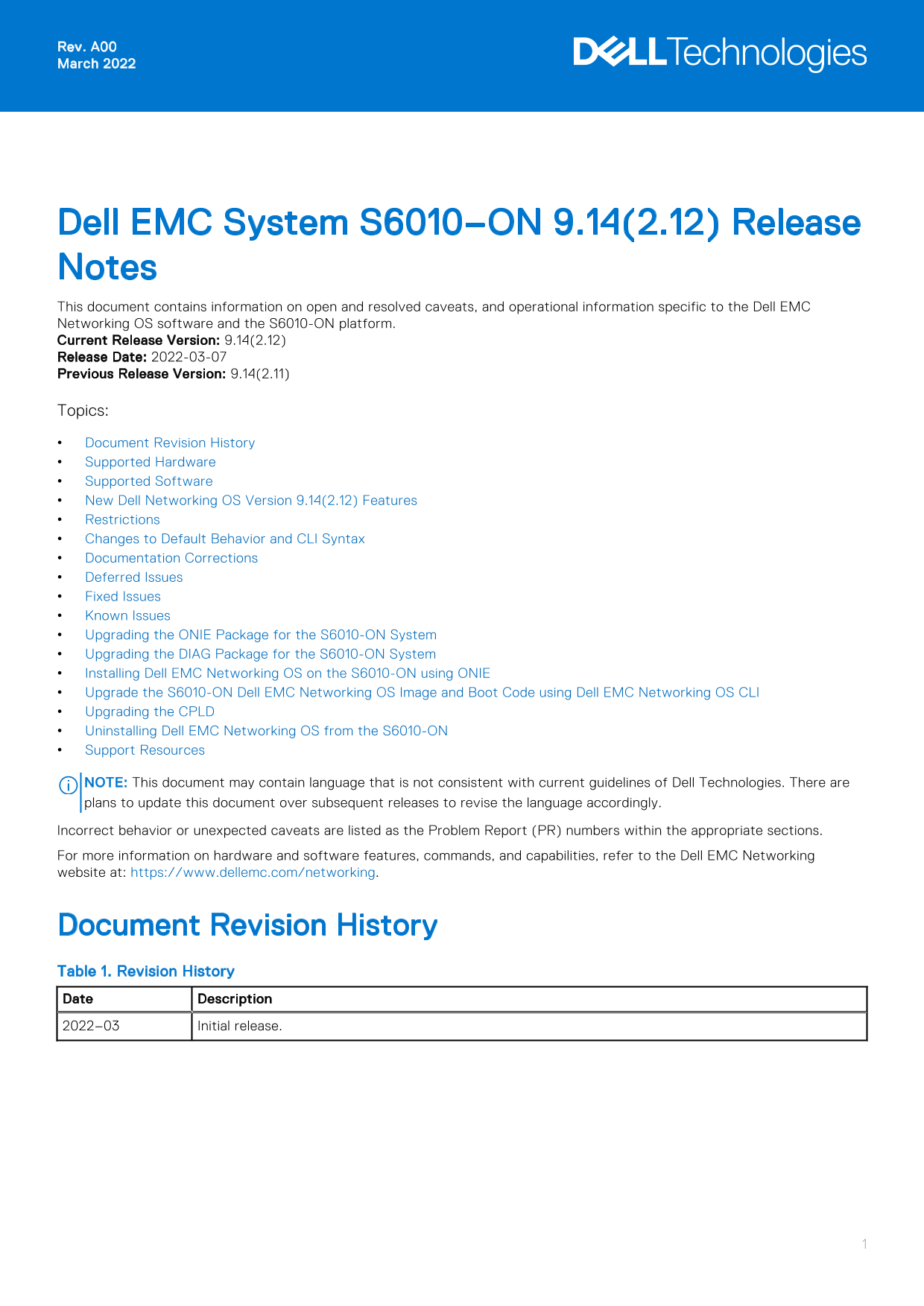
Dell EMC System S6010–ON 9.14(2.12) Release Notes This document contains information on open and resolved caveats, and operational information specific to the Dell EMC Networking OS software and the S6010-ON platform. Current Release Version: 9.14(2.12) Release Date: 2022-03-07 Previous Release Version: 9.14(2.11) Topics: Document Revision History Supported Hardware Supported Software New Dell Networking OS Version 9.14(2.12) Features Restrictions Changes to Default Behavior and CLI Syntax Documentation Corrections Deferred Issues Fixed Issues Known Issues Upgrading the ONIE Package for the S6010-ON System Upgrading the DIAG Package for the S6010-ON System Installing Dell EMC Networking OS on the S6010-ON using ONIE Upgrade the S6010-ON Dell EMC Networking OS Image and Boot Code using Dell EMC Networking OS CLI Upgrading the CPLD Uninstalling Dell EMC Networking OS from the S6010-ON Support Resources

NOTE: This document may contain language that is not consistent with current guidelines of Dell Technologies. There are plans to update this document over subsequent releases to revise the language accordingly. Incorrect behavior or unexpected caveats are listed as the Problem Report (PR) numbers within the appropriate sections. For more information on hardware and software features, commands, and capabilities, refer to the Dell EMC Networking website at: https://www.dellemc.com/networking.

Document Revision History Table 1. Revision History Date Description 2022–03 Initial release.

Page Summary Contents For Dell EMC System S6010-ON 9.14.2.12 Release Notes

Page 1 Rev. A00 March 2022 Dell EMC System S6010–ON 9.14(2.12) Release Notes This document contains information on open and resolved caveats, and operational information specific to the Dell EMC Networking O...
Page 2 Supported Hardware The following hardware is supported with this platform: Hardware S6010-ON chassis Thirty-two QSFP+ ports (40 Gbps) Two AC/DC PSUs Five fan subsystems NOTE: If all the five fan trays...
Page 3 Before downgrading, save the current configuration and then remove the CDB files (confd_cdb.tar.gz.version and confd_cdb.tar.gz). To remove the files, use the following steps: Dell EMC#write memory De...
Page 4 Category Description Work around Work around describes a mechanism for circumventing, avoiding, or recovering from the issue. It might not be a permanent solution. Issues listed in the “Closed Caveats...
Page 5 PR# 170275 Severity: Sev 2 Synopsis: SSH stops functioning after upgrade to 9.14.2.11. Release Notes: SSH stops functioning after upgrade to 9.14.2.11. Workaround: None Known Issues Known issues are r...
Page 6 1. Reboot the system. During the reboot process, the system displays the following message prompting you to press the Esc key in order to stop the auto-boot process: Press Esc to stop autoboot ... 5 G...
Page 7 Info: Mounting LABEL=ONIE-BOOT on /mnt/onie-boot ... Info: Using eth0 MAC address: 14:18:77:09:72:00 Info: Using eth1 MAC address: 14:18:77:09:72:01 Info: eth0: Checking link... up. Info: Trying DHCPv...
Page 8 Sent SIGKILL tosd 4:0:0:0: [sda] Synchronizing SCSI cache Restarting system. machine restart BIOS (Dell EMC, Inc.) Boot Selector S6010 3.26.0.0-4 32 port 40G QSFP POST Configuration CPU Signature 406D...
Page 9 NOTE: To choose an option from the menu, highlight one of the options using the up or down arrow key and press Enter. The following menu appears: GNU GRUB version 2.02~beta2+e4a1fe391 |*ONIE: Install ...
Page 10 7. Enter the following command to upgrade DIAG on the S6010–ON system: onie-nos-install tftp://<tftp-server-adress>/tftpboot/diag-installer-x86_64-s6010_c 2538- r0.bin NOTE: You must copy the di...
Page 11 Built by root at ubuntu on Mon_Feb_21_13:43:07_UTC_2022 S6010 Boot Flash Label 3.26.2.10 Net Boot Label 3.26.2.10 2. At this prompt message, press the Esc key. The following menu appears: Grub 2.02~be...
Page 12 ONIE: bond0: link down. Skipping configuration. Info: eth0: Checking link... up. Info: Trying DHCPv4 on interface: eth0 [ 50.826993] random: nonblocking pool is initialized Warning: Unable to configur...
Page 13 The ONIE discovery stops, as shown: ONIE:/ # onie-discovery-stop discover: installer mode detected. Stopping: discover... done. ONIE:/ # 6. Configure an interface and assign an IP address to that inte...
Page 14 Upgrade the S6010-ON Dell EMC Networking OS Image and Boot Code using Dell EMC Networking OS CLI Bare Metal Provisioning NOTE: If you are using Bare Metal Provisioning (BMP), see the Bare Metal Provis...
Page 15 Platform Version Size Release Time S-Series:S6010 9.14(2.12) 72268454 Feb 21 2022 08:40:03 TARGET IMAGE INFORMATION : Type Version Target checksum runtime 9.14(2.12) Control Processor passed BOOT IMAG...
Page 16 Bootselector image upgrade for stack-unit 1 completed successfully. 5. Change the Primary Boot Parameter of the S6010-ON to the upgraded partition A: or B: CONFIGURATION Mode boot system stack-unit 1 ...
Page 17 Hardware Rev : 2.0 Num Ports : 128 Up Time : 16 min, 17 sec Dell EMC Networking OS Version : 9.14(2.12) Jumbo Capable : yes POE Capable : no FIPS Mode : disabled Boot Flash : 3.26.2.10 Boot Selector :...
Page 18 Platform Version Size Release Time S-Series:S6010 9.14(2.12) 67659844 Feb 21 2022 11:26:55 TARGET IMAGE INFORMATION : Type Version Target checksum runtime 9.14(2.12) Control Processor passed BOOT IMAG...
Page 19 Dell EMC#Feb 21 14:50:41: %S6010-ON:1 %DOWNLOAD-6-FPGA_UPGRADE: stack-unit 1 fpga upgrade success. 2. Power cycle the system physically. Switch off the system by unplugging the power chords from the R...
Page 20 | ONIE: Install OS | | ONIE: Rescue | |*ONIE: Uninstall OS | | ONIE: Update ONIE | | ONIE: Embed ONIE | | EDA-DIAG | | | | | | | | | | | | | Use the ^ and v keys to select which entry is highlighted. ...
Page 21 Erase complete. Deleting partition 7 from /dev/sda Installing for i386-pc platform. /proc/devices: No entry for device-mapper found /proc/devices: No entry for device-mapper found /proc/devices: No en...
Page 22 Support Resources The following support resources are available for the S6010-ON system. Documentation Resources This document contains operational information specific to the S6010–ON system. For inf...
Page 23 Notes, cautions, and warnings NOTE: A NOTE indicates important information that helps you make better use of your product. CAUTION: A CAUTION indicates either potential damage to hardware or loss of d...

Manual Details

Brand Dell
Pages 23
File Size 203.50 KB
Published June 26, 2026
12 views

Enter the captcha to get the download link:

captcha

Frequently Asked Questions

What happens if all fan trays are empty or faulty?

The system shuts down after one minute.

What are the prerequisite steps to upgrade to version 9.14.2.0 or later?

Uninstall the older Open Automation (OA) package, upgrade the OS, and install SmartScripts, Puppet, OMI, and SNMP MIB.

How do I resolve the 'CDB boot error' when downgrading to version 9.11.0.0 or older?

Save configuration, remove CDB files, and reload using the delete and reload commands.

What features are not available in version 9.7(0.0)?

PIM ECMP, Static IGMP join, IGMP querier timeout, and IGMP group join limit.