Dell E2014T - Quick Reference Guide and User Manual
Summary
This document provides the outline dimension drawing for the Dell E2014T touchscreen monitor, showing detailed physical measurements in millimeters and inches. It includes overall dimensions (505.9mm width, 384.6mm height with stand), tilt range from 5.5 to 31 degrees, VESA mounting hole pattern, stand footprint, display depth, and back-of-monitor view without stand. Designed for workspace planners, IT procurement teams, and users needing precise dimensional data for 20-inch touchscreen monitor deployment in point-of-sale, kiosk, or interactive display environments.
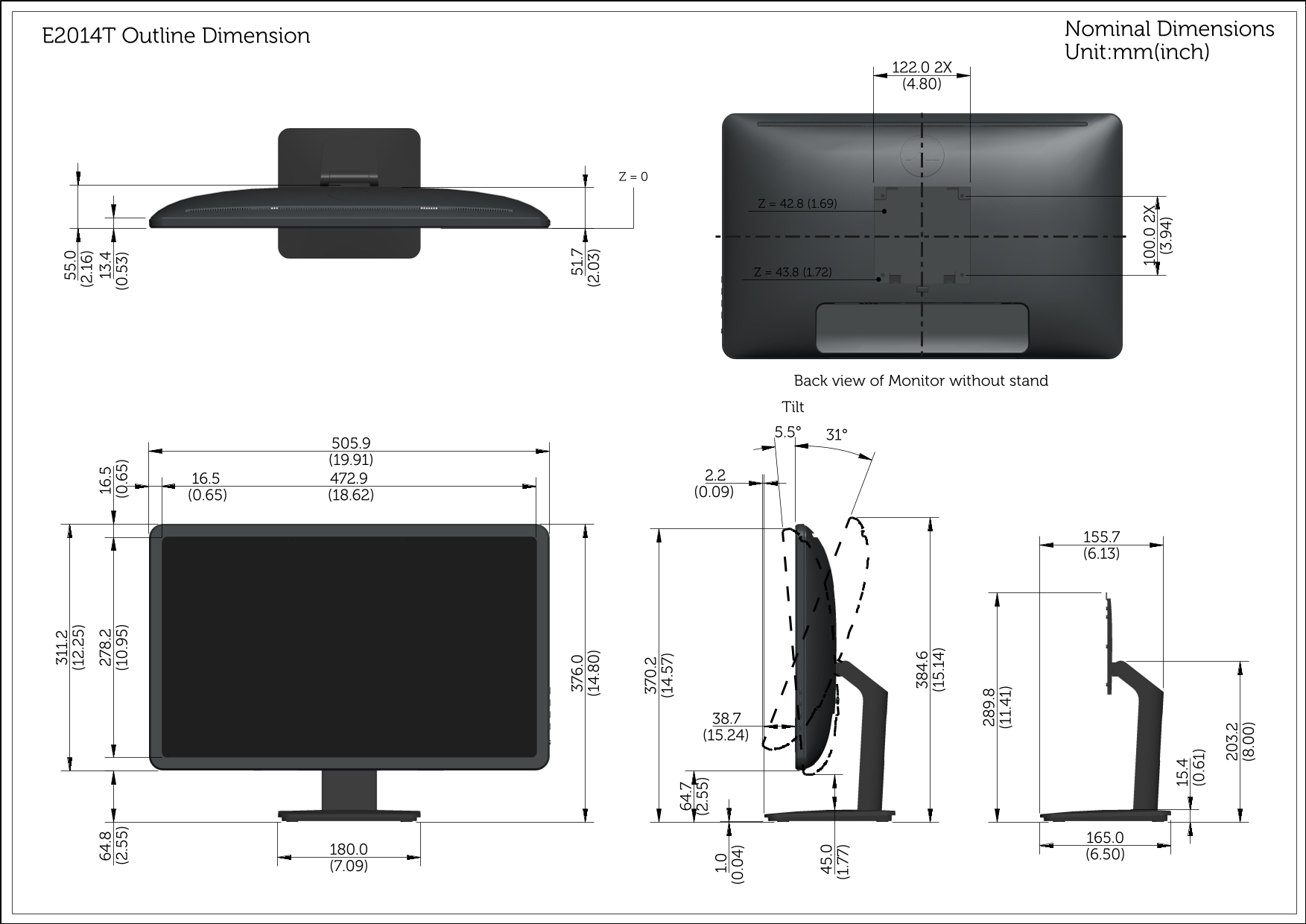
Page 1 Text Content
Nominal Dimensions
E2014T Outline Dimension
Unit:mm(inch)
Back view of Monitor without stand Tilt 31°5.5°
Page Summary Contents For Dell E2014T - Quick Reference Guide and User Manual
Manual Details
| Brand | Dell |
|---|---|
| Pages | 1 |
| File Size | 336.93 KB |
| Published | July 02, 2026 |
Enter the captcha to get the download link:

Frequently Asked Questions
What are the adjustable viewing angles for the monitor?
The monitor supports a tilt range from 5.5° to 31°.
What is the key footprint dimension shown in the back view?
The width dimensions are listed around 370 mm to 384.6 mm (14.57 in to 15.14 in).
What overall depth measurements are available for mounting considerations?
Depth varies based on the specific view, but key measurements include 384.6 mm (15.14 inches) and 370.2 mm (14.57 inches).