Dell 3400MP Projector Setup and Quick Reference Guide
Summary
This setup guide for the Dell 3400MP projector provides illustrated instructions covering USB cable connection to the computer, power-on sequence (projector first, then computer), zoom and focus adjustment, and remote control functions. It features a remote control diagram identifying 17 buttons including power, laser, mute, volume controls, mouse right/left keys, video mode, blank screen, LED light, enter and OSD setting buttons, menu, page up/down, directional pad, auto keystone, source, and auto adjust. Designed for presenters and AV technicians.
Page 1 Text Content
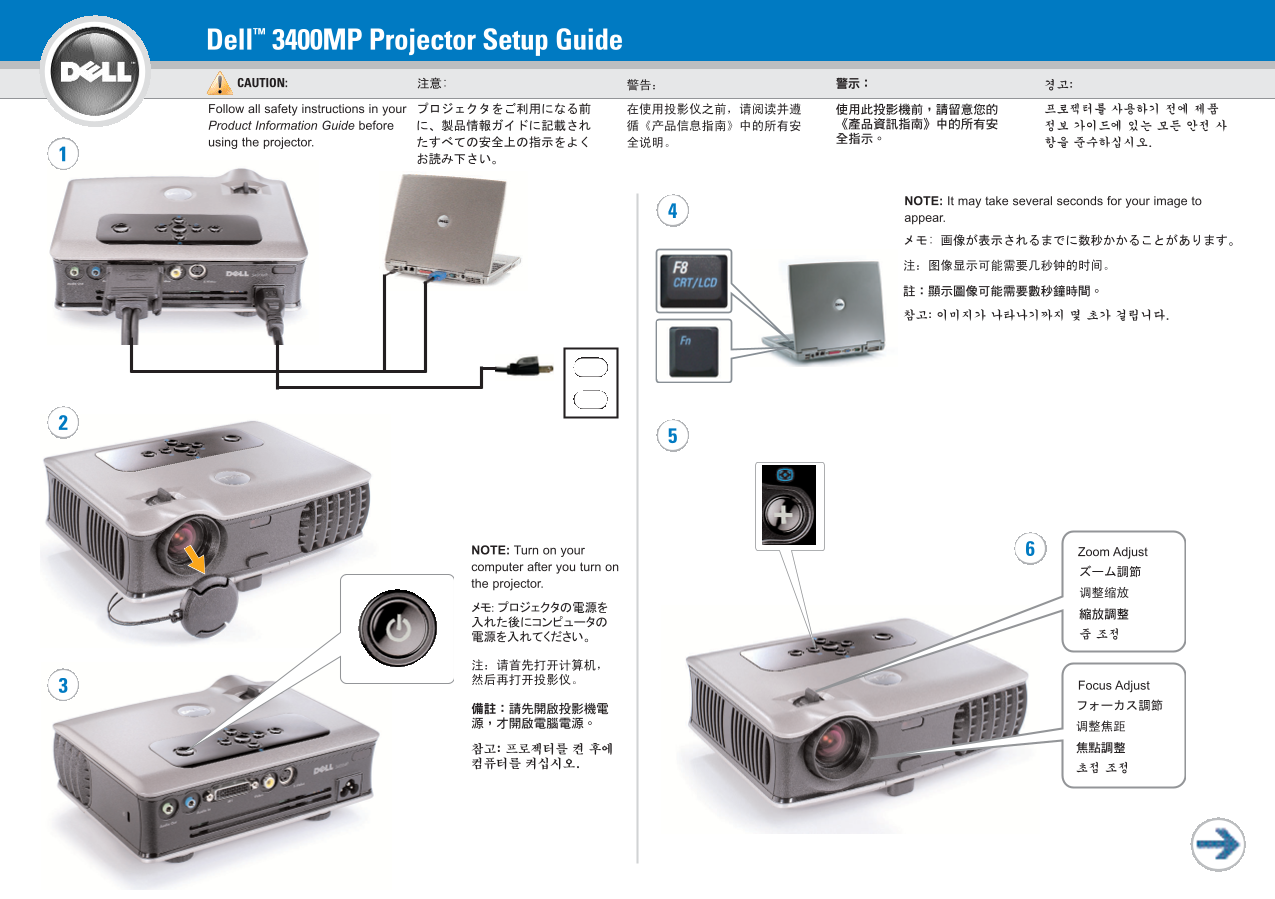
Dell™ 3400MP Projector Setup Guide CAUTION: Follow all safety instructions in your Product Information Guide before using the projector.
NOTE: It may take several seconds for your image to appear.
NOTE: Turn on your Zoom Adjust computer after you turn on the projector.
Focus Adjust
Page Summary Contents For Dell 3400MP Projector Setup and Quick Reference Guide
Manual Details
| Brand | Dell |
|---|---|
| Pages | 2 |
| File Size | 1.60 MB |
| Published | July 02, 2026 |
Enter the captcha to get the download link:

Frequently Asked Questions
What connection must be used to access Next Page and Previous Page functionality?
The USB cable must be connected for this function.
If I need to adjust the screen's shape automatically, which feature should I use?
Use the Auto keystone adjustment feature.
What is the correct order for powering on the equipment?
You should first turn on the projector, and then turn on your Zoom Adjust computer.
Where can I change the video projection display mode?
The video mode button will allow you to cycle through different operating modes.