Dell 3400MP Projector Setup Guide
Summary
The Dell 3400MP Projector Setup Guide provides quick setup instructions for Dell's portable DLP projector. It covers power connection, focus and zoom adjustment, video source selection, and remote control functionality. The guide details the remote control buttons including laser pointer, page navigation, volume control, mouse emulation, keystone correction, and auto-adjust features. It includes safety cautions, multi-language instructions, and USB cable requirements for presentation control. Target users are mobile professionals, educators, and business presenters who need a compact projection solution for meetings, classrooms, and travel presentations.
Page 1 Text Content
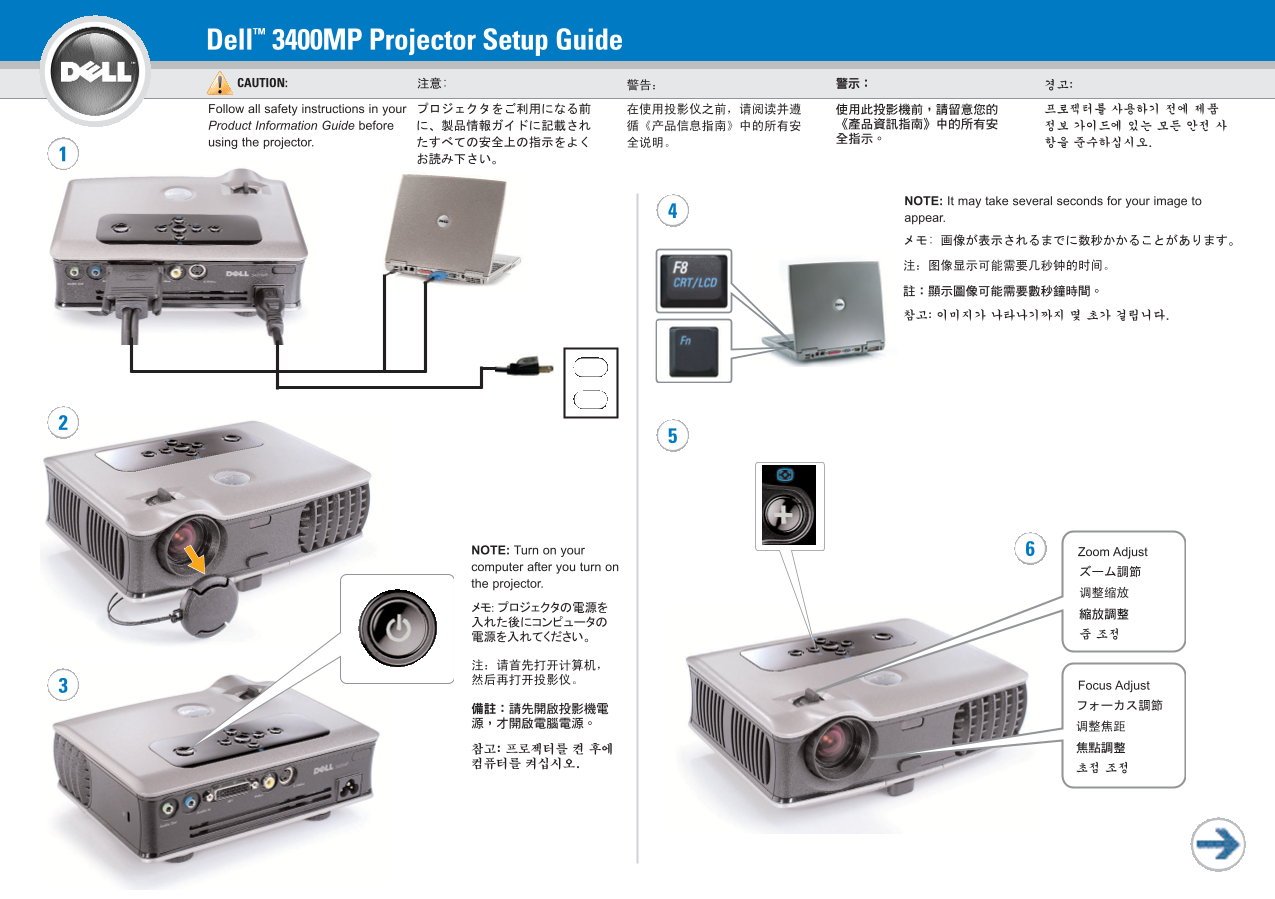
Dell™ 3400MP Projector Setup Guide CAUTION: Follow all safety instructions in your Product Information Guide before using the projector.
NOTE: It may take several seconds for your image to appear.
NOTE: Turn on your Zoom Adjust computer after you turn on the projector.
Focus Adjust
Page Summary Contents For Dell 3400MP Projector Setup Guide
Manual Details
| Brand | Dell |
|---|---|
| Pages | 2 |
| File Size | 1.60 MB |
| Published | June 27, 2026 |
Enter the captcha to get the download link:

Frequently Asked Questions
What safety precautions must I observe before using this projector?
You must follow all safety instructions provided in your Product Information Guide.
How do I automatically correct a distorted image shape?
Use the Auto Keystone function to adjust the projection geometry and ensure a rectangular picture display.
When powering up the unit, how long should I expect before seeing the image?
Note that it may take several seconds for your image to appear as the projector warms up.