Dell Dimension 5150 & E510 Setup Guide Illustrations
Summary
Dell Dimension desktop computer setup guide from 2005-2006 covering three monitor connection options, keyboard and mouse setup, network and modem cable connections, and power-on procedures. Includes front panel details with CD/DVD drive, microphone, headphone, speaker connectors, seven USB 2.0 ports, and optional sound card. Optional Media Center components include remote control sensor, batteries, and TV tuner card setup.
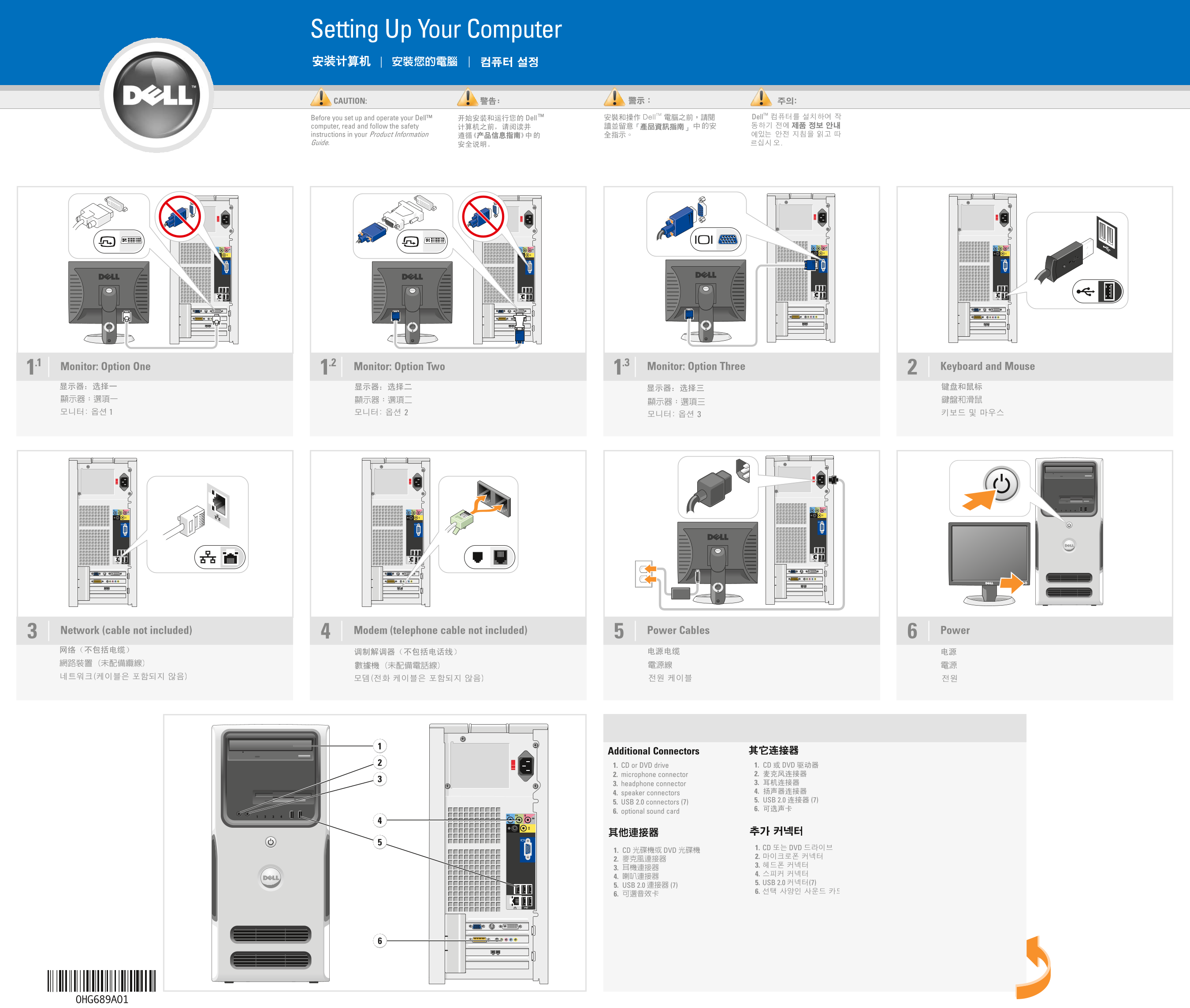
Page 1 Text Content
Setting Up Your Computer
CAUTION:
Before you set up and operate your Dell™ computer, read and follow the safety instructions in your Product Information Guide.
Monitor: Option One 1.21.1 Monitor: Option Two 1.3 Monitor: Option Three Keyboard and Mouse
Network (cable not included) Modem (telephone cable not included) Power Cables Power3
Additional Connectors 1. CD or DVD drive 2. microphone connector 3. headphone connector 4. speaker connectors 5. USB 2.0 connectors (7) 6. optional sound card
Page Summary Contents For Dell Dimension 5150 & E510 Setup Guide Illustrations
Manual Details
| Brand | Dell |
|---|---|
| Pages | 2 |
| File Size | 1.46 MB |
| Published | July 02, 2026 |
Enter the captcha to get the download link:

Frequently Asked Questions
What should I do before setting up my Dell computer?
You must read and follow the safety instructions provided in your Product Information Guide.
Which connectors are available on the unit?
It features USB 2.0, microphone, headphone, speaker connectors, CD/DVD drive, optional sound card, modem port, and power cables.
How do I set up an optional Dell TV as a monitor?
Follow the setup instructions that were originally included with the specific Dell TV.