Dell 1420X Projector Protocol Document
Summary
Technical communication protocol manual for projector control systems. Defines RS232 serial pin assignments, command syntax, and response formats for PC-to-projector control including power operations, status queries, lamp monitoring, and firmware retrieval. Includes byte-level protocol specs with headers, CRC checksums, and command codes. For AV integrators and developers.
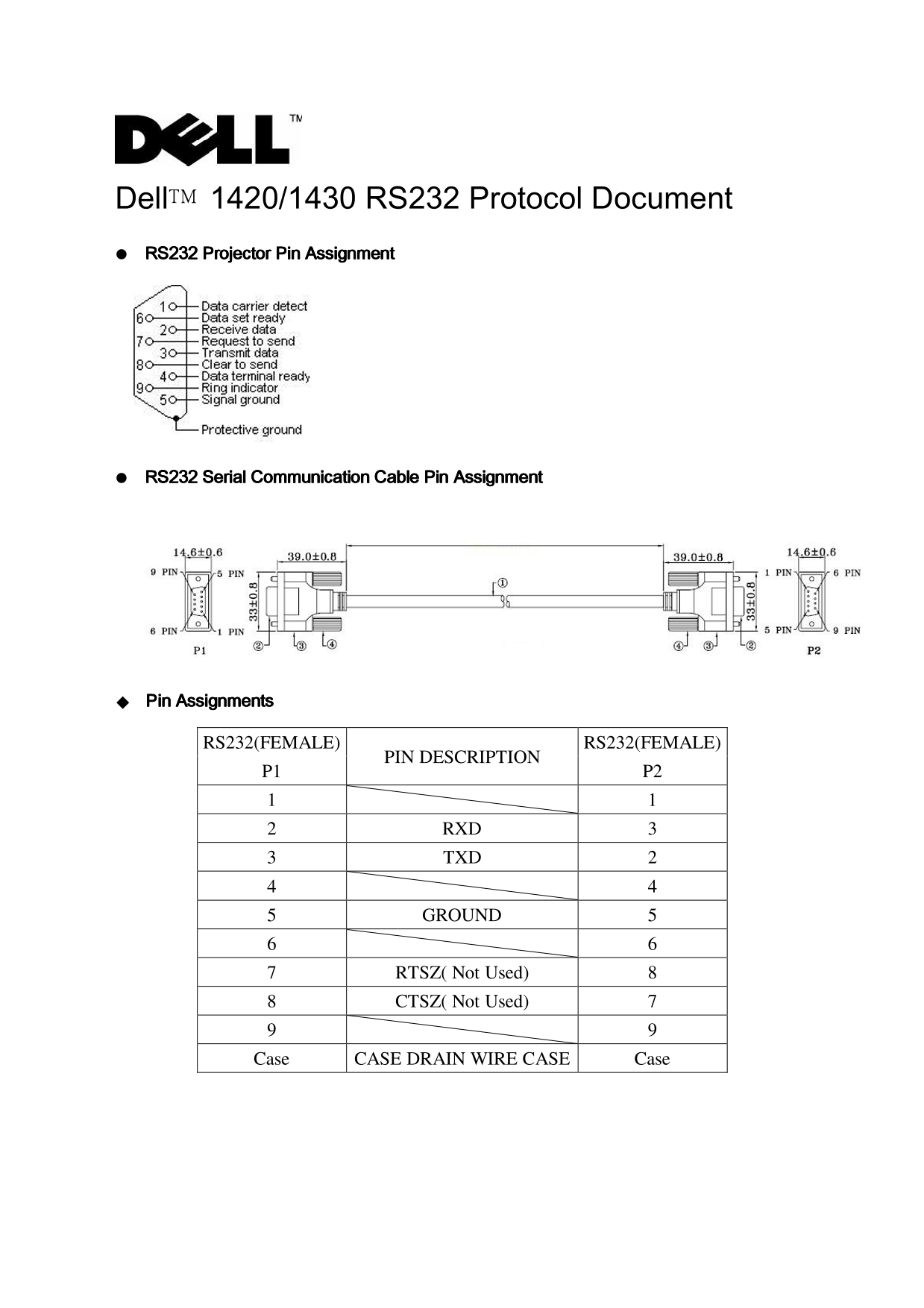
Page 1 Text Content
RS232(FEMALE) RS232(FEMALE)
PIN DESCRIPTION
2 RXD 3 3 TXD 2
5 GROUND 5
7 RTSZ( Not Used) 8 8 CTSZ( Not Used) 7
Case CASE DRAIN WIRE CASE Case
Page Summary Contents For Dell 1420X Projector Protocol Document
Manual Details
| Brand | Dell |
|---|---|
| Pages | 9 |
| File Size | 163.62 KB |
| Published | June 29, 2026 |
Enter the captcha to get the download link:

Frequently Asked Questions
How is a 'Power On' command structured?
It uses the syntax [H][AC][SoP][CRC][ID][SoM][COMMAND], formatted with specific required hexadecimal values like H (be, ef) and AC (10).
How do I check the system status or lamp hours?
To get the System Status (Byte1=0xff) or Lamp Hour (Byte1=0x2f), the projector requires a specific request command code. The return status will indicate overall success.
What is important to know when sending multiple commands?
When sending multiple commands, you must check that a proper response has been received from the projector before transmitting the next command.
How can I retrieve the device's firmware version?
To request the Firmware Version, send a command with Byte1 set to 0x30. The response will include the firmware version in subsequent bytes as an ASCII code ("M0RXXX").