Page 1
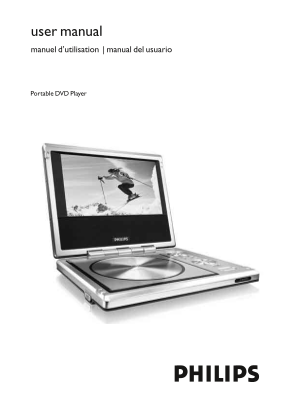
user manual manuel d’utilisation | manual del usuario Portable DVD Player
Page 2
PET710_ENG/37.QXD 24/5/05 14:29 Page 2 Return your Product Registration Card today to get the very most from your purchase. Registering your model with PHILIPS makes you eligible for all of the valuab...
Page 3
PET710_ENG/37.QXD 24/5/05 14:29 Page 3 IMPORTANT SAFETY INSTRUCTIONS 1. Read these instructions. 13.Unplug this apparatus during lightning storms or when unused for long periods of 2. Keep these instr...
Page 4
PET710_ENG/37.QXD 24/5/05 14:29 Page 4 PHILIPS LIMITED WARRANTY Ninety (90) Days Free Product Exchange Ninety-One (91) Days-One (1) Year Reduced-Cost Exchange PHILIPS CONSUMER ELECTRONICS Damage occur...
Page 5
PET710_ENG/37.QXD 24/5/05 14:29 Page 1 Contents General information Power Sources –––––––––––––––––––––––––––––––––––––––––– Safety and maintenance ––––––––––––––––––––––––––––––––––– Handling discs –...
Page 6
PET710_ENG/37.QXD 24/5/05 14:29 Page 2 General information Power Sources This unit operates on a supplied AC adapter, car adapter, or a rechargeable battery pack. • Make sure that the input voltage of...
Page 7
PET710_ENG/37.QXD 24/5/05 14:29 Page 3 Do not attach paper or tape to the disc. Keep the disc away from direct sunlight or heat sources. Store the disc in a disc case after playback. To clean, wipe th...
Page 8
PET710_ENG/37.QXD 24/5/05 14:29 Page 4 Functional Overview 3, 4, 1, OPEN Up / down / left / right cursor Opens disc door to insert or OK remove disc Confirms selection POWER/CHG MENU Power and chargin...
Page 9
PET710_ENG/37.QXD 24/5/05 14:29 Page 5 Main unit controls Front of player li sh Left of player Right of player
Page 10
PET710_ENG/37.QXD 24/5/05 14:29 Page 6 Remote Control 3, 4, 1, A > B Up / down / left / right cursor To repeat or loop a sequence OK in a title Confirms selection PLAY-MODE Selects play order optio...
Page 11
PET710_ENG/37.QXD 24/5/05 14:29 Page 7 li sh
Page 12
PET710_ENG/37.QXD 24/5/05 14:29 Page 8 Introduction Digital video DVD-Video uses state-of-the-art MPEG2 data compression technology to register an entire movie on a single 5-inch disc. DVD’s variable ...
Page 13
PET710_ENG/37.QXD 24/5/05 14:29 Page 9 Placement • Place the player on a firm, flat surface. • Keep away from domestic heating equipment and direct sunlight. • If the player cannot read CDs/DVDs corre...
Page 14
PET710_ENG/37.QXD 24/5/05 14:29 Page 10 Preparations Power supply Using the AC / DC adapter Connect the supplied adapter to the set and the main power supply (as shown). ➯TIP To avoid damage to the pl...
Page 15
PET710_ENG/37.QXD 24/5/05 14:29 Page 11 Attaching and charging the battery pack Switch off the set.Attach the battery pack as shown. POWERON OFF POWERON OFF Connect the supplied adapter to the set and...
Page 16
PET710_ENG/37.QXD 24/5/05 14:29 Page 12 Connections Connecting headphones Connect the headphones into the PHONE 1 or the PHONE 2 jack of your set. Connecting additional equipment You can connect the p...
Page 17
PET710_ENG/37.QXD 24/5/05 14:29 Page 13 General explanation This manual gives the basic instructions for operating this DVD player. Some DVD discs however are produced in a way that requires specific ...
Page 18
PET710_ENG/37.QXD 24/5/05 14:29 Page 14 Basic functions Switching on for OSD language setup English is the default language of your player’s on screen display.You may choose to use English, French, Sp...
Page 19
PET710_ENG/37.QXD 24/5/05 14:29 Page 15 After switching on, inserting the disc and closing the door, playback starts automatically.The screen shows the type of disc loaded. The disc may invite you to ...
Page 20
PET710_ENG/37.QXD 24/5/05 14:29 Page 16 General Features Note: Unless stated otherwise, all operations described are based on remote control operation. Moving to another title/track/chapter When a dis...
Page 21
PET710_ENG/37.QXD 24/5/05 14:29 Page 17 Slow motion Press > once or more for the following slow play options: x 1 1/2 x 5* 1/2 x backward x 2 1/4 x 6* 1/4 x backward x 3 1/8 x 7* 1/8 x backward x 4...
Page 22
PET710_ENG/37.QXD 24/5/05 14:29 Page 18 General Features Repeat A > B To repeat or loop a sequence in a title: • Press A > B at your chosen starting point; appears on the screen. • Press A > ...
Page 23
PET710_ENG/37.QXD 24/5/05 14:29 Page 19 Special DVD features Checking the contents of DVD-Video discs: Menus. For titles and chapters, selection menus may be included on the disc. The DVD’s menu featu...
Page 24
PET710_ENG/37.QXD 24/5/05 14:29 Page 20 OSD operations In addition to using remote control keys, you can also change disc playback options from OSD. Press OSD during disc playback.A list of features i...
Page 25
PET710_ENG/37.QXD 24/5/05 14:29 Page 21 SETUP operations To maximize your playback experience, use SETUP to fine tune your settings. Use the 3,4,1, keys to highlight your selection, and press OK. Pres...
Page 26
PET710_ENG/37.QXD 24/5/05 14:29 Page 22 General Setup When the cursor highlights these settings, press OK to: TV DISPLAY select display ratio TV TYPE select video standard of external TV set OSD LANG ...
Page 27
PET710_ENG/37.QXD 24/5/05 14:29 Page 23 Preferences When the cursor highlights these settings, press OK to: AUDIO select audio language options SUBTITLE select subtitle language options DISC MENU sele...
Page 28
PET710_ENG/37.QXD 24/5/05 14:29 Page 24 Troubleshooting If it appears that the DVD-Video player is faulty, first consult this checklist. It may be that something has been overlooked. WARNING Under no ...
Page 29
PET710_ENG/37.QXD 24/5/05 14:29 Page 25 Remedy Disc can’t be played Ensure the disc label is upwards. Clean the disc. Check if the disc is defective by trying another disc. The player does not – Aim t...
Page 30
PET710_ENG/37.QXD 24/5/05 14:29 Page 26 Technical data Dimensions 19.3 x 16.1 x 3.0 cm 7.72 x 6.44 x 1.2 inches Weight 0.824 kg / 1.81 lb Power supply DC 9V 2.2A Power Consumption ≤ 30W Operating temp...
Page 31
PET710_spa/37.QXD 25/5/05 14:31 Page 87 PET710 CLASS 1 LASER PRODUCT Specifications are subject to change without notice. Trademarks are the property of Koninklijke Philips Electronics N.V. or their r...