# A B C D E F G H I J K L M N O P Q R S T U V W X Y Z

SHARP room air conditioner AFS50EX AFS60EX User Guide & Manual

Summary

Maximize comfort with the Sharp Air Conditioner. This comprehensive guide is essential for new owners, covering everything needed to install, operate, and maintain your unit efficiently. Inside, you will find detailed instructions on utilizing various operation modes, maximizing energy efficiency, and troubleshooting common issues like unusual sounds or water drainage. Includes full setup procedures, operational guides, and understanding your limited consumer warranty for optimal year-round performance.
📄 Preview 📖 Table of Contents Contents PAGE OF 20

Page 1 Text Content

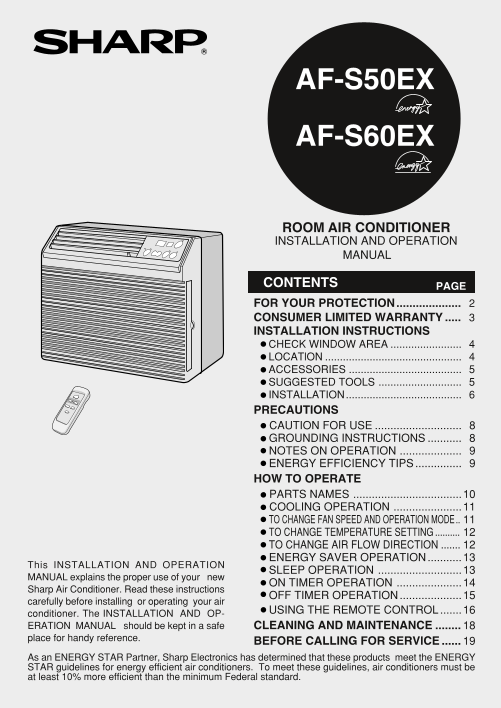
AF-S50EX AF-S60EX

ROOM AIR CONDITIONER INSTALLATION AND OPERATION MANUAL

PAGECONTENTS

FOR YOUR PROTECTION.................... CONSUMER LIMITED WARRANTY INSTALLATION INSTRUCTIONS • CHECK WINDOW AREA • LOCATl ON • ACCESSORIES • SUGGESTED TOOLS • INSTALLATION....................................... PRECAUTIONS • CAUTION FOR USE • GROUNDING INSTRUCTIONS • NOTES ON OPERATION • ENERGY EFFICIENCY TIPS HOW TO OPERATE • PARTS NAMES ...................................10 • COOLING OPERATION ......................11 • TO CHANGE FAN SPEED AND OPERATION MODE • TO CHANGE TEMPERATURE SETTING • TO CHANGE AIR FLOW DIRECTION • ENERGY SAVER OPERATION...........13

This INSTALLATION AND OPERATION

• SLEEP OPERATION ...........................13

MANUAL explains the proper use of your new

• ON TIMER OPERATION .....................14

Sharp Air Conditioner. Read these instructions

• OFF TIMER OPERATION....................15

carefully before installing or operating your air

• USING THE REMOTE CONTROL.......16

conditioner. The INSTALLATION AND OP- ERATION MANUAL should be kept in a safe CLEANING AND MAINTENANCE place for handy reference.

BEFORE CALLING FOR SERVl CE

As an ENERGY STAR Partner, Sharp Electronics has determined that these products meet the ENERGY STAR guidelines for energy efficient air conditioners. To meet these guidelines, air conditioners must be at least 10% more efficient than the minimum Federal standard.

Page Summary Contents For SHARP room air conditioner AFS50EX AFS60EX User Guide & Manual

Page 1 AF-S50EX AF-S60EX ROOM AIR CONDITIONER INSTALLATION AND OPERATION MANUAL PAGECONTENTS FOR YOUR PROTECTION.................... CONSUMER LIMITED WARRANTY INSTALLATION INSTRUCTIONS • CHECK WINDOW AREA • ...
Page 2 FOR YOUR PROTECTION To aid in answering questions if you call for service or for reporting loss or theft, please record below the model and serial number located on the right side of the unit. MODEL N...
Page 3 CONSUMER LIMITED WARRANTY CONSUMER LIMITED WARRANTY SHARP ELECTRONICS CORPORATION warrants to the first consumer purchaser that this Sharp brand product (the "Product"), when shipped in its ...
Page 4 INSTALLATION INSTRUCTIONS Before beginning installation, read these instructions carefully. Use the enclosed MOUNTING KIT for proper installation. CHECK WINDOW AREA The mounting kit is designed for wo...
Page 5 INSTALLATION INSTRUCTIONS ACCESSORIES No. Accessories Q'ty Right closure assembly Left closure assembly Window sash foam seal Window sash foam seal (adhesive type) Bottom gasket Screws (L=1", 25....
Page 6 INSTALLATION INSTRUCTIONS INSTALLATION WARNING: Make sure the unit is turned off and unplugged before working. Cut the window sash foam seal (adhesive type) to the proper length and attach it to the u...
Page 7 INSTALLATION INSTRUCTIONS Closure assembly (Left) Insert the closure assemblies on both sides into the rails of the jamb.5 (Left) Indoor side Closure assembly (Left) Indoor side 1/2 inches (13mm) Stoo...
Page 8 PRECAUTIONS CAUTION FOR USE IMPORTANT: Points to keep in mind when using your air conditioner. Install the air conditioner by following the installation instructions given in the previous section of t...
Page 9 PRECAUTIONS NOTES ON OPERATION Allow 3 minutes for the compressor to restart cooling. If you turn the air conditioner off and immediately restart it, allow three minutes for the compressor to restart ...
Page 10 HOW TO OPERATE PARTS NAMES UNIT Front Cabinet Air Inlet (Indoor Side) Horizontal Louvers Vertical Louvers Air Outlet (Indoor Side) Control Panel Rear Cabinet Air Inlet (Outdoor side) Filter (Pull the ...
Page 11 HOW TO OPERATE COOLING OPERATION POWER COOL indicator indicator Touch POWER ON/OFF pad. The unit is preset at 74°F and HIGH COOL. This will show in the display POWER when the power is first turned on....
Page 12 HOW TO OPERATE TO CHANGE TEMPERATURE SETTING During cooling operation POWER Touch the TEMPERATURE setting hr ON/OFF pad to adjust the temperature set- ting. TEMPCOOLSLEEP ---Lower temp. ---Raise temp....
Page 13 HOW TO OPERATE ENERGY SAVER OPERATION During normal operation, the thermostat automatically controls cooling and the fan runs continu- ously. When the ENERGY SAVER OPERATION is selected, the thermosta...
Page 14 HOW TO OPERATE ON TIMER OPERATION This unit has a built-in timer that can be programmed to start the unit up to 12 hours in advance. You can set the timer to start in increments of 30 minutes (0.5 hou...
Page 15 HOW TO OPERATE OFF TIMER OPERATION This unit has a built-in timer that can be programmed to shut the unit off up to 12 hours in advance. You can set the timer to stop in increments of 30 minutes (0.5 ...
Page 16 HOW TO OPERATE USING THE REMOTE CONTROL INSTALLING BATTERIES Battery compartment cover Use two size-AA (R6) batteries. Open the battery compartment cover. Insert and slide the batteries into the compa...
Page 17 HOW TO OPERATE OPERATING WITH THE REMOTE CONTROL TRANSMITTER POWER ON/OFF button POWER Push to start or stop the operation. ON OFF TEMP. button TEMP. TEMP. ---Raise temp. setting 1°F at a time. TEMP. ...
Page 18 CLEANING AND MAINTENANCE CLEANING THE FILTER If the filter is clogged with dust, the amount of air flow will be reduced, resulting in poor cooling performance. The filter should be cleaned every 10 da...
Page 19 BEFORE CALLING FOR SERVl CE IF YOUR AIR CONDITIONER DOES NOT OPERATE PROPERLY, PLEASE CHECK THE FOLLOWING ITEMS BEFORE CALLING FOR SERVICE. AIR CONDITIONER DOES NOT OPERATE AT ALL Is the unit plugged ...
Page 20 SHARP ELECTRONICS CORPORATION Sharp Plaza, Mahwah, New Jersey 07430-2135 SHARP CORPORATION Osaka, Japan Printed in Thailand TINSEA357JBRZ 03KO TH

Manual Details

Brand Sharp
Pages 20
File Size 679.43 KB
Published June 01, 2026
71 views

Enter the captcha to get the download link:

captcha

Frequently Asked Questions

How do I troubleshoot a filter that causes freezing?

Clean the filter and replace it. Then, run the air conditioner on the MEDIUM fan setting until all ice dissipates.

When should I consult a professional for service?

Have your model number, serial number, date of purchase, full mailing address, daytime phone number, and description of the problem ready.

What is normal maintenance noise to expect when operating the unit?

A loud sound upon startup (compressor start-up) or a soft swishing noise during operation (refrigerant flow) are both normal.

Does the TIMER feature resume after a power outage?

No, if a power failure occurs while a timer is set, the setting will be cancelled and cannot resume when power is restored.