Page 1
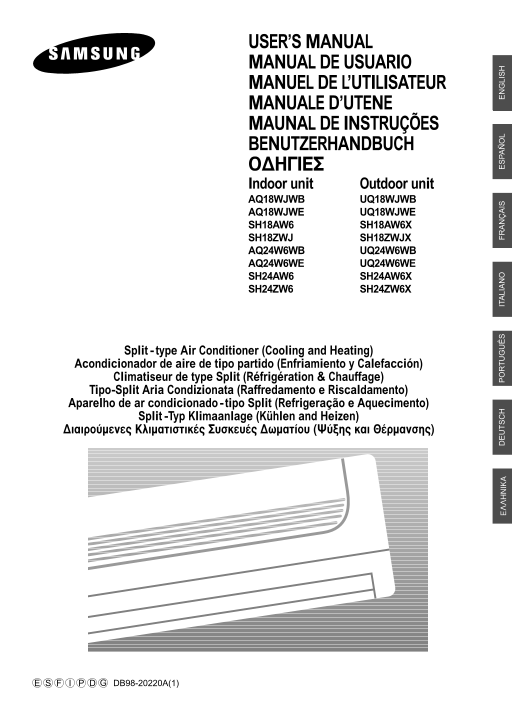
USER’S MANUAL MANUAL DE USUARIO MANUEL DE L’UTILISATEUR MANUALE D’UTENE MAUNAL DE INSTRUÇÕES BENUTZERHANDBUCH √¢∏°π∂™ Indoor unit Outdoor unit AQ18WJWB UQ18WJWB AQ18WJWE UQ18WJWE SH18AW6 SH18AW6X SH18...
Page 2
Safety Precautions You should take the following safety precautions when using your air conditioner. • If you don’t follow the safety precautions, you may get the risk of an electric WARNING shock, in...
Page 3
Contents PREPARATION ■ Safety Precautions . . . . . . . . . . . . . . . . . . . . . . . . . . . . . . . . . . . . ■ Name of Each Part . . . . . . . . . . . . . . . . . . . . . . . . . . . . . . . . . ...
Page 4
Name of Each Part The design and shape can be changed according to the model. Indoor Unit Temperature sensor Power(On/Off) button Air filter Airflow blades Air Inlet (under the grille) (outlet) Operat...
Page 5
Outdoor Unit UQ18WJWB UQ18WJWE SH18ZWJX SH30ZC1(C2)X Air Inlet (Rear) Air Outlet Connection Valve Outdoor Unit SH18AW6X UQ24W6WB UQ24W6WE SH24AW6X SH24ZW6X Air Inlet (Rear) Air Outlet Connection Valve
Page 6
Remote Control -Buttons and Display Transmission indicator Temperature and Timer setting 1 Hour Timer indicator Battery life indicator On Timer indicator Off Timer indicator Operation modes indicator ...
Page 7
Inserting the Remote Control Batteries You must insert or replace the remote control batteries when: You purchase the air conditioner The remote control does not work correctly Note Use two AAA, LR03 ...
Page 8
Getting Start The User’s Manual provides you valuable information about your air conditioner. Please read this manual carefully before using the air conditioner. It will help you take full advantage o...
Page 9
Selecting the Auto Mode You can select the Auto mode if you want to cool or heat your room automatically. You can adjust the temperature and the fan speed in this mode. If necessary, press the button....
Page 10
Selecting the Cool Mode You can select the Cool mode if you want to cool your room. You can adjust the temperature and the fan speed when cooling. If necessary, press the button. Result: ◆ The operati...
Page 11
Selecting the Heat Mode You can select the Heat mode if you want to heat your room. You can adjust the temperature and the fan speed when heating. If necessary, press the button. Result: The operation...
Page 12
Selecting the Dry Mode You can select the Dry mode if you want to dehumidify your room. You can adjust the temperature in this mode. If necessary, press the button. Result: The operation indicator on ...
Page 13
Selecting the Fan Mode You can select the Fan mode if you want to ventilate your room. It helps to refresh the air in your room. You can adjust the fan speed in this mode. If necessary, press the butt...
Page 14
Selecting the Turbo Function You can select the Turbo Function if you want to cool or heat your room in the fastest way. After the 30 minute operation with the maximum setting, it returns to the previ...
Page 15
Selecting the Energy Saving Function You can select the Energy Saving Function to save energy when cooling or heating. If necessary, press the button. Result: The operation indicator on the indoor uni...
Page 16
Adjusting the Airflow Direction Vertically You can adjust the airflow direction vertically. The outer airflow blade moves up and down to increase the efficiency of the cooling or heating operation. Pr...
Page 17
Adjusting the Airflow Direction Horizontally You can adjust the airflow direction horizontally with your hands. The inner blades with small fins moves the air to the required direction. Adjust the inn...
Page 18
Setting the On Timer You can set the On Timer to turn on the air conditioner automatically at the appointed time. You can set the time from 1 hour to 24 hours. Press the button until the required time...
Page 19
Setting the Off Timer You can set the Off Timer to turn off the air conditioner automatically at the appointed time. You can set the time from 1 hour to 24 hours. Press the button until the required t...
Page 20
Setting the Sleep Timer You can set the Sleep Timer to turn off the air conditioner automatically while you are sleeping. The air conditioner stops operating 6 hours after you set the Sleep Timer. Pre...
Page 21
Setting the 1 Hour Timer You can set the 1 Hour Timer to turn off the air conditioner automatically after an hour. It is the quick and convenient way using only one button. Press the button until the ...
Page 22
Operating Recommendations When you use your air conditioner, it is recommended to read the following Topic Recommendation Heating capacity The heat pump inside the air conditioner absorbs heat from ou...
Page 23
Temperature and Humidity Ranges If you check the following tables, you can use your air conditioner more efficiently. If the air conditioner is used at... Then... High temperatures The air conditioner...
Page 24
Troubleshooting Guide Before contacting the service center, check the following. It will save your time and the expense of an unnecessary call. Problem Explanation/Solution The air conditioner does no...
Page 25
Cleaning Your Air Conditioner For the best use of your air conditioner, you must clean it every 2 weeks to remove the dust that accumulates on the air filter. IMPORTANT Before cleaning your air condit...
Page 26
THIS AIR CONDITIONER IS MANUFACTURED BY: ESTE AIRE ACONDICIONADO HA SIDO FABRICADO POR: CE CLIMATISEUR EST FABRIQUE PAR: QUESTO CONDIZIONATORE D’ARIA È PRODOTTO DA: ESTE APARELHO DE AR CONDICIONADO É ...