# A B C D E F G H I J K L M N O P Q R S T U V W X Y Z

Samsung Air Conditioner AW07AANEC User's Manual

Summary

Optimize your home comfort with this comprehensive guide for window-type room air conditioners. This manual provides essential instructions covering safe setup, basic operations like cooling and drying, and advanced features such as setting sleep timers and energy-saving modes. New users will find detailed sections on component identification, periodic maintenance (including cleaning procedures), troubleshooting common issues, and adherence to critical safety precautions for optimal performance and efficiency.
📄 Preview 📖 Table of Contents Contents PAGE OF 22

Page 1 Text Content

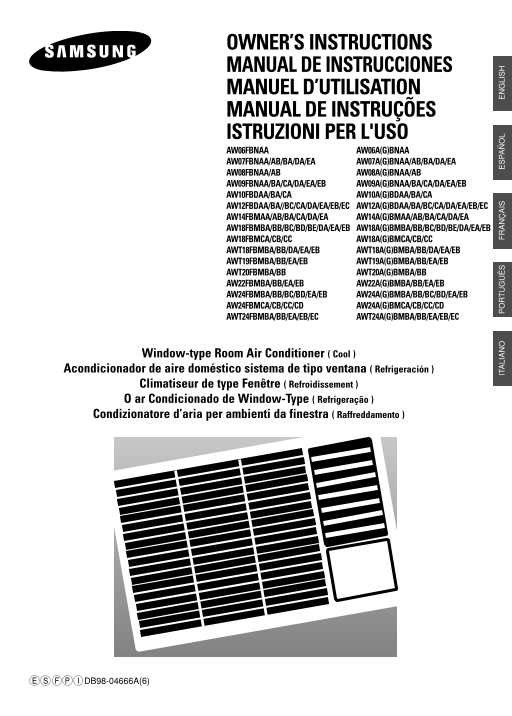
OWNER’S INSTRUCTIONS MANUAL DE INSTRUCCIONES MANUEL D’UTILISATION MANUAL DE INSTRUÇÕES ISTRUZIONI PER L'USO AW06FBNAA AW06A(G)BNAA AW07FBNAA/AB/BA/DA/EA AW07A(G)BNAA/AB/BA/DA/EA AW08FBNAA/AB AW08A(G)BNAA/AB AW09FBNAA/BA/CA/DA/EA/EB AW09A(G)BNAA/BA/CA/DA/EA/EB AW10FBDAA/BA/CA AW10A(G)BDAA/BA/CA AW12FBDAA/BA//BC/CA/DA/EA/EB/EC AW12A(G)BDAA/BA/BC/CA/DA/EA/EB/EC AW14FBMAA/AB/BA/CA/DA/EA AW14A(G)BMAA/AB/BA/CA/DA/EA AW18FBMBA/BB/BC/BD/BE/DA/EA/EB AW18A(G)BMBA/BB/BC/BD/BE/DA/EA/EB AW18FBMCA/CB/CC AW18A(G)BMCA/CB/CC AWT18FBMBA/BB/DA/EA/EB AWT18A(G)BMBA/BB/DA/EA/EB AWT19FBMBA/BB/EA/EB AWT19A(G)BMBA/BB/EA/EB AWT20FBMBA/BB AWT20A(G)BMBA/BB AW22FBMBA/BB/EA/EB AW22A(G)BMBA/BB/EA/EB AW24FBMBA/BB/BC/BD/EA/EB AW24A(G)BMBA/BB/BC/BD/EA/EB AW24FBMCA/CB/CC/CD AW24A(G)BMCA/CB/CC/CD AWT24FBMBA/BB/EA/EB/EC AWT24A(G)BMBA/BB/EA/EB/EC

Window-type Room Air Conditioner ( Cool )

Acondicionador de aire doméstico sistema de tipo ventana ( Refrigeración )

Climatiseur de type Fenêtre ( Refroidissement ) O ar Condicionado de Window-Type ( Refrigeração ) Condizionatore d’aria per ambienti da finestra ( Raffreddamento )

IT LI IS LI

DB98-04666A(6)

Page Summary Contents For Samsung Air Conditioner AW07AANEC User's Manual

Page 1 OWNER’S INSTRUCTIONS MANUAL DE INSTRUCCIONES MANUEL D’UTILISATION MANUAL DE INSTRUÇÕES ISTRUZIONI PER L'USO AW06FBNAA AW06A(G)BNAA AW07FBNAA/AB/BA/DA/EA AW07A(G)BNAA/AB/BA/DA/EA AW08FBNAA/AB AW08A(G)B...
Page 2 Safety Precautions The following safety precautions must be taken when installing and using your air conditioner. The air conditioner must be plugged into its own specific power source, which must be ...
Page 3 Contents PREPARING YOUR AIR CONDITIONER Safety Precautions ......................................................................................... Air Conditioning Unit - Main Parts, Buttons and Dis...
Page 4 Air Conditioning Unit - Main Parts, Buttons and Display The design and shape are subject to change according to the model. If a power failure occurs when the air conditioner is operating, the unit is ...
Page 5 Remote Control - Buttons Timer setting button Temperature adjustment buttons Sleep timer setting button Operating mode selection buttons Fan speed adjustment buttons Energy Saver button Air flow blade...
Page 6 Getting Started You have just purchased a window-type room air conditioner and it has been installed by your installation specialist. Your Owner’s Instructions contain valuable information on using yo...
Page 7 Inserting the Remote Control Batteries You must insert or replace the remote control batteries when: You purchase the air conditioner The remote control does not work correctly Use two AAA, LR03 1.5 V...
Page 8 Cooling Your Room You must select the Cool mode if you wish to lower the temperature in your room. You can also set the fan speed. Remote Control Control Panel If necessary, press the (On/Off) button....
Page 9 Airing Your Room If the atmosphere in your room is stale, you can air it using the Fan feature and if necessary, evacuate the stale air outside. If you wish to evacuate stale air outside, push the ven...
Page 10 Adjusting the Air Flow Direction Horizontally Depending on the position of the unit in your room, you can adjust the orientation of the inner air flow blades on the right-hand side of the Remote Contr...
Page 11 Setting the On timer The On Timer enables you to switch on the air conditioner automatically after a given period time. You can set the period of time from 1 hour to 24 hours. You can select the On ti...
Page 12 Setting the Off Timer The Off Timer enables you to switch off the air conditioner automatically after a given period of time. You can set the period of time from 1 hour to 24 hours. Remote Control Con...
Page 13 Setting the Sleep timer The Sleep Timer can be used when you are cooling your room to switch the air conditioner off automatically after a period of 8 hours. If you wish to switch the unit off at a sp...
Page 14 Selecting Energy Saving mode If you wish to save energy when using your air conditioner, Remote Control Control Panel select the energy saving mode with the Energy Saver button. To select the energy s...
Page 15 Cleaning Your Air Conditioner (✴✴✴✴FB✴✴✴ models) Be sure to clean the air filter periodically to maintain the air conditioner in the best condition for a long period of time. IMPORTANT When cleaning t...
Page 16 Cleaning Your Air Conditioner (✴✴✴✴AB/GB✴✴✴ models) Be sure to clean the air filter periodically to maintain the air conditioner in the best condition for a long period of time. When cleaning the air ...
Page 17 Solving Common Problems Before contacting the after-sales service, perform the following simple checks. They may save you the time and expense of an unnecessary service call. Problem Explanation/Solut...
Page 18 Technical Specifications Design and specifications are subject to change without notice. Model Power Supply ✴✴✴✴✴✴✴AA/AB 115V~, 60Hz ✴✴✴✴✴✴✴BA/BB/BC/BD/BE 220V~, 60Hz ✴✴✴✴✴✴✴CA/CB/CC/CD 230-208V~, 60H...
Page 19 Installation (for 60Hz) Electrical Requirements For personal safety: This appliance must be properly grounded. Do not, under any circumstances, cut or remove the third grounding prong from the power c...
Page 20 Installation Before installation, be sure to check the installation area or the air conditioner, and drain hose. Checkpoints prior to installation Check the cabinet and front grille of the unit for an...
Page 21 Installation of the Drain Tube Fix the drain tube as shown in the figure. Rear Rubber cap Gasket Drain Tube Screws(2EA) Installation of the Drain Pan The procedure for installing the drain pan should ...
Page 22 THIS AIR CONDITIONER IS MANUFACTURED BY: ESTE ACONDICIONADOR DE AIRE HA SIDO FABRICADO POR: CE CLIMATISEUR EST FABRIQUÉ PAR: ESTE APARELHO DE AR CONDICIONADO É FABRICADO POR: QUESTO CONDIZIONATORE D’A...

Manual Details

Brand Samsung
Pages 22
File Size 1.15 MB
Published June 02, 2026
70 views

Enter the captcha to get the download link:

captcha

Frequently Asked Questions

What power specifications must I adhere to?

The unit must be plugged into its own specific power source compliant with national wiring, earthing, and safety regulations. A separate circuit breaker may be required.

Are there any hazards when moving or maintaining the unit?

Never spill liquids in the unit, do not insert objects between the air outlet blades, and always replace damaged power cords with parts from the manufacturer.

What should I do if I need to repair the A/C unit myself?

Do not attempt repairs yourself. Contact an authorized service center or the original dealer for service.

How is the drain pan installed when it cannot be fitted directly on the rear?

Open the front grille, remove screws at the lower section, detach the front panel, and then carefully remove the chassis from the cabinet to fix the drain pan.