# A B C D E F G H I J K L M N O P Q R S T U V W X Y Z

SHARP R-410 Microwave User's Guide

Summary

Operating manual for the Sharp R-510D / R-410D Microwave Oven. This essential guide provides detailed instructions covering everything from initial unboxing and safety precautions to advanced cooking functions, including comprehensive variable power settings and auto defrosting charts. Designed for new consumers and existing owners, it ensures safe setup, optimal performance, and expert use of all features in your appliance. Contains warranty information and customer service resources for peace of mind.
📄 Preview PAGE OF 24

Page 1 Text Content

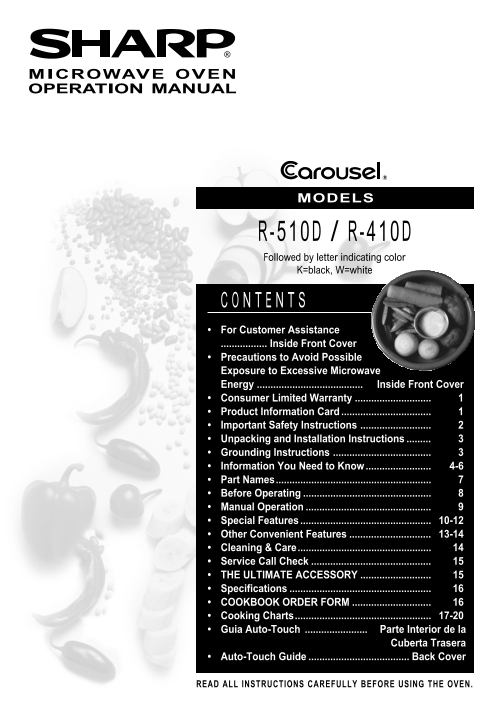
MICROWAVE OVEN OPERATION MANUAL

MODELS

-510D -410D Followed by letter indicating color K=black, W=white

For Customer Assistance ................. Inside Front Cover Precautions to Avoid Possible Exposure to Excessive Microwave Energy ....................................... Inside Front Cover Consumer Limited Warranty Product Information Card Important Safety Instructions Unpacking and Installation Instructions Grounding Instructions Information You Need to Know 4-6 Part Names......................................................... Before Operating Manual Operation Special Features 10-12 Other Convenient Features 13-14 Cleaning & Care................................................. Service Call Check THE ULTIMATE ACCESSORY Specifications COOKBOOK ORDER FORM Cooking Charts.................................................. 17-20 Guia Auto-Touch Parte Interior de la

Cuberta Trasera

Auto-Touch Guide Back Cover

READ ALL INSTRUCTIONS CAREFULLY BEFORE USING THE OVEN.

Page Summary Contents For SHARP R-410 Microwave User's Guide

Page 1 MICROWAVE OVEN OPERATION MANUAL MODELS -510D -410D Followed by letter indicating color K=black, W=white For Customer Assistance ................. Inside Front Cover Precautions to Avoid Possible Expos...
Page 2 To aid in reporting this microwave oven in case of loss or theft, please record below the model number and serial number located on the unit. We also suggest you record all the information listed and ...
Page 3 SHARP ELECTRONICS CORPORATION warrants to the first consumer purchaser that this Sharp brand product (the “Product”), when shipped in its original container, will be free from defective workmanship an...
Page 4 When using electrical appliances basic safety precautions should be followed, including the following: WARNING - To reduce the risk of burns, electric shock, fire, injury to persons or exposure to exc...
Page 5 Unpacking and Examining Your Oven ease of use. It's wise, if possible, to have counter space on at least one side of the oven. Allow at least 2 inches Remove: on the sides, top and at the rear of the ...
Page 6 ABOUT YOUR OVEN This Operation Manual is valuable: read it carefully When using the oven at power levels below 100%, you and always save it for reference. may hear the magnetron cycling on and off. It...
Page 7 ABOUT UTENSILS AND COVERINGS It is not necessary to buy all new cookware. Many The following coverings are ideal: pieces already in your kitchen can be used success- Paper towels are good for covering...
Page 8 ABOUT MICROWAVE COOKING Arrange food carefully. Place thickest areas towards Rearrange foods such as meatballs halfway outside of dish. through cooking both from top to bottom and from the center of t...
Page 9 MICROWAVE OVEN CONTROL PANEL PARTS One touch door open button Push to open door. Oven door with see-through window Safety door latches The oven will not operate unless the door is securely closed. Doo...
Page 10 Before operating your new microwave oven make This is a 12 hour clock. If you attempt to enter an sure you read and understand this operation manual incorrect clock time, will appear in the display. E...
Page 11 TIME COOKING Suppose you want to defrost for 5 minutes at 30%. Your oven can be programmed for 99 minutes 99 seconds (99.99). Always enter the seconds after the minutes, even if they are both zeros. S...
Page 12 INSTANT ACTION Instant Action allows you to cook or reheat many of your opening and closing the door or touching the Stop/ favorite foods by touching just one pad. Clear pad. Suppose you want to cook ...
Page 13 INSTANT ACTION CHART (continued) Rolls & 1-8 * Use this pad to warm rolls, muffins, biscuits, bagels etc. Large items should muffins 1-10 ** be considered as 2 or 3 regular size. Arrange on plate;...
Page 14 COMPU DEFROST Compu Defrost automatically defrosts ground meat, After the 1st stage, open the door. steaks, chops and chicken pieces. Turn steak over and shield any warm portions. Suppose you want to ...
Page 15 MULTIPLE SEQUENCE MORE OR LESS TIME COOKING ADJUSTMENT Your oven can be programmed for up to 3 automatic Should you discover that you like any of the Instant cooking sequences, switching from one powe...
Page 16 CHILD LOCK DEMONSTRATION MODE The Child Lock prevents unwanted oven operation To demonstrate, touch TIMER/CLOCK pad, 0 and such as by small children. then touch START pad and hold for three seconds. D...
Page 17 Please check the following before calling for service: Place one cup of water in a glass measuring cup in the oven and close the door securely. Operate the oven for one minute at HIGH 100%. Does the o...
Page 18 AC Line Voltage: Single phase 120V, 60Hz, AC only Single phase 120V, 60Hz, AC only AC Power Required: 1650 watts, 14.6 amps. 1650 watts, 14.6 amps. Output Power: Microwave 1200 watts* 1200 watts* (IEC...
Page 19 REHEATING CHART START ING EM IME EMICROWAVE TEMPERATURE Plate of Food MED.-HIGH (70%) Meaty portions and bulky 1 serving of meat, Room temp. 1 - 2 min. vegetables to outside. 2 servings of vegetables ...
Page 20 VEGETABLE COOKING CHART MICROWAVE IME STAND ING IME VEGETABLE AMOUNT COOK ING PROCEDURE AT IGH 100%) COVERED Artichokes 2 medium Trim and rinse. 4 - 6 min. 5 min. Fresh 2-qt casserole. 2 tbsp water. C...
Page 21 VEGETABLE COOKING CHART (continued) MICROWAVE IME STAND ING IME VEGETABLE AMOUNT COOK ING PROCEDURE AT IGH 100%) COVERED Peas, Green Fresh 2 cups 1-qt casserole. 1/4 cup water. 3 - 5 min. 3 min. Cover...
Page 22 MEAT ROASTING CHART MICROWAVE INTERNAL TEMP. INTERNAL TEMP. CUT ING PREPARAT ION IME AT REMOVAL AFTER STAND INGCOOK Chuck or Large covered casserole. 150°FMED. (50%) 160°F Pot Roast Turn over halfway ...
Page 23 Para mayor informacion y precauciones de seguridad, consulte el Manual de Operaciones PONER LA HORA OPERACION MANUAL Si aparece 8 en la Cocimiento con Alta Energia. pantalla, primero oprima 1. Marque ...
Page 24 For more complete information and safety precautions, refer to your Operation Manual. SET CLOCK MANUAL OPERATION If 88:88 is in the display, High Power Cooking. first touch STOP/CLEAR. 1. Enter cookin...

Manual Details

Brand Sharp
Pages 24
File Size 333.81 KB
Published May 31, 2026
82 views

Enter the captcha to get the download link:

captcha

Frequently Asked Questions

What should I do if the oven door seals or latches are damaged?

Do not operate the oven if it is damaged; particularly, ensure the door closes properly and check for damage to the hinges and seals.

How do I determine model and serial numbers for service?

Record these numbers on the product information card (page 1) or have them ready when calling customer assistance.

What are the steps for clocking in variable power cooking mode?

Touch TIMER/CLOCK pad, then touch CLOCK again, followed by selecting the desired power level using the POWER LEVEL pad.

Does the oven work with all types of food?

Yes, it has specific defrost settings for items like ground meat (.3 - 2.0 lb), steaks/chops (.5 - 4.0 lb), and frozen vegetables (1 - 6 cups / 1 - 8 cups).

Who is allowed to repair the microwave oven?

Only properly qualified service personnel should adjust or repair the appliance.