Page 1
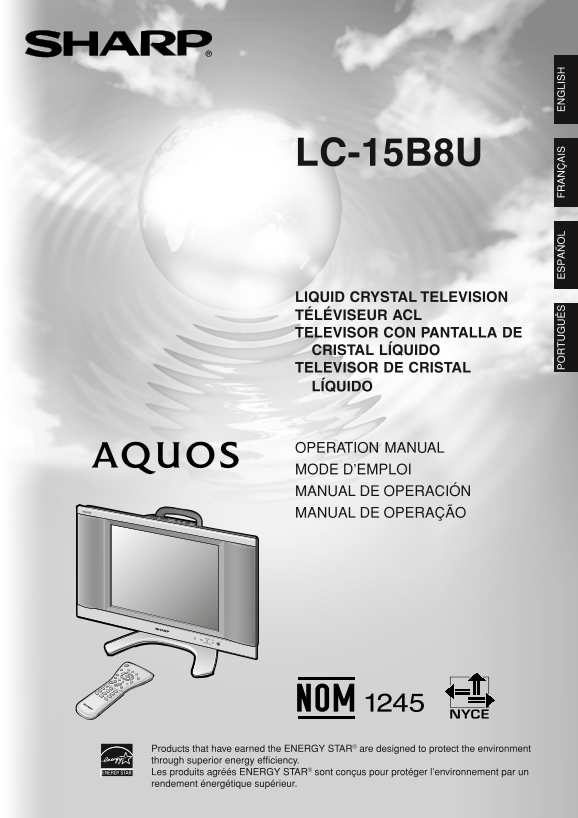
LC-15B8U LIQUID CRYSTAL TELEVISION TÉLÉVISEUR ACL TELEVISOR CON PANTALLA DE CRISTAL LÍQUIDO TELEVISOR DE CRISTAL SHARP ELECTRONICS CORPORATION LÍQUIDO Sharp Plaza, Mahwah, New Jersey 07430-2135 SHARP ...
Page 2
LC-15B8U OPERATION MANUAL ENGLISH IMPORTANT: Model No.: To aid reporting in case of loss or theft, please record the TV’s model and serial numbers in the space provided. The numbers are located at the...
Page 3
DEAR SHARP CUSTOMER Thank you for your purchase of the Sharp Liquid Crystal Television. To ensure safety and many years of trouble-free operation of your product, please read the Important Safety Prec...
Page 4
IMPORTANT SAFETY PRECAUTIONS (Continued) Cleaning—Unplug the AC cord from the AC outlet before cleaning the product. Use a damp cloth to clean the product. Do not use liquid cleaners or aerosol cleane...
Page 5
IMPORTANT SAFETY PRECAUTIONS (Continued) If an outside antenna is connected to the television equipment, be sure the antenna system is grounded so as to provide some protection against voltage surges ...
Page 6
Contents IMPORTANT INFORMATION Basic Adjustment Settings............................................ DEAR SHARP CUSTOMER AV MODE IMPORTANT SAFETY PRECAUTIONS OPC Supplied Accessories BACKLIGHT Prepara...
Page 7
Preparation Installing Batteries in the Remote Control Before using the LCD TV set for the first time, install the two “AAA” size batteries supplied in the remote control. When the batteries become de...
Page 8
Preparation (Continued) Antenna Connection ANTENNAS The antenna requirements for good color television reception are more important than those for black & white television reception. For this reas...
Page 9
Preparation (Continued) Antenna Connection (Continued) CABLE TV (CATV) CONNECTION A 75-ohm coaxial cable connector is built into the LCD TV set for easy hookup. When connecting the 75-ohm coaxial cabl...
Page 10
Part Names of the Main Unit Controls How to adjust the angle Upper control panel CH (Channel) ( INPUT VOL (Volume) MENU POWER Tilt the display by grabbing onto the carrying handle while securely holdi...
Page 11
Part Names of Main Unit (Continued) Terminals Rear View Carrying handle * Using the Kensington Lock This LCD TV set has a Kensington AC INPUT Security Standard slot for use with (AC 110-240 V) a Kensi...
Page 12
Part Names of the Remote Control POWER (p. 14) DISPLAY Switches the Liquid Crystal Displays the receiving channel and Television power on or standby. the current time for 10 seconds. PIC.FLIP (p. 30) ...
Page 13
EZ SETUP (With AUTO CLOCK Setting) EZ SETUP during the First Power On Press ENTER to access START EZ SETUP mode. Press '/" to select “YES”, and press ENTER. When you turn on the LCD TV set for th...
Page 14
Setting the CLOCK AUTO CLOCK Setting CLOCK: The AUTO CLOCK setting may take from several minutes to an hour There are two methods of setting the clock: AUTO CLOCK depending on the number of channels t...
Page 15
Basic Operation Daylight Saving Time (DST) Adjustment Turning On and Off the Main Power The Daylight Saving-Time changes as shown below. Set the DST to “ON” to forward the clock by 1 hour. To rewind t...
Page 16
Basic Operation (Continued) Switching the Input Modes (INPUT1/ Sound Volume INPUT2/INPUT3/TV) ■ To adjust the volume Press VOL (+) to increase the sound volume. Turn on the power of the connected vide...
Page 17
Basic Operation (Continued) Changing Channels Selecting Menu Items The menus can be used to adjust the various settings of the LCD TV set. Select the desired menu item by following the steps below. Se...
Page 18
Basic Operation (Continued) ■ Menu setting screens For details on setting each menu item, refer to the page number indicated below. The illustrations and on-screen displays in this manual are for expl...
Page 19
Basic Adjustment Settings AV MODE OPC AV MODE gives you preset options to choose from, to best Automatically adjusts the brightness of the screen. match the image based on room-brightness and playback...
Page 20
Basic Adjustment Settings (Continued) BACKLIGHT PICTURE Adjustments You can adjust the brightness of the picture. You can adjust the picture to your preference with the following picture settings. Pre...
Page 21
Basic Adjustment Settings (Continued) COLOR TEMPERATURE AUDIO Adjustments You can adjust the color temperature to give a better white You can adjust the sound quality to your preference with the balan...
Page 22
Useful Features ■ Saving broadcast TV channels in the memory CH-SETTING Press MENU to display the Menu screen. EZ SETUP When you move to an area with different broadcasting Press \/| to select “SETUP”...
Page 23
Useful Features (Continued) SETUP Press MENU to display the Menu screen. Press \/| to select “SETUP”. Press '/" to select the desired item, and press ENTER. SETUP OPTION Press '/" to change ...
Page 24
Useful Features (Continued) V-CHIP Settings V-CHIP This function allows TV programs to be restricted and TV usage to be controlled based on FCC data. It prevents children from watching violent or sexu...
Page 25
Useful Features (Continued) Canadian Rating Systems The TV rating systems in Canada are based on the Canadian Radio-Television and Telecommunications Commission (CRTC) policy on violence in television...
Page 26
Useful Features (Continued) ● Setting BLOCK CONTENT (TV GUIDELINES) V-CHIP Settings (Continued) Repeat steps 1 to 4 of Setting V-CHIP. V-CHIP settings allow you to set MPAA rating, TV GUIDE- LINES, Ca...
Page 27
Useful Features (Continued) Activating V-CHIP BLOCK Changing V-CHIP BLOCK settings ● Setting STATUS Repeat steps 1 to 3 of Setting V-CHIP on page 25, You can activate V-CHIP BLOCK after setting V-CHIP...
Page 28
Useful Features (Continued) Directly setting the CLOSED CAPTION CLOSED CAPTION Setting CLOSED CAPTION This LCD TV set is equipped with an internal Closed Caption decoder. “Closed Caption” is a system ...
Page 29
Useful Features (Continued) VIEW MODE AUDIO ONLY You can select the picture display size for the playback image When listening to music from a music program, you can turn of the DVD player from the fo...
Page 30
Useful Features (Continued) SLEEP TIMER WAKE-UP TIMER You can set the SLEEP TIMER to automatically turn off the TV. You can set the WAKE-UP TIMER to automatically turn on the TV. POWER Repeat steps 1 ...
Page 31
Useful Features (Continued) NO SIGNAL OFF PICTURE FLIP The NO SIGNAL OFF function allows you to save energy. You can set the orientation of the picture. When set to “ENABLE”, the power will automatica...
Page 32
Connecting External Devices You can enjoy picture and sound by connecting a VCR or a home video game system to the terminals located on the rear of the main unit. When connecting an external device, t...
Page 33
Connecting External Devices (Continued) Connecting to the INPUT1/2/3 Terminals INPUT1 terminal (COMPONENT) INPUT2 terminal Camcorder DVD player Audio cable (commercially available) Audio (L) Audio (R)...
Page 34
Troubleshooting ■ Before calling for repair services, make the following checks for possible remedies to the encountered symptoms. LCD TV set Problem Check item Reference page Make sure the AC cord is...
Page 35
Troubleshooting (Continued) ■ Before calling for repair services, make the following checks for possible remedies to the encountered symptoms. Antenna Problem Check item The reception may be weak. The...
Page 36
Calling for Service For location of the nearest Sharp Authorized Service, or to obtain product literature, accessories, supplies, or customer assistance, please call 1-800-BE-SHARP. LIMITED WARRANTY C...
Page 37
VALID IN CANADA ONLY LIMITED WARRANTY Consumer Electronics Products Congratulations on your purchase! Sharp Electronics of Canada Ltd. (hereinafter called “Sharp”) gives the following express warranty...
Page 38
Dimensional Drawings (5 7. 9) (4 8. 5) (3 Unit: inch (mm) LC15B8U_E_Hyo1234.p65 05.3.15, 9:15 AM2
Page 39
-15B 8U AT IO L M ’E LO I M L D IÓ L D LC-15B8U LIQUID CRYSTAL TELEVISION TÉLÉVISEUR ACL TELEVISOR CON PANTALLA DE CRISTAL LÍQUIDO TELEVISOR DE CRISTAL SHARP ELECTRONICS CORPORATION LÍQUIDO Sharp Plaz...