SHARP KB-6024M, KB-6025M Operation Manual
Summary
Unlock the full potential of your built-in microwave drawer with this essential user manual. Designed for homeowners, it offers comprehensive, step-by-step instructions on mastering advanced cooking cycles, effortless defrosting, precision reheating, and auto-cook functions. The guide covers not only operation specifics—from setting timers to utilizing sensor technology—but also vital safety guidelines, cleaning tips, and setup details, ensuring a safe and enjoyable kitchen experience.
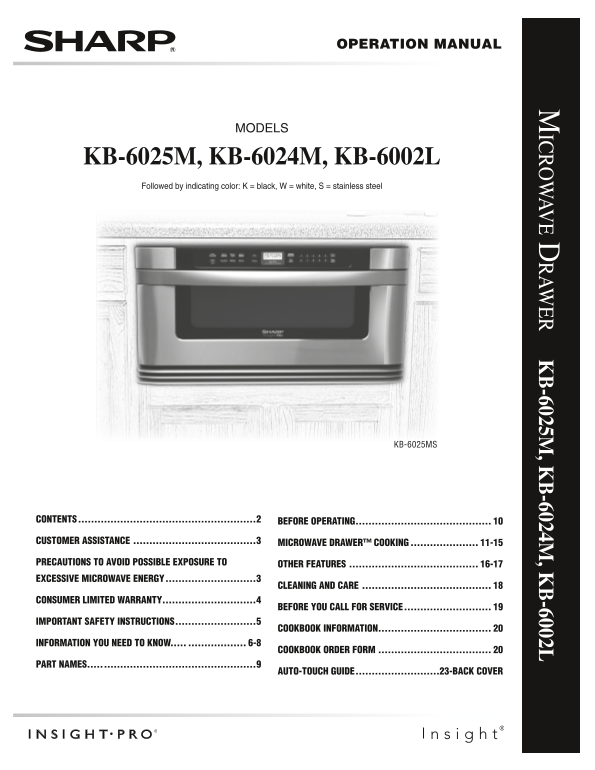
Page 1 Text Content
Operati On Manual
icrow ave D raw er K B-6025M , K B-6024M , K B-6002L
Model S
KB-6025M, KB-6024M, KB-6002L Followed by indicating color: K = black, W = white, S = stainless steel
KB-6025MS
contents. ......................................................2 before.o Per Ating..........................................
customer.Assist Ance.......................................3 microw Ave.dr Awer™.cooking...................... 11-15
Prec Autions.to.Avoid.Possible.ex Posure.to. other.fe Atures......................................... 16-17 excessive.microw Ave.energy. ...........................3
cle Aning.And.c Are.........................................
consumer.limited.w Arr Anty.............................4
before.you.c All.for.service.
im Port Ant.s Afety.instructions. ........................5
cookbook.inform Ation................................... inform Ation.you.need.to.know........................ 6-8 cookbook.order.form....................................
PArt.n Ames...... ..............................................9
Auto-touch.guide. .........................23-b Ack.cover
Page Summary Contents For SHARP KB-6024M, KB-6025M Operation Manual
Manual Details
| Brand | Sharp |
|---|---|
| Pages | 24 |
| File Size | 986.63 KB |
| Published | June 02, 2026 |
Enter the captcha to get the download link:

Frequently Asked Questions
What should I do if the microwave cannot power on?
If it does not power on, please ensure all connections are secure and check the circuit breaker.
How do I use the Sensor Cook feature for meats?
Select the food by touching its number label, then touch the 'Sensor Cook' pad once (e.g., for steaks/chops). Enter the weight using the number pads, and finally press START/Minute Plus/Level.
What is the recommended method for cleaning the microwave?
Refer to the dedicated 'Cleaning and Care' section of the manual or consult authorized service personnel for proper procedures.
How can I set the clock or a timer?
To set the clock, go to the appropriate section; to start the timer, touch the Timer/Clock pad followed by the desired time amount and press START/Minute Plus.