# A B C D E F G H I J K L M N O P Q R S T U V W X Y Z

SHARP KB-6002L KB6014L KB-6015K Operation Manual

Summary

Discover how to safely operate your high-performance Microwave Drawer (Models KB-6015K, etc.). This comprehensive manual is essential for all homeowners needing expert guidelines on setup and use. It covers everything from intuitive sensor cooking and defrosting to detailed cleaning procedures. Learn best practices for maximum efficiency while adhering to crucial safety precautions when using advanced microwave technology.
📄 Preview PAGE OF 24

Page 1 Text Content

icrow ave D raw er

Operati On Manual

Model S

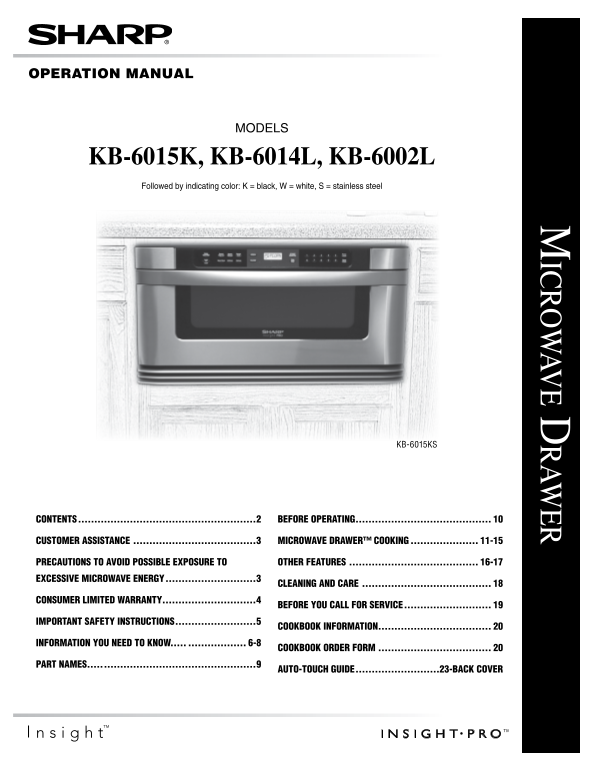
KB-6015K, KB-6014L, KB-6002L Followed by indicating color: K = black, W = white, S = stainless steel

KB-6015KS

contents. ......................................................2 before.o Per Ating..........................................

customer.Assist Ance.......................................3 microw Ave.dr Awer™.cooking...................... 11-15

Prec Autions.to.Avoid.Possible.ex Posure.to. other.fe Atures......................................... 16-17 excessive.microw Ave.energy. ...........................3

cle Aning.And.c Are.........................................

consumer.limited.w Arr Anty.............................4

before.you.c All.for.service.

im Port Ant.s Afety.instructions. ........................5

cookbook.inform Ation................................... inform Ation.you.need.to.know........................ 6-8 cookbook.order.form....................................

PArt.n Ames...... ..............................................9

Auto-touch.guide. .........................23-b Ack.cover

Page Summary Contents For SHARP KB-6002L KB6014L KB-6015K Operation Manual

Page 1 icrow ave D raw er Operati On Manual Model S KB-6015K, KB-6014L, KB-6002L Followed by indicating color: K = black, W = white, S = stainless steel KB-6015KS contents. .....................................
Page 2 COntents contents. ......................................................2 other.fe Atures......................................... 16-17 KEEP warm .......................................................
Page 3 Cust OMer assistan Ce To aid in reporting this electric range, please record below the model number and serial number located on the unit. we also suggest you record all the information listed and ret...
Page 4 COnsu Mer li Mite D Warranty SHARP ELECTRONICS CORPORATION warrants to the first consumer purchaser that this Sharp brand product (the “Product”), when shipped in its original container, will be free ...
Page 5 im Port Ant.s Afety.instructions r Ea D a LL in STr UCTi On S b Ef Or E USin G when using the appliance, basic safety precautions should 17 be sure that the food and container are shorter than the be ...
Page 6 in FOr Mati On y Ou nee D t O kn OW ab Out unpa Ckin G an D exa Minin G Your microwave Drawer is rated 1000 watts by using the i EC y Our Mi Cr OWave Dra Wer Test Procedure. in using recipes or packag...
Page 7 in FOr Mati On y Ou nee D t O kn OW ab Out utensils an D COverin Gs How to use aluminum foil in your Microwave Drawer: it is not necessary to buy all new cookware. many pieces already • Small flat pie...
Page 8 in FOr Mati On y Ou nee D t O kn OW ab Out sa Fety • a Lwa YS use potholders to prevent burns when handling utensils that are in contact with hot food. Enough heat from • Check foods to see that they ...
Page 9 part na Mes Mi Cr OWave Dra Wer Control panel vent waveguide cover DO n OT r Em Ov E name plate for models Kb-6015K and Kb-6002L microwave Drawer menu Label name plate for model Kb-6014L: open the Dra...
Page 10 be FOre Operatin G before operating your new microwave Drawer make sure you ti Mer read and understand this operation manual completely. 1 Touch Timer/Clock pad and number 1. • before the microwave Dr...
Page 11 Mi Cr OWave Dra Wer COOkin G sens Or settin Gs ti Me COOkin G Sharp's Sensor is a semi-conductor device that detects the Your microwave Drawer can be programmed for 99 minutes vapor (moisture and humi...
Page 12 Mi Cr OWave Dra Wer COOkin G COverin G FOODs: sens Or p Op COrn / sens Or re Heat Some foods work best when covered. Use the cover You can pop popcorn and reheat many foods and don’t need recommended ...
Page 13 Mi Cr OWave Dra Wer COOkin G sens Or COOkin G 1 Touch Sensor Cook pad once. SEE LABEL SELECT Note: FOOD NUMBER • To heat or cook other foods or foods above or below the 2 See menu Label. Select desire...
Page 14 Mi Cr OWave Dra Wer COOkin G De Fr Ost Use this feature to defrost the foods shown in the DEfr OST 7 after defrost cycle ends, cover and let stand as indicated CHar T below. in the chart below. 1 Touc...
Page 15 Mi Cr OWave Dra Wer COOkin G re Heat reheat automatically computes the correct warming time and Note: microwave power level for foods shown in the chart below. • reheat can be programmed with more or ...
Page 16 Ot Her Features keep War M • if you wish to know power level during cooking, simply touch the Power Level pad. As long as your finger is Keep warm allows you to keep food warm up to 30 touching the Po...
Page 17 Ot Her Features setup/Cust OM Help aut O start if the electrical power supply to your microwave Drawer if you wish to program the microwave Drawer to begin should be interrupted, the display will inte...
Page 18 Cleanin G an D Care exteri Or interi Or The outside surface is precoated metal and plastic. Clean Cleaning is easy because no heat is generated to the interior the outside with mild soap and water; ri...
Page 19 be FOre y Ou Call FOr servi Ce Please check the following before calling for service. it may save you time and expense. pr Oble M p Ossible Cause s Oluti On 1 Part or all of microwave • Power cord of ...
Page 20 Great recipes ✪ Reliable microwave Car Ousel Mi Cr OWave reference guide COOkb OOk TO ORDER ✪ Many color photos Simply call this toll-free number: 1-800-237-4277. ✪ Step-by-step Please have your credi...
Page 21 n Otes
Page 22 n Otes
Page 23 aut O-t Ou CH Gui De Mi Cr OWave Dra Wer Ot Her Features keep War M COntr Ol l OCk micro warm allows you to keep food warm up to 30 minutes. The Control Lock prevents unwanted oven/drawer operation su...
Page 24 aut O-t Ou CH Gui De For more complete information and safety precautions, refer to your Operation Manual. Mi Cr OWave Dra Wer set Cl OCk sens Or p Op COrn/sens Or re Heat Touch Sensor Reheat or Senso...

Manual Details

Brand Sharp
Pages 24
File Size 784.93 KB
Published June 05, 2026
56 views

Enter the captcha to get the download link:

captcha

Frequently Asked Questions

How do I set the cooking temperature or power level?

Use a dedicated 'Power Level' pad or enter specific settings as described for the selected food item.

What precautions should I take regarding microwave energy exposure?

Do not attempt to operate this oven with the door open, as open-door operation can result in severe hazard.

Where do I find support if I need service?

You must provide a Model Number, Serial Number, Date of Purchase, your complete mailing address, daytime telephone number, and description of the problem.