Page 1
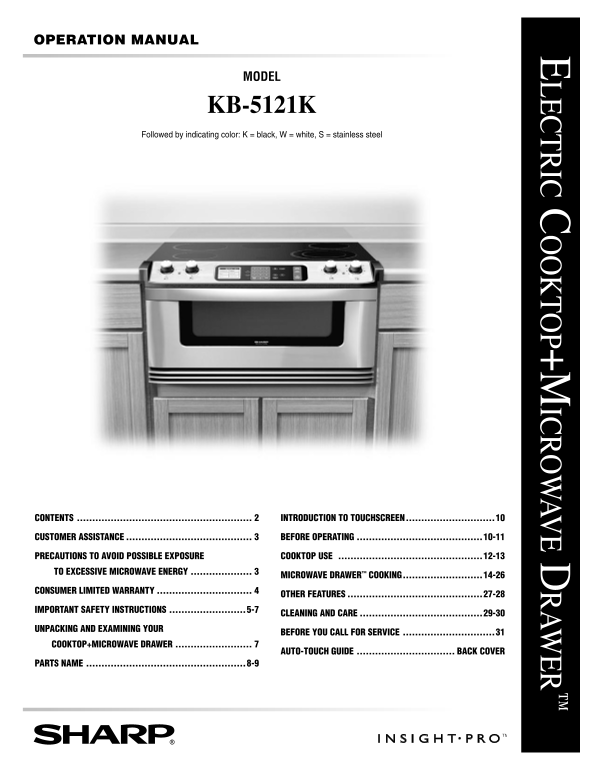
OPERATION MANUAL LECTRIC C OOKTOP+M ICROW AVE D RAW ER MODEL KB-5121K Followed by indicating color: K = black, W = white, S = stainless steel CONTENTS ....................................................
Page 2
UNPACKING AND EXAMINING YOUR COOKTOP+MICROWAVE DRAWER CONTENTS CONTENTS .......................................................... MICROWAVE DRAWER COOKING ............................14-26 INFORMATIO...
Page 3
UNPACKING AND EXAMINING YOUR COOKTOP+MICROWAVE DRAWER CUSTOMER ASSISTANCE To aid in reporting this electric Cooktop+Microwave Drawer, please record below the model number and serial number located on ...
Page 4
CONSUMER LIMITED WARRANTY SHARP ELECTRONICS CORPORATION warrants to the first consumer purchaser that this Sharp brand product (the “Product”), when shipped in its original container, will be free fro...
Page 5
IMPORTANT SAFETY INSTRUCTIONS READ ALL INSTRUCTIONS BEFORE USING baking soda or, if available, by a multi-purpose dry IMPORTANT SAFETY NOTICE AND chemical or foam-type fire extinguisher. WARNING 9 Use...
Page 6
IMPORTANT SAFETY INSTRUCTIONS 4 To reduce the risk of burns, ignition of flammable MICROWAVE DRAWER materials and spillage due to unintentional contact with When using the Microwave Drawer, basic safe...
Page 7
IMPORTANT SAFETY INSTRUCTIONS 18 To reduce the risk of fire in the Microwave Drawer cavity: removed from the Microwave Drawer is not always present. THIS COULD RESULT IN VERY HOT a Do not overcook foo...
Page 8
PARTS NAME ELECTRIC COOKTOP WITH MICROWAVE DRAWER 1 Hot surface indicator 8 Drawer sealing surfaces 2 Radiant surface units 9 Microwave Drawer guides 3 Cooktop Warm Zone 10 Glass ceramic cooktop 4 Con...
Page 9
Numbers next to the keysheet illustration indicate pages on which there are feature descriptions and usage information.
Page 10
INTRODUCTION TO TOUCHSCREEN This Sharp Insight Cooktop+Microwave Drawer features an LCD Touchscreen that is designed to make operation easy by providing step-by-step instructions right on the active t...
Page 11
BEFORE OPERATING TO SET DATE AND TIME 1 After touching Set Clock or Clock, enter the correct month 2 Enter the date by touching the number pads on the control by touching Month repeatedly. The month a...
Page 12
COOKTOP USE INFORMATION YOU NEED TO KNOW ABOUT COOKING UTENSILS For best results and energy conservation, choose cooking ABOUT THE COOKTOP utensils as below. • Glass ceramic cooktop - Make sure the su...
Page 13
Surface units are turned on and adjusted using the control knobs. Setting Type of cooking High Bring liquid to a boil. Always reduce Place correctly sized cookware on the radiant surface unit. setting...
Page 14
MICROWAVE DRAWER COOKING INFORMATION YOU NEED TO KNOW • Check for doneness. Look for signs indicating that cooking temperatures have been reached. ALWAYS have food in the Microwave Drawer when it is o...
Page 15
MICROWAVE DRAWER COOKING need tenderizing. DO NOT use metal twist ties. Remember that are in contact with hot food. Enough heat from the to slit bag so steam can escape. food can transfer through uten...
Page 16
MICROWAVE DRAWER COOKING MANUAL OPERATION TIME COOKING Your Microwave Drawer can be programmed for 99 minutes 99 seconds (99.99). Always enter the seconds after the minutes, even if they are both zero...
Page 17
MICROWAVE DRAWER COOKING MULTIPLE SEQUENCE COOKING The Microwave Drawer can be programmed for up to four automatic cooking sequences, switching from one power level setting to another automatically. S...
Page 18
MICROWAVE DRAWER COOKING SENSOR SETTINGS appear. The Microwave Drawer may be opened when the remaining time appears on the display. At this time, Sharp's Sensor is a semi-conductor device that detects...
Page 19
MICROWAVE DRAWER COOKING • Suppose you want to reheat 2 slices of pizza. 1 Touch Reheat pad. 2 Touch Pizza pad. 3 Touch number 2 pad. You can touch Custom Help for additional information or simply tou...
Page 20
MICROWAVE DRAWER COOKING AUTOMATIC COOKING Automatic Cooking has six categories and each category has several selections. Many sensor cooked foods are included. See the sensor cooking information on p...
Page 21
MICROWAVE DRAWER COOKING AUTOMATIC COOKING CHART (CONT.) FROZEN FOODS & SNACKS AMOUNT PASTA, GRAINS AMOUNT Vegetables* 0.25 - 1.25 lb White Rice* 0.5 - 2.0 cups Entrees, Main Dishes* 6 - 40 oz Bro...
Page 22
MICROWAVE DRAWER COOKING RECIPES FOR LOW CALORIE ENTREES (RECIPES SERVE 4) Steak Fajitas Thai Chicken Kabobs 3/4 lb beef flank steak, cut in diagonal inch strips 2 tbsp lime juice 1/3 c orange juice 1...
Page 23
MICROWAVE DRAWER COOKING RECIPES FOR SUPPER SOUPS & SAUCES (RECIPES SERVE 4) CONT. Meat Sauce Vegetarian Chili 3/4 lb ground beef 3/4 c sliced carrots 1/3 lb sweet Italian sausage 3/4 c sliced cel...
Page 24
MICROWAVE DRAWER COOKING DEFROST Defrost pad automatically defrosts all the foods found in the Defrost chart below. • Suppose you want to defrost 1.2 lb ground meat. 1 Touch Defrost pad. 2 Touch Groun...
Page 25
MICROWAVE DRAWER COOKING OTHER CONVENIENT FEATURES KEEP WARM Keep Warm allows you to keep food warm up to 30 minutes. • Suppose you want to keep food warm for 20 minutes. 1 Touch Keep Warm pad. 2 Ente...
Page 26
MICROWAVE DRAWER COOKING MORE/LESS TIME ADJUSTMENT The programmed cooking times are tailored to the most popular tastes. To adjust the cooking time to your individual preference, use the More/Less pad...
Page 27
OTHER FEATURES KITCHEN TIMER • Suppose you want to set Kitchen Timer for 15 minutes. 1 Touch Kitchen Timer pad on the control 2 Touch Min/Sec pad*. 3 To set time, touch number pads 1500 panel. and tou...
Page 28
OTHER FEATURES VIDEO DEMO PAGE FORWARD AND BACK The Video Demo is an automated “tour” through many of the The Page FORWARD and Page BACK pads on the features of this Cooktop+Microwave Drawer. To see a...
Page 29
CLEANING AND CARE Before cleaning any part of the Cooktop+Microwave Drawer, We recommend that you avoid wiping any surface unit areas be sure all controls are turned OFF and all surfaces are until the...
Page 30
CLEANING AND CARE Note: MICROWAVE DRAWER GUIDES • Do not use aluminum foil on the cooktop. Remove the food crumbs from the Microwave Drawer guides. • If pots or pans of aluminum or copper are allowed ...
Page 31
BEFORE YOU CALL FOR SERVICE Please check the following before calling for service. It may save you time and expense. PROBLEM POSSIBLE CAUSE SOLUTION 1 Part or all of • Power outage. • Check house ligh...
Page 32
AUTO-TOUCH GUIDE For more complete information and safety precautions, refer to your Operation Manual. MICROWAVE DRAWER MINUTE PLUS Minute Plus allows you to cook for one minute at 100% power SET DATE...